Introduction to Pizza Tycoon
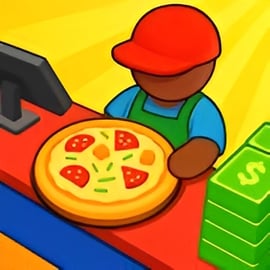
Pizza Tycoon is a colorful 3D pizza restaurant simulator where you start with a tiny shop and grow it into a bustling pizzeria empire. You’ll cook cheesy pizzas, serve hungry customers, hire staff, and constantly reinvest your earnings into better ovens, more seating, and stylish decor. It mixes light cooking gameplay with a fun pizzeria management game loop that feels like a casual cooking and business tycoon hybrid.
Unlike pure cooking games, Pizza Tycoon focuses heavily on upgrades, layout, and efficiency. You aren’t just tossing dough; you’re designing a profitable restaurant and turning it into a global chain. That makes it perfect for players who enjoy an idle restaurant upgrade game or food shop simulation online experience where every improvement makes your earnings grow faster over time.
The game fits neatly into the Simulation, Management, and Idle categories. The simulation side comes from running a realistic pizza shop, the management side is about staff, customers, and finances, while the idle elements let your upgrades steadily increase profits as you play. It’s approachable for beginners but satisfying for anyone who loves optimizing a business.
Pizza Tycoon Controls
Pizza Tycoon keeps its control scheme simple so you can focus on strategy instead of complicated input combos. On browser, you mainly use your mouse or touch controls, which makes it easy to play on a laptop, desktop, or mobile browser.
Mouse & Keyboard Controls (Desktop)
- Move your character: Click and hold the left mouse button on the floor to guide your pizzaiolo around the shop.
- Interact with stations: Walk your character into key objects (ovens, pizza counter, customer tables, upgrade icons) to trigger actions automatically.
- Collect money: Move near tables when customers finish eating to gather coins or bills.
- Open upgrades / shop: Click on upgrade icons or highlighted areas (oven, tables, staff stand, decor spots) to open upgrade panels.
- Menus and buttons: Use left-click to navigate, purchase upgrades, or confirm actions. Keyboard is mostly optional.
Touch Controls (Mobile Browser)
- Tap to move: Tap the floor to move your character to that location.
- Tap objects: Tap ovens, tables, and upgrade spots to interact or open their upgrade windows.
- Tap buttons: Tap UI buttons for hiring staff, decorating, or upgrading equipment.
Because of this straightforward control scheme, Pizza Tycoon is very accessible: you can jump in for a quick session and immediately understand how to move, serve, and upgrade without a long tutorial.
Pizza Tycoon Features
Pizza Tycoon packs a surprising amount of depth into a casual pizza restaurant simulator. Below are some key features that define the experience:
- Hands-on pizza service: You personally run around your shop, collecting pizzas from the oven and delivering them to tables for your guests.
- Progressive upgrades: Start with a single oven and a couple of tables, then add more cooking stations, extra seating, and faster equipment as your income rises.
- Staff management: Hire assistants and servers to help with cooking and serving, gradually shifting from doing everything yourself to becoming a real cooking and business tycoon.
- Visual restaurant growth: Every new oven, table, and decorative piece physically changes your pizzeria, so you can see your small shop evolve into a bustling restaurant.
- Idle-style progression: Many upgrades improve speed, capacity, and income, giving the game that satisfying idle restaurant upgrade game feel where every improvement boosts your cash flow.
- Approachable management layer: While lighter than hardcore sims, there’s still planning involved: balancing space, customer flow, and staff efficiency.
- Family-friendly theme: Bright visuals, pizza-focused gameplay, and no graphic violence or mature content make it suitable for younger players.
Combined, these features turn Pizza Tycoon into a highly replayable food shop simulation online that’s easy to pick up but rewarding to optimize.
Where to Play Pizza Tycoon
You can enjoy Pizza Tycoon directly in your web browser on major gaming portals that host free pizzeria management game titles. There’s no need to download a large client or install complex software; you usually just click “Play” and the game loads in a few seconds.
Supported Platforms
- Desktop / Laptop: Play through modern browsers like Chrome, Firefox, Edge, or Safari. This is often the smoothest way to experience the game thanks to larger screens and precise mouse controls.
- Mobile Browser: Many platforms let you run Pizza Tycoon in a mobile browser on Android or iOS. Performance may vary by device, but the simple tap controls make it very playable on phones and tablets.
Look for the game under categories such as Simulation, Management, or Idle on your favorite browser gaming site. Because it’s a food shop simulation online, you’ll usually find it grouped with other restaurant, café, and cooking tycoon games.
Offline Play Availability for Pizza Tycoon
Pizza Tycoon is designed primarily as an online browser game, which means you typically need an active internet connection to load and play it.
- Browser version: Runs inside your web browser, so you must be online to access the game page and load its files.
- Progress: On many sites, your progress and upgrades may be stored in the browser’s local data or tied to your account, which still assumes you’re playing online.
If you’re looking specifically for offline play, consider downloadable tycoon titles on PC or mobile app stores. But if you’re happy with a quick, no-install pizza restaurant simulator that you can launch in seconds, Pizza Tycoon is an excellent online choice.
How to Build Your Own Pizza Empire in Pizza Tycoon
Turning a tiny pizzeria into a full-blown empire in Pizza Tycoon is all about smart upgrades and efficient use of space. Here’s a step-by-step strategy to grow fast.
1. Master the Early Game Loop
At the start, you’ll likely have a single oven and limited seating. Focus on this simple loop:
- Move to the oven and collect freshly baked pizzas.
- Deliver them to waiting customers at tables.
- Collect payment once customers finish eating.
- Immediately reinvest money into your first key upgrades.
In the early minutes, speed is everything. The faster you complete this loop, the faster you unlock your first upgrades and start snowballing income.
2. Prioritize Earning Upgrades First
When cash is tight, invest in upgrades that directly increase your income per minute:
- Oven capacity & speed: Faster baking means more pizzas served.
- Extra tables: More customers seated at once equals more payments rolling in.
- Walk speed (if available): Moving faster between oven and tables shaves seconds off every cycle.
These upgrades amplify one another and transform your small shop into a high-throughput restaurant, which is exactly what you want in an idle restaurant upgrade game.
3. Expand into Multi-Tasking with Staff
Once your restaurant can handle multiple customers at once, it’s time to stop being a one-person army and start behaving like a real cooking and business tycoon:
- Hire assistants: Let helpers handle repetitive tasks like serving food or collecting money.
- Upgrade staff: Increase their speed, carrying capacity, or intelligence so they make fewer mistakes and keep the flow smooth.
- Reassign your role: As your team grows, focus your time on walking to upgrade spots, expanding the shop, and planning layout instead of micromanaging every plate.
4. Reinvent the Shop Layout
As you unlock more space and equipment, rearrange your pizzeria to reduce walking distance:
- Place ovens centrally or near the heaviest traffic area.
- Cluster tables so staff can serve multiple customers with minimal movement.
- Keep upgrade and cash-collection points easy to reach.
This optimizes your pizzeria management game flow and turns your growing shop into a streamlined pizza factory.
Tips to Manage Customers, Staff, and Upgrades Efficiently
Efficient management is what separates casual players from true pizza tycoons. These tips will help you squeeze maximum profit out of every minute.
Customer Management
- Avoid long waits: If customers are queuing too long, you either need more tables, faster service, or another oven.
- Watch body language: Many food shop simulation online titles show impatience via icons or animations. If you see frustration, it’s a sign to upgrade.
- Balance capacity and throughput: Don’t spam tables if your ovens can’t keep up, or you’ll end up with unhappy guests.
Staff Management
- Hire at the right time: Bring in your first assistant when you consistently have more tasks than you can handle, not too early when cash is scarce.
- Specialize roles: If staff types have different strengths, assign some to serving and others to collecting payments.
- Upgrade staff before adding more: One highly upgraded worker can often outperform two low-level workers and costs less overall.
Upgrade Strategy
- Short payback first: Prioritize upgrades that pay for themselves quickly (e.g., oven speed, extra customers per table cycle).
- Avoid cosmetic overspending early: Decor is fun, but don’t buy it before essential equipment if money is tight.
- Think multiplicatively: A faster oven + more tables + quicker staff multiplies your gains, which is the core joy of a good idle restaurant upgrade game.
Pizza Shop Customization: Ovens, Tables, Decor and More
Customization is where Pizza Tycoon really lets you put your stamp on the restaurant. You aren’t only managing numbers; you’re designing a cozy, bustling pizzeria that looks the way you want.
Oven and Kitchen Upgrades
- New ovens: Add more ovens to cook multiple pizzas simultaneously.
- Faster baking: Upgrade existing ovens so each batch finishes quicker.
- Capacity boosts: Increase how many pizzas each oven can handle at once.
In a pizza restaurant simulator, your ovens are the heart of the business. Keep them upgraded and you’ll never be starved for product.
Tables and Seating
- Additional tables: Seat more customers at once and reduce the time people spend waiting in line.
- Table quality: Some games reward nicer tables with higher tips or happier customers, so check for such bonuses.
- Layout planning: Group tables in clusters to reduce staff walking time.
Decor and Atmosphere
- Wall art, plants, and lights: Make the pizzeria look inviting and vibrant.
- Theme consistency: Match colors or styles to give your shop a unique personality.
- Customer appeal: In many food shop simulation online games, better decor helps attract more customers or boosts their patience.
This layer of customization is what elevates Pizza Tycoon from a simple clicker into a full pizzeria management game. You’re not just chasing profit – you’re crafting an atmosphere people actually want to visit.
From Small Pizzeria to Global Chain: Progression Guide
Pizza Tycoon is built around a satisfying sense of progression: your humble corner shop can eventually feel like the flagship of a pizza empire. Here’s how that journey typically unfolds.
Stage 1: Local Favorite
- One or two ovens, a couple of tables.
- You personally do almost everything: serving, collecting, upgrading.
- Focus is on survival and basic growth.
Stage 2: Busy Neighborhood Hotspot
- Multiple ovens, expanded seating, first staff members hired.
- Upgrade cycles become more frequent as income ramps up.
- You start experimenting with layout and decor.
Stage 3: Citywide Brand
- Highly upgraded equipment and fully staffed operations.
- Your job shifts from micromanagement to strategic planning.
- Most of your time is spent optimizing small details for big gains.
Stage 4: Global Pizza Empire
- You hit top-tier upgrades and decorations, turning your pizzeria into a showpiece.
- The income stream feels effortlessly strong, capturing that classic cooking and business tycoon fantasy.
- At this point, you can chase perfection, experiment with new layouts, or restart for a fresh challenge.
This gradual scale-up is what keeps Pizza Tycoon engaging over time. Each new stage unlocks a new layer of decisions, yet the game remains accessible thanks to its idle-inspired core.
Free Online Management Games Similar to Pizza Tycoon
If you enjoy Pizza Tycoon, there are plenty of other free online management games that deliver a similar mix of simulation, strategy, and idle progression.
Other Food & Restaurant Simulations
- Fast food shop simulators: Manage burgers, fries, or full menus in other food shop simulation online titles where you handle queues, upgrades, and staff.
- Dessert cafés and bakeries: Run a cake shop or ice cream parlor with similar mechanics: bake, serve, upgrade, repeat.
- General restaurant tycoons: Broader cooking and business tycoon games that cover multiple cuisines and larger venues.
Idle & Incremental Management Games
- Idle restaurant games: Focus on passive income, letting your upgraded staff and equipment earn money even when you’re not clicking constantly.
- Shop and mall tycoons: Expand from a single store into a multi-shop complex, applying the same management skills you learned in Pizza Tycoon.
- Business simulators: Broader company management games that trade pizza ovens for factories, offices, or theme parks.
Most of these games are also available in-browser and fall under Simulation, Management, and Idle categories, so if Pizza Tycoon hooked you, you’ll have no trouble finding your next favorite tycoon challenge.
FAQ
What is Pizza Tycoon about?
A: Pizza Tycoon is a restaurant management game where you run a pizzeria, serve customers, earn money, and upgrade your shop into a thriving pizza empire.
Can I play Pizza Tycoon for free online?
A: Yes, Pizza Tycoon can be played for free in your browser on supported gaming sites, with no download required.
Is Pizza Tycoon family-friendly for kids?
A: Yes, Pizza Tycoon is family-friendly. It focuses on cooking, serving customers, and managing a pizza shop with no inappropriate content.
Do I need to create an account to play Pizza Tycoon?
A: Most browser versions let you start playing Pizza Tycoon instantly without an account, though some platforms may offer login for saving progress.
What can I upgrade in Pizza Tycoon?
A: You can buy new ovens, add tables, decorate your restaurant, and hire assistants to serve more customers and grow your pizza business faster.