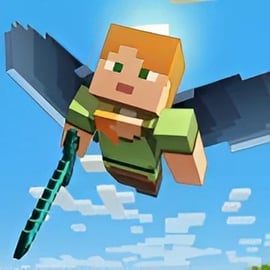
Overview of Elytra Flight
Elytra Flight is a fast-paced flight arcade game where you glide through 3D skies, dive through glowing rings, and dodge floating obstacles to push your high score higher and higher. It plays like an obstacle flying runner: you're always moving forward, reacting quickly and adjusting your flight path to survive as long as possible.
Played directly in your browser, Elytra Flight is a free aviation browser game that blends the simplicity of an endless runner with the thrill of precision flying. Each run challenges you to keep your wings steady, use boosts at the right time, and thread perfectly through tight ring formations for bonus points.
Because it's an online gliding game, there's no need for downloads or installs. You just load the page, hit start, and you're instantly soaring. Short sessions, simple controls, and arcade-style scoring make it ideal for quick play breaks while still giving you plenty of depth to master if you chase leaderboards and personal bests.
Whether you're into Arcade, Runner, or Aviation games, Elytra Flight offers a satisfying mix of all three. The flight model is easy enough for beginners to pick up in seconds but sharp enough that high-level play feels rewarding when you finally nail that perfect run.
Elytra Flight Control Guide
Learning how to control your glider smoothly is the core of Elytra Flight. The game is built so you can start flying right away, but small control tweaks make a massive difference in how long you survive and how many rings you clear.
Keyboard controls (desktop & laptop)
- Move left / right: Use the A / D keys or the Left / Right Arrow keys to bank your glider.
- Pitch up / down: Use W / S keys or the Up / Down Arrow keys to control your nose angle and glide path.
- Boost / accelerate: Typically bound to Space or Shift (check the in-game tooltip or help icon for the exact key). Activate this to gain a burst of speed.
- Pause / menu: Press Esc or click the pause icon to open settings or restart your run.
Mouse or touch controls (if supported)
On some browsers and devices, Elytra Flight can also be controlled by mouse or touch:
- Mouse move: Move the cursor left or right to bank, up or down to adjust pitch.
- Left click or tap: Used as a boost or confirm button, depending on the current screen.
The game keeps input simple so you can focus on the flow of flying. For precise control, avoid jerky, full-range movements. Instead, use small, continuous adjustments to line up with rings and steer around obstacles.
How to Control Your Flight and Glide Through Obstacles
To perform well in this online gliding game, you need to understand how your glider responds to angles and speed. Elytra Flight behaves like an arcade-style wing suit: you're always moving forward, but your pitch and banking determine how quickly and safely you travel.
Understanding pitch and speed
- Pitching down (nose down) makes you descend faster and typically increases your speed. This is useful when you need to drop through a ring below you or build up momentum.
- Pitching up (nose up) slows you down and makes you climb slightly, giving you more time to react to upcoming hazards.
- Neutral pitch gives you a balanced glide, ideal for long stretches where you're weaving gently through rings.
Because it's an obstacle flying runner, new obstacles are constantly entering your view. Controlling pitch well lets you "plan ahead" by seeing further while still being ready to adjust quickly.
Banking cleanly around obstacles
Banking is your main defense against collisions. Use it to slide around towers, floating blocks, or environmental hazards in your flight path.
- Feather your turns: Tapping the left or right key in short bursts instead of holding it down gives you smoother curves instead of sudden swings.
- Lead your turns: Start turning a second before you fully reach the obstacle so your glider follows a natural arc around it.
- Stay centered after dodging: Once you pass an obstacle, gently return to the center of the lane so you're better positioned for the next ring flying challenge.
Combining vertical and horizontal movement
The real skill comes from mixing pitch and banking together:
- Dive slightly (pitch down) to pass under an obstacle, then bank while pulling up to line yourself back into a ring.
- Climb slowly to reach a high ring, then roll right or left through it so you're ready for another obstacle behind it.
- Keep your motions smooth and flowing; abrupt changes in direction make it harder to aim for the next ring.
Key Features
Elytra Flight might look simple at first glance, but it offers a polished package for anyone who enjoys an intense flight arcade game. Here are some of the main elements you can expect.
Arcade-style ring flying challenge
- Fly through glowing rings placed on your path to score points and extend your run.
- Missing rings usually means losing combo streaks or skipping valuable multipliers.
- Ring layouts get tighter and more complex as you survive longer, ramping up the challenge.
Endless obstacle flying runner gameplay
- The level scrolls forward continuously, and your goal is to fly as far as possible without crashing.
- Obstacle patterns may loop or evolve, giving you a chance to memorize tough sections and improve over time.
- Fast restarts keep you in the action; one key press and you're already on your next run.
Lightweight free aviation browser game
- Runs directly in modern browsers without extra downloads.
- Optimized for quick load times and smooth frame rates on most desktop machines.
- Perfect for short, focused sessions or marathon runs to beat your personal best.
Score chasing and progression
- Track your best distance and highest score locally so you can keep improving.
- Earn extra points by flying through consecutive rings without missing.
- Optional achievements and milestones (if implemented) give you long-term goals beyond a single run.
Performance & Troubleshooting
Because Elytra Flight is a browser-based online gliding game, most performance issues come from your browser or system configuration rather than the game itself. If you notice stuttering, lag, or delayed input in this flight arcade game, try the following steps.
Update your browser
- Use the latest version of Chrome, Edge, Firefox, or another modern browser.
- Older browsers can struggle with WebGL graphics and smooth animations.
Close extra tabs and apps
- Heavy websites, streaming services, or background downloads can eat CPU and RAM.
- Close unused tabs and any demanding applications while you play this free aviation browser game for a smoother experience.
Check your internet connection
While the game usually runs mostly on your device, a weak connection can still cause loading delays or temporary freezes.
- Use a wired connection or sit closer to your Wi‑Fi router for better stability.
- Avoid large downloads or streaming in the background while you play.
Lower any in-game visual options
If Elytra Flight provides graphics toggles, use them to improve performance:
- Turn off advanced effects like motion blur, shadows, or reflections.
- Reduce any render quality or resolution sliders to medium or low.
- Disable post-processing if that option exists.
Try another browser or device
If the game still feels laggy, test it in a different browser or on another machine. Some integrated graphics chipsets or older laptops may struggle with 3D rendering, but most modern systems should handle this obstacle flying runner comfortably.
Best Browser Settings for Smooth Flying Performance
Fine-tuning your browser can make Elytra Flight feel much more responsive. For a precise ring flying challenge, low input delay and stable frame rates are crucial.
Enable hardware acceleration
Most browsers include a hardware acceleration option that lets your GPU handle the game's graphics.
- In browser settings, search for "hardware acceleration" and make sure it's turned on.
- Restart the browser after toggling this setting so it applies correctly.
Use fullscreen or focus mode
- Click the game's fullscreen button if available to reduce distractions and avoid accidental clicks outside the window.
- Fullscreen can also slightly improve performance by focusing resources on the active tab.
Disable unnecessary extensions
- Ad blockers, script managers, and other heavy extensions may interfere with WebGL performance.
- Temporarily disable them or create an "allow" rule for your favorite gaming site when flying.
Lock your refresh rate (if available)
Some systems let you limit your monitor's refresh rate or enable adaptive sync. Matching your game's frame rate to your display can make this flight arcade game feel smoother and more consistent.
Tips to Master Ring Flying and Avoid Crashing
Surviving longer and scoring higher in Elytra Flight is all about consistency. These tips will help you stay alive during intense ring sequences and heavy obstacle sections.
Always aim for the center of the ring
- When you spot a ring, line up with its center point early and hold a steady course.
- Use subtle corrections instead of last-second swerves.
- Think of each ring as a "checkpoint" for your trajectory—after passing through, quickly scan for the next one.
Use vertical space wisely
- Keep a moderate altitude whenever possible so you have flexibility to dive or climb.
- If multiple rings appear at different heights, choose a path that keeps your movement smooth, even if it means skipping a risky ring in extreme situations.
Boost only when you can see ahead
- Boosting in this obstacle flying runner makes the world rush toward you, which can be deadly if your vision is blocked.
- Save boosts for straight segments or clear ring lines where you can safely react to what's ahead.
- Avoid boosting into blind corners or dense obstacle clusters.
Memorize tricky patterns
Many sections in an online gliding game like Elytra Flight appear in patterns that repeat or evolve:
- Pay attention to which ring formations follow which obstacles.
- When you recognize a pattern, you'll know when to climb early, when to dive, and when to bank hard.
- Use early runs to learn, then apply that knowledge on future attempts to blow past your old best distance.
How to Beat Your High Score and Fly Further
Once you're comfortable staying in the air, the real fun comes from chasing higher scores. Here's how to push your personal best in this free aviation browser game.
Prioritize ring streaks over single risky rings
- Many ring flying challenge systems reward of consecutive rings.
- It's often better to maintain a long streak of safe rings than to gamble on one extremely tight ring that could end your run.
- Plan your path to keep your combo alive, even if it means taking a slightly slower, safer route.
Use speed strategically
- Speed increases your score gain per second but also shrinks your reaction time.
- Boost in sections you’ve memorized and slow down in unfamiliar or cluttered areas.
- Over time, extend the distance you can safely stay at higher speeds as your skills grow.
Stay calm after mistakes
Missed a ring or clipped a wall but somehow survived? Don't panic.
- Immediately stabilize your flight by returning to a neutral pitch and gentle banking.
- Re-center on the next visible ring as quickly as possible.
- Great scores usually come from long, composed runs, not perfect ones—stay focused even after small errors.
Beginner Guide: Learn the Basics of Gliding and Boosting
If you're new to flight games or endless runners, Elytra Flight is a great starting point. This quick beginner guide will help you get comfortable fast.
Step 1: Get used to neutral gliding
- On your first few runs, avoid boosting and extreme movements.
- Practice flying in a mostly straight line while making gentle corrections to go through wide rings.
- Focus on understanding how far your glider moves with small taps versus held keys.
Step 2: Add light banking and altitude changes
- Once you're steady, start banking a bit more to dodge simple obstacles.
- Mix in slight climbs and dives to hit rings placed at different heights.
- Don't worry about score yet—this phase is all about control.
Step 3: Introduce short, safe boosts
- When you can navigate basic layouts comfortably, start experimenting with boost.
- Use very short boosts on clear straight sections so you learn how quickly the world moves at higher speed.
- As you gain confidence, extend your boost duration and blend it into your normal gliding rhythm.
Within a handful of runs, you'll go from wobbling through your first rings to carving smooth lines through complex obstacle fields.
Where to Play Elytra Flight
You can enjoy Elytra Flight directly in your browser on most desktops and laptops.
- No download or installation is required—just open the game page and press play.
- The game runs best in up-to-date versions of major browsers like Chrome, Edge, or Firefox.
- Because it's a free aviation browser game, you can jump in for quick sessions from school, work breaks, or home, as long as your network allows gaming sites.
Be sure your audio is enabled if you want to enjoy flight sound effects and feedback cues that help you time boosts and react to obstacles.
Is Elytra Flight Safe to Play Online?
Elytra Flight is designed as a family-friendly, browser-based flight arcade game. The content centers on flying, ring collection, and obstacle dodging, with no graphic violence or inappropriate themes.
- No downloads: You play directly in the browser, reducing risks from installing unknown files.
- Non-violent gameplay: Crashes simply end your run; there's no blood, gore, or mature content.
- Suitable for most ages: Simple controls and clear rules make it accessible to younger players, though very young children may need supervision with keyboard use.
As with any online gliding game, younger players should use it under standard internet safety guidelines: play on trusted gaming platforms, avoid sharing personal information, and follow any parental or school policies regarding web use.
FAQ
What is Elytra Flight?
A: Elytra Flight is a free browser arcade game where you glide through the air, fly through rings, and dodge obstacles to reach the end of each level and set new high scores.
How do I play Elytra Flight?
A: Use your keyboard or mouse to steer your character in the air, aiming to pass through rings and avoid hitting obstacles. Stay on course, react quickly, and try to fly as far as possible without crashing.
Do I need to download Elytra Flight?
A: No download is needed. Elytra Flight runs directly in your web browser, so you just press play, wait for it to load, and start flying.
Is Elytra Flight suitable for kids?
A: Yes. Elytra Flight is family-friendly, with simple controls and non-violent gameplay focused on flying, precision, and reflexes. It’s suitable for players of all ages.
Can I play Elytra Flight for free?
A: Yes, Elytra Flight is free to play online. You can replay levels as often as you like, try to beat your best distance, and challenge friends without paying anything.