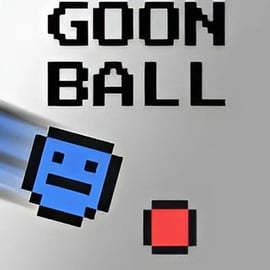
Goon Ball

Played 343 times.
5.0 (1 Reviews)
Developer: GameVoda
Published on: February 2026
Updated on: February 2026
Game technology: html5
Game rating: 5.0
Platforms: Desktop, Mobile, Tablet

Introduction to Goon Ball

Goon Ball is a fast paced multiplayer arcade sports game where two players fight over a single ball to paint the floor their color. Every shove, dash, and bump matters as you try to keep control of the ball and cover more ground than your rival before the timer runs out. It’s a tight, competitive browser game that feels like a mix between air hockey, sumo wrestling, and a turf painting battle.

Designed as a quick local 2 player battle, Goon Ball is perfect for friends sharing the same keyboard. Matches are short, chaotic, and full of last‑second turnarounds as players steal the ball, repaint territory, and stun each other to swing the momentum. If you want a simple but intense two player arcade game you can launch instantly in your browser, Goon Ball delivers.

Because the rules are easy to understand but hard to master, it works well for casual players and competitive friends alike. The more you play, the more you’ll discover advanced positioning, sneaky angles, and clutch plays that separate beginners from pros.

How to Play Goon Ball

Goon Ball keeps its rules clean and straightforward so you can jump right into the action:

  • Two players face off on a single arena-style board.
  • There is one central ball—the “Goon Ball.”
  • Whenever you control or push the Goon Ball, it paints the floor beneath it in your color.
  • Your opponent tries to do the same in their own color.
  • At the end of the round, whoever has more painted floor wins.

This means the main objective isn’t just to chase your opponent; it’s to control where the ball goes and keep it moving through unclaimed or enemy-colored tiles. It’s a classic paint the floor game wrapped in a fast, physical sports package.

Basic flow of a typical match:

  1. Round starts – Players spawn on opposite sides of the board, and the Goon Ball is usually placed near the center.
  2. Rush for the ball – Both players sprint toward the ball, trying to hit it first and start painting.
  3. Bump and battle – Use your character’s body to bump your opponent, stealing position and sometimes stunning them.
  4. Paint and defend – Guide the ball across the arena, repainting your rival’s tiles while defending your lead.
  5. Time runs out – After a brief timer (commonly around 90 seconds), the game counts each color’s tiles.
  6. Winner declared – The player with the most painted territory wins the match.

The result is a fast paced multiplayer experience where smart pathing and quick reactions matter as much as raw aggression. Because each round is short, Goon Ball fits perfectly into a quick break or a casual best‑of‑three set with a friend.

Goon Ball Features

Goon Ball might look simple on the surface, but it packs in a lot of subtle design that makes it a replayable competitive browser game for two players.

  • Local 2 Player Focus
    • The whole game is tuned for local 2 player battle sessions on one keyboard.
    • No accounts, no downloads—just load it in your browser and start playing.
  • Territory Control Gameplay
    • Instead of scoring goals or knocking someone off an edge, the core goal is territory control.
    • The Goon Ball paints the floor wherever it rolls, turning movement routes into tactical choices.
  • High Tempo Rounds
    • Matches typically last around 90 seconds, so momentum shifts are constant.
    • Perfect for quick rematches and best‑of series with friends.
  • Simple but Deep Controls
    • Movement is easy to learn, but mastering bump angles, approach speeds, and ball redirection takes practice.
    • This makes the game welcoming for new players while staying competitive at higher skill levels.
  • Family-Friendly Arcade Action
    • No gore, no adult themes—just colorful, fast arcade-style action.
    • Ideal for kids, siblings, and family game nights.
  • Runs in Any Modern Browser
    • Designed as a browser-based arcade game, so it runs on most desktops and laptops without extra software.
    • Quick loading, low hardware requirements, and instant restarts keep the flow going.

Together, these features make Goon Ball the kind of game you can load instantly, explain in a sentence, and then spend an hour trying to outplay the person sitting next to you.

Where to Play Goon Ball

You can play Goon Ball directly in your web browser on a variety of online gaming portals that specialize in arcade, multiplayer, and sports titles. Just look for trusted, family-friendly browser gaming platforms that host two player arcade games and you’ll usually find Goon Ball available with a one-click “Play” button.

To get the best experience when you play online:

  • Use a modern browser such as Chrome, Edge, Firefox, or Safari.
  • Disable heavy background downloads so the animation stays smooth.
  • Maximize your browser window so each player has clear visibility of the entire board.
  • Keep players close to the keyboard so neither side is at a comfort disadvantage during a tight match.

Because it’s a competitive browser game, there’s no need to sign up, purchase, or install anything. Just open the page, review the controls, and you’re ready to start your first paint-filled duel.

Is Goon Ball Safe to Play Online?

Goon Ball is built as a family-friendly arcade sports game with no realistic violence, no adult content, and no inappropriate language. The closest thing to “combat” is bumping your opponent’s character to stun them momentarily, which is presented in a light, cartoonish style.

For parents and teachers looking for safe local 2 player battle games, Goon Ball is a solid pick:

  • No blood or gore – Just colorful splashes of paint on the floor.
  • No chat systems – Local multiplayer only, so there’s no exposure to strangers online.
  • No complex accounts – You can typically play without logging in or sharing personal details.
  • Short, contained sessions – Each match is brief, which makes it easier to manage play time.

As with any online content, younger players should still be supervised and should only use reputable gaming sites. But in terms of game design, Goon Ball stays firmly in the fun, cartoony sports zone.

How to Play Goon Ball Online With a Friend

Goon Ball is built around local multiplayer, so sharing one screen and one keyboard is the ideal way to play. Here’s how to set up a friendly showdown.

Step 1: Open the Game in Your Browser

Launch your preferred browser and navigate to a trusted site that hosts Goon Ball. Wait for the game to load fully so there’s no lag during the match.

Step 2: Sit Side by Side

Because it’s a local 2 player battle, both players should sit comfortably near the keyboard. Try to give both players enough arm space so quick reactions and button mashing don’t become physically awkward.

Step 3: Pick Your Sides and Keys

Typically:

  • Player 1 uses the WASD keys.
  • Player 2 uses the Arrow keys.

This symmetry keeps the match fair and makes it easy to remember your controls, especially if you’ve played other two player arcade games on the same platform.

Step 4: Start the Match

Once both players are ready, start the round. When the game begins:

  • Rush toward the Goon Ball in the center.
  • Try to get the first hit so it starts painting your color right away.
  • Immediately angle the ball toward large empty areas of the board.

Step 5: Call for Rematches

Rounds are short, so you’ll usually want multiple back-to-back matches. Alternate starting positions if the game allows, or just reset quickly and dive back in until someone claims bragging rights as the paint champion.

Tips to Control the Ball and Paint Faster

Mastering ball control is what separates casual players from consistent winners in this paint the floor game. Use these tips to get more value out of every second.

Angle Your Approaches

Instead of running straight into the ball, approach from an angle that sends it toward open territory:

  • Hit at a 45-degree angle to guide the ball into fresh, unpainted tiles.
  • Avoid full frontal hits that may send the ball straight back into contested zones.

Prioritize Neutral and Enemy Tiles

Painting over your own color isn’t efficient. Aim the ball so it:

  • First moves through unpainted spaces to expand your total area.
  • Then sweeps across opponent-colored tiles to steal their progress.

Use Bumps to Reset Control

If your rival has the ball and is painting freely, don’t chase the ball blindly. Instead:

  • Cut off their path and bump their character from the side or behind.
  • Use the stun window to steal the ball and immediately redirect it away.

Stay Between Your Opponent and the Ball

Smart positioning can deny your opponent access entirely:

  • Try to stay on the inside line between them and the ball.
  • Force them to take a longer path around you, giving you more painting time.

Best Strategies to Win Goon Ball Matches

Once you’re comfortable with movement and ball control, it’s time to think like a strategist. Goon Ball is more than frantic button mashing; it rewards calculated moves and game sense.

Control the Center First

The center area of the arena usually offers multiple route options. If you can dominate the middle:

  • You can react faster to any ball bounce.
  • You can push the ball into whichever side is least defended.
  • Your opponent has to fight past you to regain control.

Think in Routes, Not Spots

Instead of focusing on one patch of flooring:

  • Plan routes across the arena that let the ball paint in long streaks.
  • A single well-guided run can repaint large swaths of your opponent’s territory.

Defend Your Lead in the Final Seconds

If you’ve already painted more floor and there are just a few seconds left:

  • Play defensively by blocking access to the ball.
  • Focus on stunning your opponent and wasting their recovery time.
  • Even if you’re not painting more tiles, preventing a last-second repaint can secure your win.

Adapt Your Style to Your Opponent

Because Goon Ball is a fast paced multiplayer duel, your strategy should shift based on how your opponent plays:

  • If they’re reckless, bait them into bad angles and counter-bump.
  • If they’re cautious, pressure them aggressively and push the pace.
  • If they focus only on the ball, attack their position and deny clean routes.

Goon Ball Controls and Keyboard Guide

Before you dive into your next two player arcade game session, make sure both players understand the controls. Exact bindings can vary slightly by platform, but Goon Ball usually follows this layout:

Player 1 Controls (Left Side)

  • W – Move Up
  • S – Move Down
  • A – Move Left
  • D – Move Right

Player 2 Controls (Right Side)

  • Up Arrow – Move Up
  • Down Arrow – Move Down
  • Left Arrow – Move Left
  • Right Arrow – Move Right

There are typically no complex skill buttons or combos. Movement itself is your primary tool: you push, bump, and contest the ball simply by moving into it or into your opponent at the right angle and speed.

Control Tips for Better Precision

  • Feather the keys instead of holding them down constantly; small taps give you finer control around the ball.
  • Circle the ball with short directional bursts to line up better hits.
  • Avoid oversteering; wild, full-tilt sprints often lead to missing the ball entirely.

Why Goon Ball Is a Perfect Quick Arcade Duel

In a world full of long, complex games, Goon Ball stands out as a compact, pick‑up‑and‑play competitive browser game that anyone can enjoy. It’s an ideal choice when you want a fast, energetic match without a huge time investment.

  • Instant Action
    • No long tutorials or setup screens—just a short explanation and you’re slamming into each other for ball control.
  • Great for Short Sessions
    • Because matches are quick, it’s easy to fit a few games into a break, a school lunch period, or a casual evening with friends.
  • High Replay Value
    • Even though the rules are simple, no two matches feel exactly the same thanks to different bump angles, paths, and comebacks.
  • Local Multiplayer Fun
    • Sharing one keyboard and one screen amplifies the fun—reactions, laughter, and friendly trash talk all happen in real time.

If you’re searching for a fast paced multiplayer experience that’s easy to learn, tough to master, and perfect for local 2 player battles, Goon Ball is an excellent pick. Load it in your browser, grab a friend, and see who truly dominates the paint.


FAQ

What is Goon Ball?

A: Goon Ball is a fast-paced two player arcade game where both players fight over a ball to paint the floor their own color before time runs out.

How do you play Goon Ball?

A: Each player moves their character to bump and control the ball. While you have the ball, you paint the floor in your color. When the timer ends, the player with more painted tiles wins.

Can I play Goon Ball with a friend on the same device?

A: Yes. Goon Ball is designed as a local 2 player game where both players share the same keyboard for a quick head‑to‑head match.

What are the controls in Goon Ball?

A: Typically one player uses the WASD keys and the other uses the arrow keys to move. Check the in‑game instructions for the exact control layout on your platform.

Is Goon Ball free to play in the browser?

A: Yes. Goon Ball is a free browser game, so you can play it online without downloading or installing any extra software.


×

Report Game