Kick It

Played 669 times.
5.0 (2 Reviews)
Developer: GameVoda
Published on: January 2026
Updated on: January 2026
Game technology: html5
Game rating: 5.0
Platforms: Desktop, Mobile, Tablet

Overview of Kick It

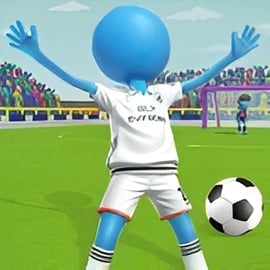
Kick It is a fast, pick-up-and-play online soccer game you can enjoy right in your browser. It focuses on the most exciting moments in football: bending a free kick around the wall, keeping your nerves in a high-pressure penalty shootout game, and showing quick reactions in tight futsal-style plays. Designed as a casual football game, it’s easy to understand in seconds but has enough depth to keep you coming back to beat your high score or outplay friends.

Instead of managing an entire season or a full 11v11 simulation, Kick It zooms in on skill-based challenges. Each shot matters. You’ll line up your angle, choose your power, and aim for corners while the keeper reads your body language. Whether you’re sneaking in a quick session during a break or grinding for the perfect top-corner screamer, Kick It delivers instant soccer action with zero downloads, logins, or long tutorials.

The game fits perfectly into the Sports, Arcade, and Skill categories. You get the thrill and timing of arcade gameplay, the precision of a skill challenge, and the familiar rules of the world’s most popular sport. With modes inspired by free kicks, penalties, and small-sided futsal, Kick It also opens the door to multiplayer futsal online showdowns where you can compare your abilities against other players.

Because it runs in the browser, it’s a great option for families, classrooms, or shared devices. There’s no account needed to start, and you can jump straight into kicking, curving, and chipping the ball without any paywalls.

How to Play Kick It: Simple Soccer Controls Explained

Kick It is built around simple, responsive controls so anyone can start scoring within a minute. The exact inputs may vary slightly by device, but the basic idea is always the same: aim, set power, and shoot.

Mouse & Keyboard Controls (Desktop/Laptop)

  • Aim your shot: Move your mouse to position the target or adjust the camera angle behind the ball. A small on-screen cursor or arrow usually shows where the ball will travel.
  • Choose power: Click and hold (often the left mouse button) to fill a power bar. Release to lock in your power. Short holds make soft chips; longer holds make thunderbolts.
  • Add curve or height: Some versions let you drag your mouse while holding to bend the ball or set elevation. Sliding slightly left/right can add spin, while up/down tweaks how high the ball travels.
  • Keyboard shortcuts: In certain challenges, arrow keys or WASD may let you fine-tune your aim or switch between shooting directions quickly, especially in faster arcade modes.

Touch Controls (Mobile & Tablets)

  • Tap to aim: Tap or drag your finger on the screen to set the target area in the goal.
  • Swipe to shoot: Swipe from the ball toward the direction you want to kick. A fast, long swipe equals more power; a shorter, gentler swipe gives you a finesse shot.
  • Curve with your finger: Draw a slight curve in your swipe path to add spin. A curved swipe to the right, for example, can make the ball bend around the wall.

The beauty of Kick It is that these controls never feel overwhelming. You don’t need to memorize complex button combos—just focus on timing, aim, and adjusting to the keeper’s movement. After a few attempts, you’ll start to feel how the ball responds and which motions produce your favorite types of goals.

How to Play Kick It

Although Kick It is easy to start, understanding the basic rules and flow of a typical round helps you score more and progress faster. Think of each match as a short sequence of attempts where your accuracy and consistency are what matter.

Basic Rules & Flow

  1. Choose a mode: Start by picking from penalty, free kick, futsal-style, or challenge modes (more on these below).
  2. Set up your shot: Before each attempt, you’ll see the ball’s position, the wall (if any), and the goalkeeper. Adjust your angle and power.
  3. Take your kick: Use your mouse, keyboard, or touch controls to shoot. Your goal is to get the ball into the net, usually aiming for corners or out-of-reach zones.
  4. Earn points: You score points for each successful goal. Extra points may be awarded for precision—like hitting the top corner, the crossbar, or special target markers inside the goal.
  5. Manage attempts: Many modes give you a set number of shots or “lives.” Miss too many times, and your run ends, locking in your final score.

Penalties vs. Free Kicks

In penalty-style challenges, the ball is close to the goal, and it’s all about guessing the keeper, outsmarting their dive, and keeping your nerve. In free kicks, the wall adds a layer of strategy: you’ll need to bend around defenders or dip the ball over their heads while still keeping it on target.

Regardless of mode, the fundamental objective is simple: score more goals than your opponent, or achieve the highest score possible before your attempts run out. This makes Kick It instantly understandable, even for younger players or anyone new to soccer rules.

Kick It Game Modes

Kick It offers several distinct ways to play, so the experience feels fresh whether you prefer quick shots or longer, more tactical sessions. These modes lean into the strengths of a free kick challenge and a penalty shootout game, with some extra twists for variety.

Penalty Shootout Mode

This mode captures the pure tension of a real shootout. You’ll take turns shooting from the spot, while the goalkeeper reacts based on your angle and power. In some variants, you also take your turn in goal, trying to guess where the AI or other players will shoot.

  • Short, intense rounds perfect for a quick play session.
  • Score tracking so you can see how many consecutive penalties you can bury.
  • Ideal for beginners because the ball is close and you don’t deal with walls or tricky angles.

Free Kick Challenge Mode

In the free kick challenge mode, you’ll take shots from various spots around the box, each with different walls, distances, and angles. This is where you practice curling shots, dipping balls over defenders, and aiming for the top corners.

  • Progressive difficulty: Walls get taller, distances change, and the keeper becomes quicker.
  • Target zones: Some challenges add small targets such as floating icons or highlighted corners for bonus points.
  • Combo scoring: Stringing multiple precise free kicks together can boost your score substantially.

Quick Shoot & Arcade Modes

Certain versions of Kick It introduce time-based or streak-based arcade modes where you have to score repeatedly under pressure. You might have a countdown clock or a limited number of misses before your run ends. These modes really emphasize the “Arcade” aspect of the game.

Multiplayer Futsal Online

One of the most exciting aspects of Kick It is its nod to multiplayer futsal online. In small-sided futsal-inspired matches, the game becomes faster and more reactive. You’ll deal with tight spaces, quick transitions, and rapid shooting opportunities.

  • Short-sided action: Fewer players mean more touches and more shots.
  • Online competition: Compare scores and performance against others or take turns on the same device in pass-and-play style.
  • Great for friends: Perfect for friendly challenges to see who can score the craziest goal or rack up the highest tally.

Challenge & Cup Modes

In challenge or cup-style modes, your objective is to progress through a series of rounds, each with increasing difficulty. You might have to beat a certain score, clear specific targets, or win a mini-tournament of shootouts to claim the cup.

Tips to Score More Goals and Win Matches in Kick It

While Kick It is approachable, mastering it takes practice. Here are practical tips to improve your accuracy and climb leaderboards.

1. Aim for Corners, Not the Center

Goalkeepers in this online soccer game react quickly to shots down the middle. Focus on the bottom and top corners, just inside the posts. Even if the keeper guesses right, well-placed shots are harder to stop.

2. Mix Power and Precision

Blasting every shot at maximum power is tempting, but it’s not always effective. Use medium power with accurate aim for most attempts, then surprise the keeper with the occasional rocket or soft chip to throw off their timing.

3. Learn the Curve System

Spend a few minutes experimenting with bending the ball. Practice curling around the wall from different sides, and notice how much curve you get from small vs. big mouse movements or swipes. Once you understand the curve, free kick challenges become much easier.

4. Watch the Keeper’s Movement

In some modes, the keeper telegraphs slightly where they’re leaning or about to dive. If they shade to one side, aim for the opposite corner. Don’t rush every shot; a half-second of observation can turn a guess into a smart decision.

5. Stay Calm in Streak & Cup Modes

When you’re on a good run, it’s easy to get nervous and overhit your shots. Stick to the routine that works: line up, set a consistent power level, and only gradually increase risk when you’re comfortable.

6. Use Practice Shots to Warm Up

If the game offers any casual or practice modes, use them to dial in your aim before jumping into cup or multiplayer challenges. Even 5–10 warm-up shots can significantly improve your performance.

Why Kick It Is a Great Casual Soccer Game for All Ages

Kick It is tailored to be family-friendly and accessible, making it an excellent choice for kids, teens, and adults who want a casual football game that doesn’t demand hours of commitment.

  • Simple rules: You shoot, you score—it’s easy to understand even if someone isn’t familiar with full soccer regulations.
  • Short sessions: Most rounds last only a few minutes, fitting perfectly into breaks, classroom free time, or relaxed evenings.
  • No complex menus: You don’t need to manage squads, contracts, or deep stats. The focus is on moment-to-moment action.
  • Skill-building: The game quietly teaches timing, hand-eye coordination, and spatial awareness, which can benefit younger players.
  • Shared fun: Pass-and-play style makes it simple for siblings or friends to take turns and compete on the same device.

Because Kick It is built as a browser-based online soccer game, it also skips big downloads and heavy system requirements. That means more people can join, even on older devices or shared school computers, without worrying about storage space or long updates.

Browser Requirements and Devices That Run Kick It Smoothly

Kick It is designed to run smoothly on most modern web browsers and everyday devices. Here’s how to get the best experience.

Supported Browsers

  • Latest versions of Chrome, Firefox, Edge, and Safari generally offer the smoothest gameplay.
  • Enable JavaScript and allow the game to use WebGL or hardware acceleration if prompted. This improves animation and physics performance.
  • Close unnecessary tabs or heavy background apps if you notice stuttering or input lag.

Recommended Devices

  • Desktop/Laptop: Any relatively recent machine with a dual-core processor and 4 GB of RAM should run the game comfortably in a modern browser.
  • Tablets & Phones: Mid-range or better Android and iOS devices handle Kick It well, especially when using up-to-date browsers or the device’s default browser.
  • Chromebooks: Ideal for this type of browser-based casual football game, since they’re optimized for web apps and lightweight games.

Connection & Performance Tips

  • Stable internet: For modes that sync scores or support multiplayer futsal online, a steady Wi‑Fi or mobile data connection prevents disconnects.
  • Graphics settings: If the game offers a quality toggle, select “low” or “medium” on older devices to maintain smooth gameplay.
  • Full-screen mode: Running the game in full screen can reduce distractions and sometimes improve performance on weaker hardware.

Performance & Troubleshooting

If you’re having trouble loading or playing Kick It, there are several quick fixes that solve most common issues.

Game Won’t Load

  • Refresh the page: Sometimes a simple reload fixes temporary connection glitches.
  • Clear cache: Old browser data can conflict with new game updates. Clearing cache and re-opening the page often helps.
  • Update your browser: Make sure you’re using a recent version of your browser so it fully supports the technologies the game uses.

Lag, Freezing, or Slow Performance

  • Close background apps: Music streaming, video calls, or many open tabs can cause stuttering in a browser-based game.
  • Lower graphics quality: If the game has visual options, pick lower settings to reduce strain on your device.
  • Switch network: If playing on a weak Wi‑Fi signal, try another network or move closer to the router.

Input or Control Issues

  • Check mouse/touchpad: Replace batteries or try another USB port if your mouse is unresponsive.
  • Disable conflicting extensions: Browser extensions, especially ad blockers or script blockers, can sometimes interfere. Temporarily disable them and reload the game.
  • Rotate your phone/tablet: If touch controls feel off, try switching between portrait and landscape modes as recommended by the game.

Is Kick It Safe to Play Online?

Kick It is intended as a family-friendly online soccer game, focused purely on sports action rather than mature themes. That makes it suitable for younger players under reasonable supervision.

Content & Gameplay

  • Non-violent: The only action is kicking a ball and making saves—no fighting, blood, or graphic content.
  • Sports-focused: All challenges revolve around penalties, free kicks, and futsal-inspired play.
  • Language: Text and prompts, where present, are generally clean and appropriate for most age groups.

Online Safety Tips

  • No personal data needed to play: You can typically enjoy Kick It in the browser without creating an account or sharing personal details.
  • Supervision for kids: As with any online content, guardians should supervise younger children, especially if chat or competitive online ranking features are present in a specific version of the game.
  • Use trusted sites: Always access Kick It from reputable gaming platforms or official pages, and avoid third-party download links claiming to offer hacks or cheats.

When played on a trusted gaming site with standard browser safety settings, Kick It is a safe, fun, and light-hearted casual football game experience for all ages.


FAQ

What is Kick It?

A: Kick It is a free browser soccer game where you take penalties, free kicks and skill shots to score as many goals as possible.

Is Kick It free to play?

A: Yes, Kick It is completely free to play in your browser with no download required.

Do I need an account to play Kick It?

A: No account is needed to start. Just open the game page and you can play instantly. Some platforms may offer login to save progress or highscores.

Can children play Kick It safely?

A: Yes, Kick It is a family-friendly soccer game with simple controls and no violent content, suitable for kids and adults.

What devices can run Kick It?

A: You can play Kick It on most modern desktop and laptop browsers, and many tablets or Chromebooks that support up-to-date web browsers.


×

Report Game