Overview of Weapon Run
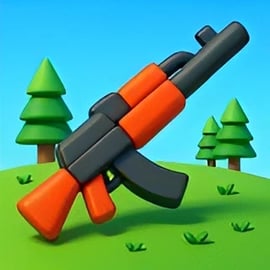
Weapon Run is a fast-paced run and gun game that mixes endless-runner style dodging with satisfying gunplay and weapon merging. You sprint down a narrow track packed with obstacles, enemies, and upgrade gates, all while building the craziest arsenal you can. Every short level feels like a mini action movie: you dodge hazards, grab gun parts, merge weapons, and then unleash your upgraded firepower in a final shooting phase.
Designed as a quick and addictive arcade shooting runner, Weapon Run is perfect for browser play. Sessions are short, controls are simple, and the difficulty ramps up smoothly so anyone can jump in. If you enjoy casual shooters, upgrade systems, or satisfying “watch the damage numbers go up” gameplay, this online gun running game will stay in your favorites tab for a long time.
Because Weapon Run runs directly in your browser, there’s no download, no long setup, and no complex menus to learn. Just click play, start running, and see how far your weapon upgrade game skills can take you.
How to Play Weapon Run
Weapon Run is built around simple, intuitive controls so you can focus on merging and firing instead of memorizing keybinds. The exact inputs can vary slightly depending on your device, but the core feel stays the same.
PC Controls
- Move left/right: Drag with the mouse while holding the left mouse button, or move the mouse with the button held down.
- Alternative movement: Some versions support A / D keys or the Left / Right Arrow keys.
- Shoot: Shooting is usually automatic once you reach the shooting zone at the end of the track.
- Menus & upgrades: Use the left mouse button to click buttons, confirm merges, or claim rewards.
Mobile & Tablet Controls
- Move left/right: Tap and hold on the screen, then swipe your finger left or right to drag your runner and guns.
- Shoot: As on PC, firing typically happens automatically when you enter the shooting phase.
- Menus & upgrades: Tap buttons, chests, and icons to open, merge, or upgrade weapons.
The goal in each run is to stay alive, collect gun parts, and make smart upgrade choices. If you crash into heavy obstacles or fail to build enough firepower before the final wave, your damage output might not be enough to clear the last targets.
Basic Rules & Mechanics
- Start your run: Your character (or gun platform) begins at the start of a lane.
- Collect guns and parts: Move through crates, gun icons, or numbered cubes to collect and upgrade weapon pieces.
- Avoid or destroy obstacles: Barriers, spinning traps, and blocks will block your path. Some can be dodged; others can be destroyed by your weapons.
- Merge weapons: When two identical guns reach the same level, they can be combined into a stronger one, increasing damage and sometimes fire rate.
- Final shooting stage: At the end of the lane, you stop running and your weapons automatically open fire on targets, enemies, or a big boss.
- Earn rewards: The farther you go and the more damage you deal, the more coins and upgrade resources you earn.
Every run is a quick loop: run, collect, merge, shoot, upgrade… and then jump back in for “just one more try.”
Weapon Run Features
Weapon Run packs a surprising amount of depth into an accessible run and gun game. Here are the key features that make it stand out in the Action, Arcade, and Shooting categories.
- Merge weapons runner gameplay: Combine matching guns to create higher-level weapons with bigger damage and better performance.
- Dynamic obstacle courses: Each lane is filled with hazards, gates that modify your stats, and valuable weapon pickups that change the outcome of your run.
- Auto-shooting finale: Instead of aiming manually, you focus on building the strongest possible loadout before the final shooting sequence begins.
- Easy, one-finger/one-mouse control: Drag-to-move controls make Weapon Run super accessible, even for players new to shooters.
- Gradual difficulty curve: Early levels are forgiving and let you learn how merging and upgrades work. Later stages test your reaction speed and planning.
- Short, replayable sessions: Runs usually last under a few minutes, making it an ideal browser-friendly arcade shooting runner.
- Reward and upgrade system: Use coins or earned points between runs to unlock stronger starting weapons or additional upgrade tiers.
These elements blend into a slick merge weapons runner experience that feels familiar but still fresh each time you load up a new level.
Performance & Troubleshooting
Weapon Run is designed to run smoothly in most modern browsers, but performance can still vary based on your device and connection. If your online gun running game feels laggy or unresponsive, try these quick fixes.
Optimize Your Browser
- Close extra tabs: Open tabs, especially video or streaming sites, can steal memory and CPU power.
- Update your browser: The latest versions of Chrome, Firefox, Edge, and Safari usually offer better WebGL and JavaScript performance.
- Disable heavy extensions: Ad blockers, script managers, or VPN extensions can sometimes conflict with online games.
Graphics & Performance Tips
- Lower in-game quality (if available): Some versions of Weapon Run offer a quality toggle. Choose “Low” or “Medium” to help older devices.
- Switch to fullscreen: Fullscreen mode can occasionally improve responsiveness and reduce accidental clicks outside the game area.
- Check your connection: Even though gameplay is mostly local, a weak connection can slow down loading times or cause delays for online saves/ads.
Common Issues & Fixes
- Game won’t load: Clear the browser cache, disable any strict content filters, and refresh the page. On mobile, try switching from in-app browser (like social media) to a dedicated browser app.
- Input delay or stutter: Reduce background downloads, close other apps, and plug in your device if the battery is low and throttling performance.
- No sound: Check the in-game volume slider, then your system or device volume. Also make sure your browser tab isn’t muted.
If you’ve tried all of the above and you’re still having trouble, restarting your device and relaunching the browser often clears lingering memory issues.
Can I Play Weapon Run Offline?
Weapon Run is primarily built as an online gun running game that runs inside your web browser. In most cases, you’ll need an active internet connection to load the game files, connect to ad or reward systems, and sync your progress.
Offline Play Availability for Weapon Run
- Browser version: Typically online only. You need to be connected when the game loads; if you go offline afterward, performance may vary and some features may stop working.
- Progress & saves: Many browser versions store progress locally in your browser data, so clearing cookies or cache might reset your upgrades.
- Mobile browser: On phones and tablets, Weapon Run still relies on a live connection to start each session.
If you want a fully offline experience, you’d usually need a dedicated downloadable app or version of the game. For the standard browser-based Weapon Run, plan to stay connected while playing.
How to Play Weapon Run Online
Getting started with Weapon Run in your browser only takes a few seconds. Follow this basic flow to jump into your first run.
Step-by-Step Start Guide
- Open your browser: Use a modern browser like Chrome, Edge, Firefox, or Safari.
- Navigate to your gaming site: Visit your preferred browser gaming platform that hosts Weapon Run in the Action, Arcade, or Shooting category.
- Load the game: Click on Weapon Run – Play the Ultimate Run and Gun Shooter. Wait for the loading bar or splash screen to finish.
- Check controls: Look at the quick tutorial. It usually shows a short animation of how to drag to move and merge weapons.
- Start your first run: Hit the play button and practice moving left and right, collecting basic guns and avoiding your first set of obstacles.
After one or two runs, you’ll understand the rhythm: grab weapon cubes, avoid red or negative gates, and aim to reach the end with the biggest, baddest merged weapons you can manage.
Core In-Run Decisions
While Weapon Run is simple to control, your choices during the run matter a lot:
- Pick the right gates: Some gates increase fire rate, bullet count, or weapon level. Others may reduce stats. Choosing correctly can make or break your final damage.
- Risk vs. reward routes: One side of the lane might be safer but weaker. The other might have more obstacles but better weapon pickups.
- Timing merges: If the game lets you interactively merge mid-run (depending on version), make sure you merge early enough to get the benefit during the final shooting stage.
Mastering these decisions is what turns Weapon Run from a casual distraction into a surprisingly strategic weapon upgrade game.
Tips to Merge and Upgrade Your Weapons
The heart of Weapon Run is its merge weapons runner system. The more efficiently you combine guns, the stronger your build will be when it’s time to open fire.
Smart Merging Strategies
- Prioritize same-level pairs: Always look for opportunities to merge two weapons of the same level. Two Level 2 guns should quickly become a Level 3, and so on.
- Avoid cluttered inventories: If your lane or platform gets crowded with low-level guns, it’s easier to miss pickups and merges. Keep merging to make room.
- Focus on a few strong guns: One or two very high-level weapons will often outperform a messy collection of low-level ones.
Choosing Upgrade Paths
Many versions of Weapon Run offer between-run upgrades or unlocks. To progress faster:
- Upgrade base weapon damage first: A flat damage increase applies to every shot and helps on all runs.
- Then improve fire rate or bullet count: Firing more often can be just as powerful as raw damage boosts.
- Invest in early-run bonuses: Perks that give you a higher starting gun level, extra starting weapons, or bonus coins per run accelerate your growth.
Make Every Pickup Count
Because Weapon Run is an arcade shooting runner, you don’t have endless time to plan. Train yourself to quickly read gates and pickups:
- Learn icon meanings: Damage, speed, fire rate, and level icons should be instantly recognizable.
- Watch color coding: Green or blue usually help; red often means a penalty or dangerous obstacle.
- Plan your lane early: As soon as you see the next set of gates, decide which side you’re going to aim for so you don’t overcorrect too late.
The more experience you have, the more instinctive your choices will feel, and the easier it becomes to consistently build high-level guns.
Weapon Run: Run-and-Gun Features Explained
Weapon Run takes classic run and gun game ideas and streamlines them into a browser-friendly format. Here’s how the core systems fit together.
Running Phase
- Lane-based movement: You slide left and right along a forward-moving path, dodging or smashing through obstacles.
- Dynamic pacing: The track speeds up or slows down as levels progress, keeping you on your toes.
- Hazard variety: Expect moving barriers, rotating blades, high-HP blocks, and narrow gaps.
Gun Collection & Merging
- Gun cubes and crates: These add new weapons or increase the level of your current ones.
- Merge progression: Each merge step (like Level 1 → Level 2 → Level 3) dramatically boosts DPS.
- Synergy with gates: Some gates multiply your weapon level, fire rate, or bullet count, making merges even more impactful.
Shooting Finale
- Auto-targeting: Once you reach the end zone, your guns automatically fire at targets or a boss enemy.
- Damage check: This is where your build is tested. If your merged weapons aren’t strong enough, you may not clear the final health bar.
- Reward scaling: The more targets you destroy, the better your coin and upgrade payout.
This clear structure makes Weapon Run easy to understand while still giving you plenty of room to experiment with different upgrade priorities and playstyles.
Best Browser Settings for Smooth Weapon Run Gameplay
To get the best experience from this online gun running game, you’ll want your browser and device set up for smooth, low-lag play.
Recommended Browser Setup
- Use a modern browser: Chrome, Edge, or Firefox on desktop usually provide the most consistent WebGL performance.
- Enable hardware acceleration: In your browser settings, make sure hardware acceleration is turned on so your GPU can help render the game.
- Allow sound and autoplay: Some games need permission to play audio. Allow it so you can hear weapon effects and alerts.
Device & Network Tips
- Stable internet connection: A stable Wi-Fi or wired connection keeps loading time short and ad/reward systems working.
- Plug in on low battery: Some devices throttle performance on low battery. Plugging in can restore full speed.
- Portrait vs. landscape (mobile): Play in landscape mode for better visibility of the whole lane and upcoming gates.
Following these tips helps Weapon Run feel smooth and responsive, whether you’re playing a quick lunch break run or grinding upgrades for a longer session.
Weapon Run Similar Games and Alternatives
If you enjoy Weapon Run, there are plenty of related Action, Arcade, and Shooting titles that scratch a similar itch. Look for games that focus on merging, lane running, or simple but satisfying gunplay.
Games Like Weapon Run
- Other merge-based runners: Any merge weapons runner or 2048-style gun game will feel familiar thanks to its upgrade-by-combining system.
- Crowd and lane runners: Games where you guide a group or character through gates that add or multiply stats offer the same quick decision-making and route planning.
- Casual gun upgrade games: Titles that let you unlock new firearms, boost stats, and watch your DPS climb are perfect if you love Weapon Run’s upgrade loop.
Action & Shooting Alternatives
- Arcade shooters: Try other arcade shooting runner games where you auto-run and auto-fire but still make key movement decisions.
- Simple browser shooters: For a change of pace, play fixed-screen or wave-based shooters that focus more on aim and less on lane dodging.
- Gun-focused skill games: Games that emphasize timing, precision, and weapon physics are great if you like mastering the feel of different guns.
Exploring similar titles is a great way to sharpen your reflexes and pick up strategies you can bring back to Weapon Run. Whether you’re here for the merging, the shooting, or the simple thrill of speeding down a hazard-packed lane, there’s a whole world of browser shooters waiting for you.