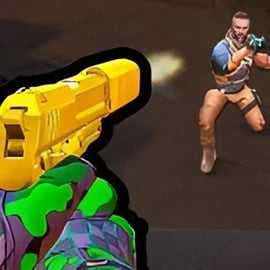
Strike Shooter is a fast-paced online FPS shooter that drops you straight into tactical strike combat right in your browser. No big downloads, no long setup – just jump into a 3D gun battle and start playing. Designed as a quick-launch browser shooting game, Strike Shooter focuses on responsive controls, clean 3D graphics, and classic team deathmatch action that feels instantly familiar to shooter fans.
You’ll join tight urban maps, industrial zones, and military bases where every corner can hide an opponent. Rounds are short and intense, so you’re never more than a few seconds away from the next firefight. Whether you like to rush with an assault rifle or hang back with a sniper rifle, Strike Shooter gives you flexible loadouts and smart map layouts to support different playstyles.
Best of all, Strike Shooter runs directly in your browser on desktop or laptop. It’s a free-to-play online FPS shooter, which makes it a great pick for quick sessions between tasks, or longer evenings of squad-based action with friends.
Controls in Strike Shooter are built to feel like a traditional PC FPS, so if you’ve played other shooters, you’ll be right at home. The game uses standard keyboard and mouse input to keep aiming and movement smooth and accurate.
Before heading into a competitive team deathmatch game, spend a minute in an easier lobby or warm-up area to test sensitivity, keybinds, and overall comfort. Smooth aiming is one of the most important parts of winning a 3D gun battle, so adjust your mouse sensitivity in the options until your crosshair feels controllable both for flicks and small micro-adjustments.
Strike Shooter offers several modes so you can choose between quick solo practice and intense tactical team play. These options make the game approachable for new players while still giving veterans a competitive challenge.
This is the heart of Strike Shooter and where the game’s tactical strike combat really shines. Two teams face off across compact maps, and every elimination earns points. The first team to reach the target score – or the team with the most kills when the timer hits zero – wins the match.
In this mode, everyone is your enemy. No teams, no allies, just you versus the entire lobby. It’s an excellent way to test your raw aiming skill and fast reaction speeds.
Objective modes ramp up the strategy. Instead of just chasing kills, you’ll complete tasks like capturing control points or planting and defending a device. These modes force teams to coordinate, watch angles, and control high-value areas of each map.
Quick Play lets you hop into a random mode with fast matchmaking, perfect for casual drops. Custom rooms, when available, allow you to host private lobbies with specific rules, map choices, and limits so you can train, run friendly matches, or set up mini-tournaments.
Because every mode is fully playable right in your browser, Strike Shooter is a flexible browser shooting game that works for both short breaks and longer, more competitive sessions.
Strike Shooter is designed to run smoothly on most modern browsers, but like any online FPS shooter, performance depends on your device and connection. If you’re experiencing lag, low FPS, or input delay, try the steps below.
If the game still doesn’t run properly, try another major browser or a different device. Because Strike Shooter is a browser-based 3D gun battle experience, it’s usually quick to test on multiple systems.
Strike Shooter is designed as a family-friendly action, shooter, multiplayer experience with an emphasis on fair competition and accessible tactical gameplay. There’s no graphic gore: the focus stays on arcade-style gunplay, team tactics, and fast rounds rather than realistic violence.
Here are a few safety notes for players and parents:
With sensible online habits and supervision for younger players, Strike Shooter is a safe and enjoyable way to experience tactical strike combat without the complications of heavyweight client installs.
While Strike Shooter focuses heavily on PvP battles, every match and map plays out like a mission with distinct challenges. Learning to read each arena and react quickly is what separates casual players from consistent top fraggers.
In team-based modes, Strike Shooter rewards coordinated play:
Even without voice chat, you can follow teammates’ movements on the minimap, push together, and avoid solo hero plays that leave your team outnumbered.
If the enemy keeps dominating one side of the map, change your approach:
Every round of this online FPS shooter is a chance to refine your tactical thinking and decision-making under pressure.
One of the most fun parts of Strike Shooter is building loadouts that match your style. From agile SMG rushers to slow, patient snipers, there’s room for every kind of player in this browser shooting game.
Your secondary and gear can win fights when your primary runs dry:
Experiment in non-ranked or casual lobbies before committing to a main setup. As you become more comfortable, fine-tune your Strike Shooter loadouts to dominate every 3D gun battle you enter.
Strike Shooter’s mode variety lets you choose exactly how intense you want your session to be. Whether you have five minutes or a full evening, there’s a mode that fits your time and mood.
Quick matches drop you into shorter rounds with straightforward rules. They’re perfect when you want a low-commitment team deathmatch game where you can warm up, test weapons, or just blow off steam.
On some platforms, Strike Shooter may include more competitive playlists or rule sets. These matches usually feature stricter objectives, more serious pacing, and players who are eager to climb leaderboards.
When custom rooms are available, you can create private games to train, practice jumps and angles, or host small community events. This is where the tactical side of Strike Shooter really comes alive, as you can rehearse coordinated pushes, execute set plays, and experiment with advanced strategies without the stress of public matchmaking.
Good aim and quick reactions are the foundation of success in any online FPS shooter, and Strike Shooter is no exception. Fortunately, you don’t need special software to get better – just consistent habits and smart practice.
Start with a medium sensitivity and adjust slowly until you can comfortably track moving targets and perform 180-degree turns without overshooting.
Always focus on your crosshair, not on your weapon model or background details. Center your view at typical head height so you have less distance to move before landing a headshot. Small habits like this add up over dozens of matches.
Use live matches as your training ground. In every 3D gun battle, consciously try to keep your crosshair level and move your whole arm instead of just your wrist to maintain control.
Getting into Strike Shooter is simple and fast. Since it’s a browser shooting game, you don’t need to download a big client or go through long installations.
Because Strike Shooter is free and browser-based, you can play from multiple machines – home, school (where allowed), or a laptop on the go. Just log into your gaming portal account (if required), load the game, and you’re ready for instant tactical strike combat with friends or other players worldwide.
If you’re looking for a smooth, accessible online FPS shooter that runs right in your browser, Strike Shooter delivers fast matches, flexible loadouts, and satisfying team deathmatch gameplay without the hassle of traditional installs.
A: Strike Shooter is a fast-paced first person shooter game where you complete missions, join team battles and use modern weapons to defeat enemies in 3D arenas.
A: Yes. Strike Shooter is free to play in your browser. You do not need to pay or install anything to start playing.
A: No download is required. You can launch Strike Shooter directly in your web browser and start playing instantly.
A: Strike Shooter features cartoon-style gunplay and no graphic violence, but it is still a shooting game. Parents should decide if it is appropriate for their children.
A: Yes. You can join online matches and team-based modes to play Strike Shooter together with friends or other players from around the world.