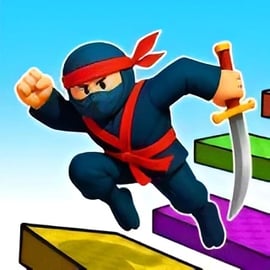
Ninja Obby Parkour is a fast-paced browser obstacle course game that mixes parkour races, ninja combat, and flashy cosmetic upgrades. You dash across floating platforms, jump over deadly gaps, punch rivals off the track, and use powerful boosts to reach the finish first. Whether you play alone or in a 2 player parkour race, every run is a test of reflexes and timing.
This free ninja running game online throws you into colorful obby-style levels filled with traps, glass doors, moving platforms, and flying sections packed with golden rings. You collect coins to unlock new ninja skins, masks, wings with effects, and swords—giving your character a unique look while you grind your way to faster times and higher scores.
If you enjoy Roblox-style obby challenges, competitive races, or free ninja parkour multiplayer action, Ninja Obby Parkour is built to keep you replaying levels, chasing coins, and trying to beat your friends to the goal.
The controls in Ninja Obby Parkour are simple, but mastering them is what separates beginners from true ninja runners. Because it’s a browser-based parkour obby game, you can jump right in on PC or mobile without downloading anything.
Focus on smooth camera movement and clean jump timing. Most obstacles are designed around short, precise jumps rather than huge leaps—overjumping is one of the most common reasons players fall.
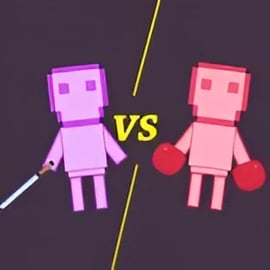
In the local 2 player parkour race mode, both players share a keyboard:
Sharing the same screen makes every near-miss and knockout feel extra intense. Since it’s a browser obstacle course game, there’s no waiting for lobbies—just pick 2 player mode and start racing.
If you play this ninja running game online on your phone or tablet, it uses virtual buttons:
On touch screens, try to keep your thumb position steady. Jittery joystick movement can make your ninja drift off narrow platforms even if your jumps are on time.
Ninja Obby Parkour is more than just running and jumping. It’s packed with features that keep it interesting and replayable, especially if you’re looking for a long-term parkour obby game to grind.
Together, these features create a fast, replayable parkour experience that’s perfect for short sessions or long grind sessions to unlock your dream ninja look.
You can play Ninja Obby Parkour as a free browser obstacle course game on major gaming portals that host HTML5 action and platformer titles. Look for it under categories like Action, Platformer, Obby, or Multiplayer.
Typical ways to access the game include:
Because it’s fully browser-based, Ninja Obby Parkour is ideal when you just want to jump into a quick parkour obby game without logging in or installing anything heavy.
Ninja Obby Parkour is generally family-friendly and designed for players who enjoy action, platformers, and free ninja parkour multiplayer races.
With basic online safety habits, Ninja Obby Parkour is a solid choice for anyone looking for a safe, energetic parkour obby game that runs in the browser.
Beating the toughest tracks in this browser obstacle course game is all about clean movement and anticipation. It’s less about mashing jump and more about reading each platform ahead of time.
Keep your camera slightly tilted so you can see both your feet and a bit ahead of the track. This angle makes it easier to:
Most jumps come in a few repeat patterns. Use early levels to test how far your ninja travels with:
Once your brain recognizes those distances, you’ll nail trickier layouts much more consistently.
In multiplayer or 2 player races, it’s tempting to spam punches. Smart ninjas wait for narrow bridges and corners where a single hit almost guarantees a fall. Overusing attacks can slow you down and cost you the win.
Power-ups are a huge part of what makes this ninja running game online so fun. Used correctly, they can carry you through dangerous sections or help you stock up on coins.
The speed power-up makes your ninja much faster for a short time.
Try to save speed boosts for segments where you can sprint in a straight line. If you activate it in a crowded obstacle zone, you’ll overshoot jumps and slide off edges.
Giant Mode turns your ninja into a towering bruiser capable of smashing through certain barriers.
While giant, use your size advantage to clear space around you, then fall back into precise movement when the effect ends.
Flight is the most unique bonus in this parkour obby game, letting you rise into the sky to collect golden rings.
It’s often smarter to use flight to secure large coin arcs rather than rushing the ground path. Over time, this pays off in the shop as you unlock more skins, masks, wings, and swords.
Ninja Obby Parkour supports both solo runs and shared-screen multiplayer, so you can choose how competitive you want your session to feel.
If you’re just starting this ninja running game online, stick to solo until you can beat early levels without many falls.
2 player mode turns each course into a mini party game. If you like trash talk and close finishes, the 2 player parkour race mode is where Ninja Obby Parkour truly shines.
Customization is a big reason players stick with this parkour obby game. The right gear doesn’t change your stats, but it absolutely makes you stand out in multiplayer races.
The in-game shop usually includes:
Most items unlock with coins, so your goal is to maximize coin income per minute.
Over time, you’ll build up enough currency to buy multiple cosmetic sets—perfect if you love switching visuals between runs.
As you progress, Ninja Obby Parkour ramps up the difficulty with moving platforms, swinging hazards, and tight jumps. These tips help you survive the worst of it.
With a bit of practice and these techniques, you’ll be clearing even the hardest tracks in this free ninja parkour multiplayer game and racing ahead of your friends with style.
A: Ninja Obby Parkour is a fast-paced parkour and combat game where you race through obstacle courses, knock rivals off the track, and unlock ninja outfits, masks, wings, and swords.
A: Yes, Ninja Obby Parkour is free to play in your browser. You can enjoy all levels and modes without paying, and unlock cosmetics by collecting in-game coins.
A: Yes. You can race and battle a friend on the same device using split keyboard controls, or play solo against AI opponents in single player mode.
A: On desktop, you use keyboard keys to move, jump, and sprint along the parkour track. On mobile, you use an on-screen joystick and jump button for running and double jumping.
A: Ninja Obby Parkour is family-friendly. The action is cartoon-style with simple combat and no graphic violence, making it suitable for most kids and teens with parental guidance as needed.