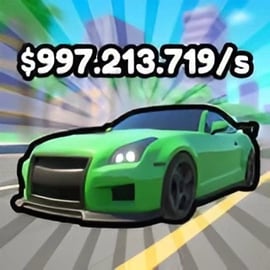
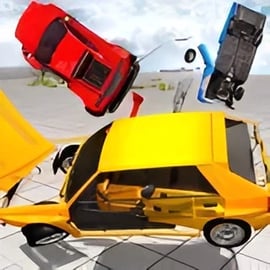
Sky Race is a fast-paced sky racing game online where you drive at breakneck speed across floating tracks high above the clouds. Every turn is dangerous, every jump is risky, and one tiny mistake sends your vehicle plunging into the sky below. If you enjoy 3D stunt racing in your browser, narrow roads, and gravity-defying racing challenges, this game is built to keep your heart rate up from the very first level.
Instead of racing on regular asphalt circuits, Sky Race takes you onto narrow, suspended highways that twist and spiral through the air. You can race both cars and bikes, perform mid-air stunts, and thread your way through brutal corners where there’s no guardrail to save you. The focus isn’t just raw speed but precise control, timing, and staying calm when the track seems to vanish under your wheels.
Because Sky Race runs right in your browser, you can jump in for a quick high-speed driving challenge anytime. No downloads, no long setup, just instant gravity-defying racing fun. Whether you want to test your reflexes, practice risky stunts, or unlock harder tracks, Sky Race delivers a smooth arcade-style experience with 3D visuals and responsive controls.
To make the most of this floating track car game, you need to get comfortable with the controls. Sky Race uses classic keyboard inputs that are easy to learn but hard to truly master at high speed.
For a high-speed sky racing game online, tiny inputs matter a lot. Tapping keys is often better than holding them down, especially on tight curves or narrow ramps. Try to accelerate smoothly and avoid oversteering, which is one of the main reasons players fall off floating tracks.
If your keyboard supports it, enable gaming mode or turn off accidental keys like the Windows key. This reduces the chance of minimizing your browser mid-race. Also consider positioning your left hand in the classic WASD layout instead of arrow keys, since that gives you easier access to the spacebar for handbrake turns.
Sky Race offers a blend of stunt driving, precision platforming, and classic racing. It stands out among 3D stunt racing browser games because it emphasizes both speed and survival on razor-thin tracks.
Compared with more grounded car games, Sky Race focuses on gravity-defying racing over empty space. The aim is not only to go fast but to stay on the track. The further you get, the more every small mistake costs you, which keeps the tension high in each run.
You can play Sky Race directly in a modern web browser, which makes it perfect for quick sessions on desktop or laptop. The game is built with HTML5 / WebGL-style technology, so it runs without extra plugins as long as your browser is up to date.
For best results:
Since Sky Race is a browser-based floating track car game, you can usually find it on major online gaming portals under Racing, Driving, or 3D categories. Just search for “Sky Race high-speed sky racing online” and pick a trusted site that lets you play free in your browser.
Sky Race is designed as a family-friendly, browser-based racing game. There’s no graphic violence, no inappropriate content, and no mature themes. The main focus is on driving, stunts, and reflex-based racing on sky tracks.
However, as with any online game, safety depends partly on the platform you choose:
For younger players, an adult can quickly verify the gaming portal, make sure ad content looks appropriate, and then let kids enjoy this gravity-defying racing experience. With a bit of supervision on where it’s hosted, Sky Race is a safe and fun 3D driving game to play online.
Sky Race looks simple at first glance, but mastering its high-speed sky tracks takes practice and discipline. The combination of speed, physics, and narrow track design rewards smart driving more than reckless acceleration.
On floating tracks, speed is both your best friend and your worst enemy. Going too slow can make jumps fail, but going too fast makes corners nearly impossible. Learn to “feather” the throttle:
Because many tracks curve and twist, it’s easy to lose your sense of direction. Keep your eyes ahead, using the edge of the road and the horizon line so you’re ready for direction changes before they happen. Anticipation is key in this kind of 3D stunt racing browser experience.
Most levels have 2–3 sections where players fall the most: sharp hairpins, narrow bridges, or double ramps. Treat these as special mini-challenges:
Once you remember these danger zones, you’ll find each run more consistent and way less frustrating.
Survival is the real test in Sky Race. To finish a level, you have to keep all four (or two) wheels on the track from start to finish. These tips help you stay on the floating roads even when the pressure ramps up.
It’s tempting to treat every level like a flat-out time trial, but the smart strategy is to drive like a tightrope walker:
On ramps or gaps, make sure your vehicle is centered on the road before you launch. If you go off a jump while tilted or half off the track, the landing almost always sends you flying. Tap A and D (or left/right arrows) gently to line up, then accelerate straight off the ramp.
Many players underuse the brakes in this kind of high-speed driving challenge. When you feel out of control:
It’s better to lose a couple of seconds than to lose the entire run to one bad corner.
One of the coolest aspects of Sky Race is that you can tackle tracks in both cars and motorcycles. Each offers a different feel, which can completely change how you approach a level.
Cars are usually the better choice for beginners in a sky racing game online:
Use cars when you’re learning new tracks or facing levels with lots of complex turns and narrow bridges.
Bikes shine when you want a more intense, high-risk experience:
The trade-off is that bikes can be easier to throw off the track. Small steering mistakes get amplified, especially at high speed. Use bikes if you already know the level layout and want a more aggressive gravity-defying racing run.
As a simple rule:
Because Sky Race is a browser game, performance and responsiveness come down to your device, your browser, and a few simple settings.
To keep your 3D stunt racing browser experience smooth:
Some versions of Sky Race offer basic graphics or quality sliders. On slower devices:
To handle this high-speed driving challenge more comfortably:
Sky Race is built around escalating difficulty. As you unlock new stages, the floating tracks become more complex, the jumps grow longer, and the margin for error shrinks. It quickly evolves from a simple racer into a serious test of focus.
Early levels introduce basic concepts: gentle bends, simple ramps, and wide roads. As you advance:
Even after you finish a level, there’s always room to improve your run:
How far you can go in Sky Race depends on how well you combine precision and courage. The higher levels feel like true gravity-defying racing: gigantic gaps, razor-thin platforms, and curves that seem impossible until you nail them. With each completed track, you’ll feel more comfortable driving at high speed on the edge of disaster.
If you’re after a sky racing game online that rewards patience, skill, and bold stunts, Sky Race is a perfect fit. Jump in, pick your favorite vehicle, and see how many floating tracks you can conquer without falling.
A: Sky Race is a 3D racing game where you drive along narrow tracks suspended high in the sky, trying not to fall while reaching the finish line as fast as possible.
A: Yes, Sky Race can be played for free in your browser with no download required. Just load the game and start racing instantly.
A: Sky Race is family-friendly and contains no graphic violence. It focuses on driving skill, quick reactions, and staying on challenging sky tracks.
A: You typically use the arrow keys or WASD to steer, accelerate, and brake, and the spacebar for handbrake or special moves, depending on the version you play.
A: No, Sky Race runs in a modern web browser and should work on most desktop and laptop computers. Closing extra tabs and updating your browser can help it run smoother.