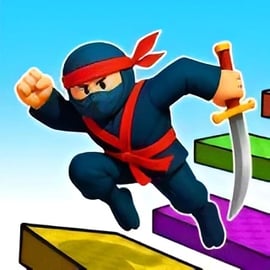
Obby Tower is a colorful 3D tower parkour game where you jump, dodge, and climb your way up a massive vertical obstacle course. Think of it as a fast-paced online obby climbing challenge mixed with precision platforming and a bit of friendly competition. Every level of the tower is stacked with moving platforms, tricky gaps, and surprise hazards that’ll test your timing and reflexes.
You play as a customizable character sprinting up a huge tower made of floating stages. Each floor adds new twists: rotating blocks, disappearing tiles, narrow beams, and high-risk jumps that can send you all the way back down if you’re not careful. Whether you’re playing solo or trying the two player parkour mode, the goal is always the same: climb higher, jump smarter, and reach the top as fast as you can.
The game blends the fun of casual platforming with skill-based movement, making it perfect for short sessions or long grinding climbs. It fits perfectly into the Action, Adventure, and Platformer categories and is ideal if you enjoy 3D platform jumping challenges that feel simple to learn but hard to truly master.
The controls in Obby Tower are designed to feel familiar if you’ve played other browser-based platformers or obby-style games. Clean controls are crucial in a tower climbing challenge, since one wrong step can drop you multiple floors.
Most of your movement is about timing your jumps and lining up your approach. Because this is a 3D platform jumping game, controlling the camera with your mouse is just as important as pressing jump at the right time.
On some platforms, Obby Tower can be played in a mobile browser. In that case, you’ll typically see on-screen buttons:
Because precise jumps are critical in a tower parkour game, many players prefer keyboard and mouse on desktop. Still, short casual climbs work fine on touch screens once you get used to the layout.
Obby Tower has a simple main objective with plenty of replay value behind it. The core idea is easy to understand: climb as high as you can without falling. But within that simple goal are several ways to measure success.
Because the tower is broken into distinct stages, there’s always a clear sense of progress. Even if you fail, you immediately see what went wrong and can retry that section, which is exactly what makes an online obby climbing game so addictive.
Obby Tower is built as a browser-friendly tower parkour game, so the easiest way to play is directly online without any large downloads. You’ll typically find it on web gaming portals under categories like Action, Adventure, Platformer, or 3D.
Most players enjoy Obby Tower on desktop or laptop via a modern browser such as Chrome, Edge, Firefox, or Safari. Because the game runs in the browser:
For the best experience in this tower climbing challenge, a keyboard and mouse setup is recommended. It gives you finer control over camera angles and movement, especially in tight parkour sections.
Depending on the site hosting Obby Tower, you might see light age checks or content warnings before playing. These are usually simple birth-year gates for compliance and don’t change the gameplay itself. The game content is family-friendly with no graphic violence, focusing fully on movement, jumps, and colorful tower stages.
Obby Tower is designed as a family-friendly 3D platform jumping game, making it safe for most ages when played on reputable gaming websites. The core gameplay involves jumping between platforms, climbing tower stages, and customizing your character—there’s no realistic violence or inappropriate themes.
Because Obby Tower is played online, it’s smart to follow basic safety practices:
As with any web-based game, always follow the rules of the platform you’re playing on and keep your browser and device up to date.
If you’re new to tower parkour games, the first few runs in Obby Tower can feel a bit chaotic. The key is to slow down, learn the physics, and build up consistency before going for ultra-fast times.
Spend your first few minutes just testing jumps between nearby platforms. Figure out:
Once you understand your jump range, you’ll stop over- or under-shooting simple gaps.
Since this is a 3D platform jumping experience, camera control matters as much as movement. Rotate your view so platforms are clearly in front of you. Avoid extreme angles that hide gaps or make distances look shorter than they are.
Beginner players often rush and fall on easy obstacles. Early on, treat each platform like its own mini-challenge:
If you’re playing with others, observe how experienced climbers move. You’ll often see faster, safer lines through certain tower sections. Copy their routes first, then experiment with your own shortcuts.
Obby Tower keeps its formula simple but offers enough variety in modes and difficulty to keep you climbing. While specifics can vary by version or platform, most builds include some combination of the following options.
This is usually the default experience: climb the tower at your own pace. There’s no strict timer, so it’s ideal for learning mechanics and exploring different routes. You still get the full tower climbing challenge, just with less pressure.
In challenge modes, your run is tracked against a timer. You might have:
This is where the game truly becomes a high-stakes tower parkour game. Every slip wastes seconds, which encourages cleaner routes and more daring jumps.
Starting on Easy is great for practicing basic jumps. Once you’re comfortable, take on Medium and Hard to experience the true competitive side of this online obby climbing game.
One of the most fun parts of Obby Tower is making your character look unique. The game taps into that classic obby style where your avatar becomes part of your identity in multiplayer runs.
In most versions of Obby Tower, cosmetics are purely visual. They don’t change your jump height, speed, or physics, so there’s no pay-to-win advantage. You get the same core 3D platform jumping mechanics whether you’re wearing basic gear or a fully tricked-out outfit.
Depending on the platform, you may unlock customization items by:
Cosmetics add long-term goals to the tower climbing challenge, giving you reasons to keep playing and perfecting your parkour runs.
Obby Tower really shines when you switch between solo climbs and two player parkour runs. Each playstyle has its own strengths, depending on what kind of session you’re in the mood for.
Best for: Practice, speed-running, relaxing climbs.
Best for: Friendly competition, co-op fun, social play.
In two player mode, your awareness changes—you’re not just watching platforms, you’re also tracking your partner’s progress. For many players, this makes Obby Tower feel like a live party-style tower parkour game, even though the core mechanics stay the same.
Once you’ve gotten comfortable with Easy and Medium, Hard mode becomes the real test of your skills. Here are some advanced tips to dominate the hardest tower climbing challenge runs.
Diagonal lines are often the shortest. Instead of always running straight then turning, combine your inputs:
This can shave seconds off your time in challenge modes.
Many towers have sections where you can skip one or two platforms with a longer jump. Practice these shortcuts in Normal mode first. Once you’re consistent, start using them in timed or competitive runs.
On Hard difficulty, moving platforms, spinning beams, and disappearing tiles are everywhere. Instead of reacting at the last second:
There’s no single “perfect” camera for the entire tower. Adjust angles based on the obstacle:
Hard mode can be brutal. You’ll sometimes lose a lot of progress from a single mistake. The best players in any online obby climbing game know that tilt is the real enemy:
With patience, practice, and smart routing, you’ll start turning Hard mode into your favorite way to experience Obby Tower’s intense 3D platform jumping challenges.
A: Obby Tower is a 3D parkour platformer where you climb a tall tower by jumping across moving and tricky platforms while avoiding obstacles.
A: Yes, Obby Tower is free to play in your browser. You do not need to pay or download anything to start climbing the tower.
A: Some versions of Obby Tower include a 2-player mode that lets you race a friend on the same device or screen to see who reaches the top first.
A: You can usually start playing Obby Tower without an account. Creating an account is only needed on some portals if you want to save favorites or progress.
A: Yes, Obby Tower is family-friendly. It focuses on jumping, timing, and reflexes without graphic violence, making it suitable for most children and teens.