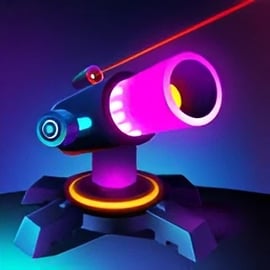
Neon Blast is a fast-paced neon space shooter that throws you straight into a glowing storm of enemy blocks, laser fire, and arcade chaos. If you love classic retro neon arcade vibes but want something you can play instantly in your browser, this block shooting game delivers exactly that. You pilot a compact blaster at the bottom of the screen, firing upward at falling neon blocks before they crash into your defenses.
This arcade shooting game online keeps the focus on quick reflexes and smart upgrades. Each block you destroy drops coins, power cores, or temporary boosts. Survive wave after wave, upgrade your weapons, and chase that next high score. Whether you’ve got five minutes on a lunch break or you’re in for a longer run, Neon Blast is designed to be easy to start but tough to master.
Because Neon Blast is a browser shooter game, there’s no long download, no installer, and no complicated setup. Just load the page, hit play, and start blasting neon blocks in seconds. The clean visuals, bright particle effects, and punchy sound FX help the game feel like a mini arcade cabinet right in your browser tab.
Fans of bullet-dodging shooters and retro score-chasing will feel at home here. You’ll manage your positioning, learn enemy patterns, chain power-ups, and push your reaction time to the limit, all wrapped in a glowing sci‑fi atmosphere that feels both nostalgic and modern.
Neon Blast is designed so anyone can hop in and understand the basics in a few seconds. Still, mastering this neon space shooter takes some practice and good decision-making. Here’s how the core gameplay loop works from your first shot to your last stand.
You control a neon cannon positioned near the bottom of the screen. Waves of colorful blocks descend from the top, each with a number that shows how many hits they can take. Your goal is simple: destroy every block before it reaches your position. Once a block crosses the safe line, you lose health or the round ends, depending on the mode you’re playing.
As you fire and shatter blocks, they’ll drop coins and other pickups. Coins are your long-term currency: between waves or runs, you invest them into upgrading your blaster, rate of fire, projectile count, and special abilities. During the wave, you’ll grab temporary power-ups that dramatically boost your firepower for a short time, letting you cut through dense walls of blocks before they overwhelm you.
Moving and aiming are intentionally simple so you can focus on pattern recognition and quick decisions. On desktop, movement is horizontal only, letting you strafe left and right to line up the perfect shot. The screen quickly fills with glowing debris, power-ups, and danger, so you’ll constantly shift positions to scoop up rewards while avoiding any enemy projectiles or hazards in advanced waves.
Every wave increases in speed, block health, or density. The challenge ramps up until you’re threading shots through narrow gaps and relying on well-timed power-ups to stay alive. Survive longer, score higher, collect more coins, and unlock stronger upgrades for your next run.
To keep this browser shooter game fresh, Neon Blast offers several modes and variants that tweak the pace and strategy. While the exact labels may differ depending on where you play, these are the most common style of challenges you can expect in this retro neon arcade shooter:
Whatever mode you choose, the core objectives stay consistent: protect your position, manage screen space, destroy as many neon blocks as possible, and climb the leaderboard. Switching between modes is a great way to refine different skills, whether that’s survival instincts or high-efficiency block clearing.
Neon Blast is built to run smoothly on most modern browsers, but action-heavy arcade games can sometimes stutter if your device is busy or underpowered. If you’re experiencing lag, frame drops, or input delay while playing this arcade shooting game online, try the following simple fixes:
If the game won’t load at all, first confirm your internet connection is stable, then try refreshing the page. Clearing your browser cache or using an incognito / private window can also help if a stored script is causing problems. For mobile players, ensure you have a strong connection, close background apps, and rotate your device to landscape for the best experience.
Neon Blast is a family-friendly neon space shooter focused on quick reflexes and colorful arcade action. There’s no realistic violence or graphic content; you’re shooting at abstract neon blocks and geometric enemies, with explosions represented by glowing particles and visual effects rather than anything disturbing.
On reputable browser gaming platforms, the game itself doesn’t require any downloads or installations, which helps minimize security risks. You play directly in your browser, so you’re not running unknown files or installers on your computer. As always, children should be guided to play only on trusted websites and avoid clicking on external ads or pop-ups that might lead away from the game page.
If you’re a parent or guardian, you can comfortably treat Neon Blast as a standard retro neon arcade experience. The main skills it encourages are reaction time, pattern recognition, and strategic upgrading. There’s no built-in chat, no user-generated content, and no need for players to share personal information to enjoy the core gameplay.
To stay safe online while playing:
Within those simple boundaries, Neon Blast is a fun, clean, and accessible shooter you can enjoy without worrying about mature content.
Once you’ve loaded Neon Blast, you’re immediately dropped into the glowing battlefield. Here’s a simple, step-by-step walkthrough of how to play your first few runs effectively.
Exact controls can vary slightly by platform, but browser versions generally use simple, accessible input:
This simple control scheme keeps Neon Blast approachable while still letting experienced players showcase speed and precision.
Upgrades are what turn a decent run into a record-breaking one. Smart investment in your blaster’s capabilities will help you carve through dense walls of blocks and reach higher waves. Here’s how to get the most out of the upgrade system in this block shooting game.
When you’re just starting, prioritize upgrades that directly increase your damage per second:
Boosting these stats early means safer clears and more coins gained per run, which then fuel even stronger upgrades.
Once your basic firepower feels solid, look at supporting upgrades that improve survivability and consistency:
Don’t spend coins randomly after each wave. Instead, aim for clear upgrade milestones—like reaching a specific damage threshold or unlocking a new firing pattern. That way, every purchase contributes to a noticeable power spike, making subsequent waves feel significantly easier.
Beyond the standard endless run, Neon Blast keeps dedicated players engaged with targeted challenges and varied rule-sets. These modes transform a simple browser shooter game into something you can revisit day after day.
Some versions of Neon Blast feature daily challenges, which apply specific modifiers to your run:
These challenge modes help you practice specific skills and provide short, high-intensity sessions when you don’t have time for a lengthy run.
Certain challenges reward players for how efficiently they use each shot. You might be tasked to:
These missions train you to aim carefully and avoid needless firing, which can help a lot when blocks become tougher in higher waves.
To truly dominate this neon space shooter and secure leaderboard spots, you’ll need to master power-up timing, combo building, and advanced positioning.
Most Neon Blast versions include common arcade-style boosts:
When several power-ups are available, prioritize those that help you handle the immediate threat on screen rather than grabbing everything blindly.
Many arcade shooting game online systems reward continuous destruction with combo multipliers. To keep your combo alive:
High scores often depend more on these multipliers than on raw survival time, so learning to chain hits across the screen is essential.
Good positioning isn’t just about dodging—it’s about controlling the screen:
Over time, you’ll start reading the flow of blocks like a rhythm game, anticipating where the next safe spot will be and when to unleash your best power-ups for maximum value.
Because Neon Blast is played directly in your browser, understanding the control options and basic settings can make your runs smoother and more comfortable.
To keep the retro neon arcade style looking sharp without stressing your device, look for these options in the game’s settings:
Experiment with the lowest settings first if your system is older; you can always increase visual fidelity once you’re sure the game runs smoothly.
Neon Blast delivers an addictive blend of fast-paced shooting, glowing retro aesthetics, and satisfying progression, all in a convenient browser format. With simple controls, deep upgrade paths, and multiple modes and challenges, it’s an excellent pick for anyone who loves a responsive neon space shooter or classic arcade shooting game online. Jump in, tune your blaster, and see how long you can survive the neon storm.
A: Neon Blast is a fast-paced arcade space shooter where you destroy glowing blocks, upgrade your blaster, and try to defend your base for as long as possible.
A: Yes, Neon Blast can be played for free in your browser. There is no download required, and you can start playing instantly.
A: You can usually play Neon Blast without an account, but creating a profile on some platforms may let you save high scores and progress.
A: Neon Blast is family-friendly, featuring colorful neon graphics and arcade-style shooting without realistic violence or mature themes.
A: On desktop, you typically move with the mouse or arrow keys and shoot with a mouse click or spacebar. On mobile, you use touch controls to move and fire.