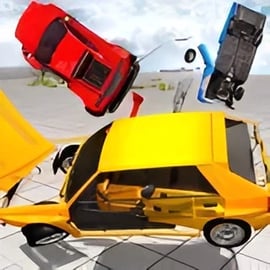
Car Crash 3D is a chaotic, physics-driven car crash simulator that lets you smash, flip, and shred vehicles in spectacular slow-motion wrecks. Blending elements of a demolition derby game, 3D driving game, and open-world free roam, it focuses on one thing: over-the-top car destruction physics in a fully 3D environment you can explore right in your browser.
Instead of worrying about racing lines and perfect lap times, Car Crash 3D encourages you to push cars past their limits. Launch off ramps, sideswipe traffic, and pack your screen with explosions and crumpled metal. The game’s realistic damage system tracks every impact, bending frames, shattering glass, and sending debris across the arena or open map.
Because it’s built for the browser, you can jump into the action quickly—no downloads, no installs, just instant access to high-speed crashes. It’s perfect if you love testing car destruction physics, experimenting with insane stunts, or simply relaxing with a no-rules, no-traffic-laws experience where every crash is the whole point of play.
The controls in Car Crash 3D are simple and familiar if you’ve played other 3D driving games. You’ll be drifting, jumping, and crashing within seconds.
While it’s easy to drive, mastering crashes is where the real fun begins:
Car Crash 3D gives you several ways to experience its destruction-heavy gameplay, from structured arenas to relaxed open-world car damage sessions.
In derby mode, you’re dropped into a closed arena with other vehicles. The goal is simple: cause as much damage as possible before your car is totaled.
This mode really channels the “last car standing” feel of classic demolition derby games, making every impact count.
The free drive mode is where Car Crash 3D turns into more of an open world car damage sandbox. There’s no strict timer or ranking—just drive, explore, and wreck things at your own pace.
It’s perfect if you want to experiment with weird crash setups or just relax while trying out different vehicles.
Some versions of Car Crash 3D include stunt and challenge levels where you must:
These modes combine precision driving with over-the-top wrecks, rewarding you with extra coins and unlocks when you succeed.
The heart of Car Crash 3D is its intense 3D car battles. Whether you’re in a packed derby arena or a wide-open playground, the goal is always the same: make a mess of metal.
Every collision is calculated by the game’s car destruction physics engine. At high speeds, your hood crumples, axles snap, and panels peel off. Side impacts can send your car spinning, rolling, and flying into other vehicles, creating chain-reaction wrecks that keep the screen full of action.
Because the game is fully 3D, you can attack from any angle, use verticality with ramps and jumps, and even drop down on opponents from above. Smash into:
Many players treat Car Crash 3D as a digital crash lab. Try recreating pileups, front-end crumples, or full-on barrel rolls. The flexibility of the car crash simulator systems means each run can look completely different, even on the same map.
To keep gameplay fresh, Car Crash 3D cycles its systems through several distinctive modes, each built around a different aspect of crashing.
This is the most action-packed mode. You spawn with multiple other cars, and the arena quickly fills with smoke, debris, and bent frames. You’re rewarded for:
It’s the best mode for quick, intense sessions where every second delivers new crashes.
The open-world free drive mode emphasizes exploration and experimentation. Treat it like a 3D driving game with zero rules:
Challenge modes add structure if you enjoy goals. You might need to:
Switching between these modes helps you appreciate both the driving and the destruction sides of Car Crash 3D.
Car Crash 3D stands out for how it simulates vehicle damage. While it’s streamlined enough to run smoothly online, it still captures that satisfying visual crunch and deformation you expect from a good car crash simulator.
Your car is divided into several impact zones:
When you strike another car or obstacle, the force and angle of the collision decide how the mesh deforms and how badly your handling is affected. Repeated heavy hits can:
The game uses a simplified but convincing car destruction physics model. It tracks speed, mass, and direction to determine how far cars fly, how they roll, and what debris scatters. That’s why:
Explosions and sparks are mostly visual flourishes to emphasize big hits and final wrecks. When your car takes extreme damage, you might see:
It all comes together to make Car Crash 3D feel like a compact, accessible, browser-based version of more advanced crash simulators, but with less waiting and more instant fun.
Coins are your main progression currency in Car Crash 3D. You’ll use them to unlock powerful vehicles, tougher derby cars, and sometimes cosmetic upgrades. Here’s how to maximize your earnings.
The game typically rewards you more for high-speed, high-damage impacts. Instead of low-speed nudges, try to:
If a particular arena or level seems to earn coins quickly, replay it. Shorter matches with big destruction totals can outperform longer, slower ones in terms of coins per minute.
It’s tempting to go all-in on every hit, but getting totaled too soon cuts your potential earnings. Learn to:
Consistent performance over a full round often beats a few massive hits followed by a quick destruction.
Car Crash 3D is designed as a family-friendly destruction game, but it’s still important to play safely and responsibly, especially for younger players.
Only launch Car Crash 3D from reputable browser gaming platforms. Avoid unofficial downloads, cracks, or modded files, as these can include malware or intrusive ads. A legit online version should:
Crash-focused games can be very engaging. For younger players, parents or guardians should:
You can enjoy Car Crash 3D directly in your web browser on most modern desktop and laptop systems. It typically uses HTML5 / WebGL technology, so there’s no need for extra plugins.
Some versions may also offer mobile browser support, but the best experience is usually on a device with a keyboard for precise steering and crash control.
Once the game loads, most of the heavy lifting happens in your browser, so you don’t need a top-of-the-line PC—just a reasonably modern machine that can handle 3D graphics.
If Car Crash 3D doesn’t run smoothly, you can often fix things with a few basic tweaks.
If major issues persist, check the hosting site’s help or FAQ section; some platforms include notes for specific browsers or known bugs.
Car Crash 3D is generally safe to play when accessed from reputable gaming platforms. It’s a fictional car crash simulator with stylized car destruction physics, not a realistic emergency or gore simulator, making it suitable for most teens and older kids who enjoy vehicle games.
Parents may still want to review the game themselves first, especially for younger children, but the absence of graphic content makes it more accessible than many combat-focused titles.
As long as you combine the game with normal web safety habits, Car Crash 3D is a fun, relatively safe way to explore wild crashes and demolition derby action without any real-world risk.
A: Car Crash 3D is a browser-based driving and demolition game where you race, crash, and destroy cars in 3D arenas with realistic damage physics.
A: Yes. Car Crash 3D is completely free to play in your browser, with no purchase required to start driving and crashing.
A: No download is needed. You can play Car Crash 3D instantly in a supported web browser as an online HTML5/WebGL game.
A: Car Crash 3D has cartoon-style vehicle destruction and no realistic blood or people, but it does focus on crashes, so parental guidance is recommended for younger children.
A: Use a modern browser, close other heavy tabs, and, if possible, enable hardware acceleration. A stable internet connection and up-to-date graphics drivers also help performance.