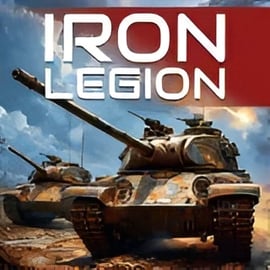
Iron Legion is an intense online tank battle game you can play right in your browser, no downloads required. It throws you into fast-paced multiplayer tank warfare with realistic 3D visuals, detailed maps, and a full upgrade system that lets you tweak armor, guns, and mobility to match your playstyle. Whether you love heavy, slow behemoths or agile scouts, this 3D tank shooter gives you plenty of ways to fight.
As a modern browser war game built with HTML5 / WebGL, Iron Legion runs directly in a desktop or mobile browser. You jump into real-time battles with up to 10 players, complete missions, and climb the ranks by mastering realistic tank combat. The combination of easy-to-learn controls and deep mechanics makes it accessible for newcomers and satisfying for veterans of online tank battle games.
This guide covers how to play Iron Legion online, basic rules and controls, game modes, tips to dominate enemy teams, and what to expect from its graphics, sound, and performance in your browser.
The control scheme for Iron Legion is built for quick reactions and precise aiming, which is critical in a competitive multiplayer tank warfare game. Here are the most commonly used inputs you’ll see in browser versions of the game:
Some browser war games also map extra actions, such as repair kits or special ammo, to number keys. Always check the in-game help or settings menu for the most up-to-date control layout. Because Iron Legion is a 3D tank shooter, mastering smooth movement while aiming is essential. Try practicing circling around targets while keeping your turret locked on them—this “circle-strafing” is a powerful technique in open maps.
Iron Legion stands out among browser war games thanks to its mix of accessibility and realism. Instead of being a simple arcade shooter, it leans into tactical decisions and vehicle customization while still staying fast and fun. Key features you can expect in this online tank battle game include:
All of this runs completely in your browser, making Iron Legion a great choice if you want a quick 3D tank shooter session without installing a large client. It’s built for short, intense matches that you can play during a break, after school, or whenever you’ve got a few minutes to spare.
You can play Iron Legion directly in modern browsers that support HTML5 and WebGL. It’s available on several trusted browser gaming platforms that host free action and shooting titles. To get started, open your browser on desktop, laptop, or mobile, search for “Iron Legion online tank battle game,” and choose a reputable gaming portal that offers the game in your region.
When you load Iron Legion, the game typically runs right inside the page—no separate installer, no registration required for casual play. Some platforms may allow you to create an account so you can save progress, customization, and stats. This is especially helpful if you want to track your performance across multiple sessions of multiplayer tank warfare.
If the game doesn’t start, make sure:
Once the loading bar finishes, you’re ready to jump into realistic tank combat in just a few clicks.
Iron Legion is designed as a family-friendly browser war game with no graphic gore and a focus on vehicle combat rather than human characters. Explosions, fire, and destroyed tanks are present, but the presentation stays within typical teen-friendly action game standards. That said, it’s still an action-heavy 3D tank shooter, so parents of younger children may want to supervise the first few sessions.
For online safety, follow these basic guidelines:
Overall, Iron Legion is as safe to play as most mainstream online tank battle games. With normal internet safety habits, it’s a fun and secure way to enjoy multiplayer tank warfare in your browser.
Getting started with Iron Legion is simple, even if you’ve never played a browser war game before. Here’s a quick step-by-step walkthrough:
Use a modern browser like Chrome, Edge, Firefox, or Safari. These offer the best performance for 3D tank shooters.
Search for “Iron Legion 3D tank shooter” or “Iron Legion online tank battle game” and choose a reputable gaming portal that hosts the game.
The first load may take a bit longer as assets, models, and maps download. Once cached, future sessions will be quicker.
Before your first match, open the settings menu. You can usually adjust sound volume, mouse sensitivity, and sometimes graphic quality for smoother realistic tank combat.
Many versions of Iron Legion include a short training or bot match. Use this to get used to the controls and tank handling before jumping into real multiplayer tank warfare.
Select a mode (often standard deathmatch or team battle) and let the game find an available lobby. You’ll spawn on the map with allies and enemies already in motion.
Once you’re in a match, focus first on survival and positioning, not just scoring kills. Iron Legion rewards players who use cover, manage line-of-sight, and support teammates, just like more complex PC tank simulators.
If you want to rise above casual players and become a consistent top performer, you’ll need more than good aim. Use these practical tips tailored for this kind of browser-based multiplayer tank warfare:
Instead of facing enemies perfectly straight, slightly angle your tank to increase effective armor thickness. This makes incoming shells more likely to bounce, a key tactic in realistic tank combat games.
Use hills, rubble, and terrain so only your turret is visible. Exposing less of your tank makes you harder to hit and damage.
It’s tempting to sprint into the enemy base, but unsupported pushes usually end fast. Move with at least one teammate so you can trade shots and draw enemy fire for each other.
Different guns in a 3D tank shooter have different reload speeds. After firing, decide whether to back behind cover or press the attack based on how long your next shell will take.
Heavily armored vehicles are tough from the front but more vulnerable from the sides and rear. Use faster light tanks to get around them, or coordinate a push with allies.
Turret rings, rear armor, and engine decks often take more damage. In many realistic tank combat systems, these shots can disable modules or set fires.
Fire from behind walls, rocks, and buildings. Pop out, shoot, then reverse back into safety while reloading.
In base-capture or objective modes, kills aren’t everything. Defending or capturing the target can win the match even if your personal score isn’t the highest.
Practicing these small habits will dramatically improve your performance, even against more experienced players in this online tank battle game.
Iron Legion gives you a roster of more than ten classic and modern-inspired tanks, each filling a distinct battlefield role. Understanding these roles is crucial to success in any competitive 3D tank shooter.
Light tanks are ideal if you prefer speed and aggressive scouting:
Use light tanks to spot enemies for your team, chase down wounded vehicles, and strike from the sides or rear where armor is weakest.
Medium tanks blend mobility and firepower, making them extremely popular in multiplayer tank warfare games:
If you’re new to Iron Legion, a medium tank is often the best starting point. It lets you experiment with different tactics without being locked into a single role.
Heavy tanks are your armored fists, designed to push lines and soak damage:
Use heavy tanks to anchor key positions, block chokepoints, and lead pushes when your team is ready to advance. Just watch your flanks, since you’re vulnerable if enemies get around you.
The upgrade system in Iron Legion is a big part of why it stands out among browser war games:
As you complete missions and matches, you’ll earn currency or resources to unlock these improvements. Focus upgrades around your preferred style: mobility for flanking, armor for front-line brawling, or gun performance for sniping and long-range support.
Iron Legion centers on real-time online matches with up to 10 players, and different modes encourage different tactics.
Two sides battle until one reaches a target score or the timer ends. This is the most straightforward mode and ideal for learning maps and general combat flow.
Teams fight to control a central point or capture each other’s base. Staying in the zone and defending against counterattacks is just as important as scoring kills.
Some versions of Iron Legion include special tasks like escorting vehicles, holding control zones, or completing time-based objectives.
Combining light, medium, and heavy tanks gives your team scouts, flexible support, and heavy hitters. An all-heavy lineup might look scary but often gets flanked and outmaneuvered.
Light tanks should move ahead, spot enemy tanks, then fall back before they’re surrounded. This lets heavies and mediums fire from safe positions.
Coordinate with teammates to concentrate shots on one target at a time. Quickly removing enemy guns from the field is more valuable than spreading damage.
High ground, chokepoints, and cover-rich areas often decide the match. Position your toughest tanks there, supported by mediums and artillery-like support if available.
If the other team stacks heavy armor, switch to more mobile tanks that can circle and attack from behind. If they rush objectives, set up ambushes and crossfire.
Even simple voice or text coordination with a couple of friends dramatically increases your win rate in this style of online tank battle game.
Iron Legion delivers surprisingly polished 3D tank combat considering it runs entirely in a browser. The game’s visual and audio design help sell the feeling of modern armored warfare without requiring a high-end gaming PC.
While Iron Legion stops short of being a hardcore simulator, its handling, damage model, and presentation borrow heavily from realistic tank combat games. Shells feel weighty, armor matters, and using terrain intelligently is rewarded—exactly what you want from a modern browser war game.
Because Iron Legion runs through HTML5 / WebGL, performance depends on a mix of your hardware, browser, and settings. If you experience lag, low frame rates, or crashes, try these fixes:
Streaming video, background downloads, or dozens of open tabs can choke system resources needed for a smooth 3D tank shooter experience.
If the game offers graphic presets, switch from High to Medium or Low. This often reduces effects and draw distance, but dramatically improves frame rate.
In your browser settings, make sure hardware acceleration is turned on so the GPU can help render the game.
Outdated drivers can cause glitches or low performance in WebGL-based browser war games.
Sometimes a simple reload fixes stuck loading screens or partial asset downloads.
Multiplayer tank warfare needs a stable connection. If you see rubber-banding or disconnects, switch to a wired connection or move closer to your router.
Some script-blockers or privacy extensions interfere with game scripts. Temporarily disable them for the site if the game won’t start.
If issues persist, switch to a different up-to-date browser to rule out browser-specific bugs.
With a few tweaks, most players can enjoy smooth and responsive realistic tank combat even on mid-range laptops and desktops.
A: Iron Legion is an online 3D action game where you control powerful tanks in multiplayer battles. You upgrade vehicles, complete missions, and fight other players in real time.
A: Yes, Iron Legion is free to play in your browser. You do not need to download a client, and you can jump into battles as long as you have an internet connection.
A: Many platforms let you play Iron Legion instantly without an account, but creating one may help you save progress, track stats, and access more features.
A: Iron Legion features cartoon-style tank combat with explosions but no graphic violence or blood. It is generally family-friendly, though parents should review the game to decide if it suits their child.
A: You typically move your tank with WASD or the arrow keys, aim with the mouse, and fire with the left mouse button. Some versions also support extra keys for statistics, pause, and other options.