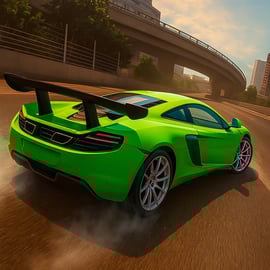
Vice City Driver is a fast-paced urban racing game where you jump straight into an illegal city race through neon-soaked streets. You’ll weave through dense traffic, dodge police roadblocks, and fight for every inch of the road against aggressive AI opponents. The focus is on tight cornering, quick reactions, and learning the best lines through an unpredictable city layout.
Unlike traditional circuit racers, Vice City Driver throws you into a living, breathing city. You’re managing not just speed, but risk: when to brake, when to cut through side streets, and how much damage your car can take before your run is ruined. Every race feels like a high-stakes street racing mission, with cops ready to pounce as soon as the engines roar.
Because it runs in a browser, you can jump in almost instantly. There’s no giant download or complicated setup. Just load the page, pick your control setup, and you’re ready to try to dominate the streets. It’s ideal for racing fans who want a quick, intense urban driving challenge without installing a full-sized PC or console title.
Getting comfortable with the controls is the first big step toward winning any illegal city race in Vice City Driver. The good news is that the control scheme is simple and responsive, so you can focus on timing, racing lines, and avoiding traffic.
Most browser versions of Vice City Driver use a familiar racing layout:
These keys are easy to reach, which helps you react quickly in heavy traffic or during a sudden police chase racing segment. If your version of the game supports key remapping, try to keep throttle and brake on one hand and steering on the other to maintain precise control.
Many players prefer using a gamepad for smoother steering. A typical controller layout looks like this:
If your browser supports controllers, they’re usually detected automatically. Using analog triggers gives you a huge advantage with car handling—you can feather the gas and brakes instead of treating them like on/off switches.
Vice City Driver focuses on giving you a compact but intense racing experience. You won’t spend time in menus; you’ll spend it fighting traffic and learning the city. Here are some of the core features:
All of this is packed into a quick-play format that works well for both short sessions and longer practice runs where you grind out better race times and learn the layout.
Vice City Driver is typically offered as a browser-based racing game on online gaming portals. That means you don’t have to install anything—just open the game page and play directly in your favorite browser.
To get the smoothest possible racing experience, use a modern browser:
Enable hardware acceleration and close any heavy background tabs or downloads before starting an intense street racing mission. This helps keep your frame rate steady so you can maintain precise steering and braking.
Vice City Driver is designed as a family-friendly arcade racer, even though it uses themes like illegal city race events and police chases. There’s no graphic violence, no realistic crime simulation, and no adult content. The “illegal” aspect is mostly there to explain why police cars appear and chase you at high speeds.
When you play on a reputable browser gaming platform, the game runs in a sandboxed environment inside your browser. It doesn’t install anything on your system, and it doesn’t require you to download external files. As always, stick to trusted sites, avoid clicking on suspicious ads, and don’t enter personal information into pop-ups or unrelated forms.
Parents who are cautious about racing themes should know that the focus here is on reflexes, vehicle control, and urban driving challenge gameplay rather than on crime or story-based missions.
Winning consistently in Vice City Driver means treating each race as more than just a drag race. You’re balancing speed, positioning, and traffic awareness. These tips will help you make the jump from casual player to reliable race winner.
Because the game is built around city streets, intersections matter just as much as tight corners. On your first few runs, don’t worry about winning. Instead:
Once you’ve internalized the route, you’ll start to feel when to commit to full speed and when to leave a margin for error.
A core car handling tip in any city racer: do your braking in a straight line before you turn the wheel. If you wait until the middle of the corner, your car will understeer or fishtail into oncoming traffic. Try this sequence:
This rhythm alone can shave several seconds off your street racing mission time.
When AI opponents are glued to your rear bumper, you can use city traffic as a defensive tool. Move slightly toward slower vehicles so that your rival has to choose between backing off or risking a collision. Small position changes can force them into mistakes without you ever touching them.
If you’re new to Vice City Driver or struggling to complete your first illegal city race, start with these practical, beginner-friendly strategies.
It’s tempting to hug the inside of every turn, but as a beginner you’re more likely to clip parked cars and lamp posts. Instead, aim to stay mid-lane on straights and only tighten your line as you grow comfortable. You’ll avoid a lot of needless crashes and keep your average speed higher.
In many races, police cars show up once you’ve reached a certain speed or segment of the route. As soon as you spot flashing lights in your mirrors or ahead of you, assume they’ll ram or block you. Start thinking two or three moves ahead:
Anticipation keeps you out of messy collisions that destroy your momentum.
If the game supports a reset function, use it. When you spin 180 degrees or wedge yourself against traffic, you’ll often lose more time trying to wiggle free than you would by quickly resetting. It’s better to accept a small penalty than to ruin your whole run.
Don’t think in terms of winning or losing the entire race at once. Break the route into three or four mental segments and focus on improving one section per run. Maybe today you nail the dockside curves; tomorrow you perfect the downtown straightaway. Consistent small improvements add up to full-race dominance.
Vehicle choice and route planning are just as important as raw driving skill. The best car for a wide-open highway run isn’t always the best for a dense, twisty urban driving challenge.
For a typical Vice City Driver layout, a balanced or grippy car tends to be stronger overall. You spend more time braking and turning than you do holding maximum speed.
Shortcuts can turn a losing run into a win, but only if they’re actually shorter and safer:
Try new lines when you’re not chasing a personal best. Use practice runs to experiment so you know which routes are reliable under pressure.
Police cars are more than scenery—they’re active obstacles in every serious street racing mission. Learning how to manage a police chase racing scenario is critical if you want to stay in front.
Police cars are usually heavier and more stable than your racer. Ramming them directly is a losing trade. Instead:
Cops are most dangerous on long straights where they can hit you at speed. Tight corners and S-curves are your opportunity:
This lets you exit the corner with more speed and space, turning the chase in your favor without needing risky collisions.
The sound of sirens can make you tense and over-correct. Treat them as a signal to sharpen your focus, not to panic. As long as you’re sticking to clean lines and avoiding big mistakes, they’ll have a hard time forcing you off the road.
Fine-tuning your controls can transform how your car feels, especially on tight, technical urban driving challenge sections. Small tweaks often make the difference between clipping every curb and flowing through the city like a pro.
Some browser versions of Vice City Driver offer basic sensitivity or steering assist options. If you’re using a keyboard:
On a gamepad, you have more tuning options:
Experiment with small changes and then run the same section of track several times. If your steering feels predictable and you’re clipping fewer cars and curbs, you’re on the right track.
With the right setup, smart car handling tips, and consistent practice, you’ll be able to take on any street racing mission in Vice City Driver and come out ahead, even when the police are on your tail and the city is throwing everything it has at you.
A: Vice City Driver is a browser racing game where you compete in fast-paced city street races, avoid traffic, and try to finish first without getting caught by the police.
A: Yes, Vice City Driver is completely free to play in your browser with no download required. Just load the game and start racing.
A: You usually steer with the arrow keys or WASD, and may use additional keys for handbrake or nitro depending on the version. Check the in-game controls menu for the exact layout.
A: Vice City Driver focuses on arcade-style racing and car chases. While there is no graphic violence, parents should review the game first to decide if the theme of illegal street racing is appropriate.
A: No, Vice City Driver is optimized for web browsers and runs on most modern computers. For the smoothest experience, close other heavy apps and use an up-to-date browser.