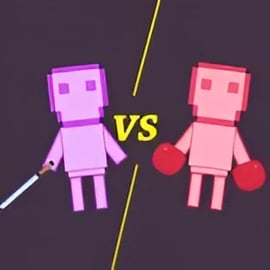
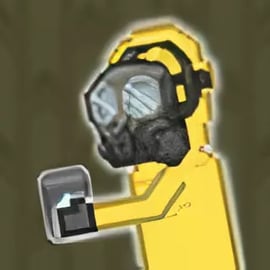
Human Playground is a chaotic, creative ragdoll sandbox game that runs right in your browser. Instead of a traditional story or levels, you get a huge open arena filled with tools, traps, weapons, vehicles, and all kinds of props. Your job? Drop in some stickman characters and run as many wild free sandbox experiments as you can dream up.
If you enjoy physics simulation online, Human Playground is designed for you. Every object follows believable physics: bodies flop like ragdolls, objects collide and bounce, and chain reactions feel surprisingly real. You can build contraptions, test silly ideas, or just see what happens when you combine different tools in one overcrowded arena.
Because it's one of the most accessible browser sandbox games, there's no download, no install, and usually no login required. Load the page, hit play, and you're instantly in a digital lab where stickmen are your test subjects and physics is the only rule.
Whether you want to create a peaceful obstacle course or a crazy destruction machine, Human Playground lets you experiment at your own pace. There's no time pressure and no "wrong" way to play, making it a great fit for quick breaks as well as long creative sessions.
Human Playground shines as a stickman playground online that you can open on most modern devices. Everything takes place on a 2D scene where you can spawn humans, props, and hazards, then watch how they interact as the simulation runs.
Here's what makes the online experience stand out:
As a physics simulation online, Human Playground gives you more control than just pressing buttons and watching animations. You become the designer: you'll position objects, tweak placements, and then press play to unleash your scenario. It's a playful blend of creativity and experimentation that appeals to fans of simulation, action, and building games.
Human Playground is easy to learn, even if you've never tried a ragdoll sandbox game before. Most interactions use simple mouse controls, and many versions of the game will highlight buttons or icons to guide you on your first attempts.
Although there are no traditional "rules" or win screens, Human Playground follows a few core mechanics that shape how you play:
The heart of the game is simple: place things, press play, and see what happens. From there, you'll fine-tune your creations, adjust timing and placement, and push the physics system to its limits.
Exact controls may vary slightly by site, but most browser versions of Human Playground follow this general layout:
Human Playground usually gives you a toolbox or side menu full of categories. Common items include:
To build your scene, you'll typically:
As a flexible ragdoll sandbox game, Human Playground puts most of its design effort into tools, physics, and freedom rather than story or progression. Here are key features you can expect:
Some versions may also add extras like different maps, themed prop sets, or extra visual effects, but the core appeal stays the same: freeform, physics-driven experiments.
Once you understand the basics, Human Playground really opens up. Here are some fun, family-friendly ideas for free sandbox experiments that show off the physics system:
Create a start platform, then build a path filled with jumps, moving objects, and small hazards. Place a human at the beginning and see if they can make it to the end on their own. Try:
Tweak the course until the ragdoll can "complete" it with the physics alone.
Design a mini Rube Goldberg device inside the Human Playground:
This style of experiment is perfect if you love physics simulation online and want to see how small movements can trigger big outcomes.
If your version includes cars or moving vehicles, try:
Adjust the speed, angle, and placement to make the crash as dramatic – yet still humorous and cartoonish – as possible.
Stack platforms to create a tall tower, then:
This approach turns Human Playground into a lightweight physics lab where you can visualize motion, impact, and momentum in a playful way.
Set up several humans and objects so that they only collide after a delay, like:
These experiments are great for testing your creativity and planning skills inside the sandbox.
Human Playground hooks players because it combines three satisfying elements: interactive physics, unpredictable ragdoll behavior, and total creative freedom.
Unlike scripted games where every animation is pre-planned, a ragdoll sandbox game like this one lets physics take control once you press play. Even a tiny difference in starting position can change how a human falls, flips, or collides. That unpredictability keeps each experiment fresh.
The game also taps into the appeal of tinkering: you'll adjust angles, reposition props, retry builds, and constantly ask, "What if I move this just a little bit?" The tight loop of build–simulate–refine makes Human Playground hard to put down.
Because it's accessible as a stickman playground online, you don't need a powerful PC or long downloads to enjoy that feeling. You can jump in for a few minutes, try a new idea, and come back later with a completely different plan.
Human Playground is typically available on popular browser sandbox games portals and online game sites. You can open it in most modern web browsers without installing extra software.
When choosing where to play, look for:
Because Human Playground is designed to be light and accessible, you can usually run it from school computers, shared devices, or casual home setups, as long as your browser is up to date and your internet connection is reasonably stable.
Human Playground isn't very demanding, but as you pack the screen with humans and props, performance can slow down. If your ragdoll sandbox game session starts to lag, these tips can help:
If the game doesn't load at all:
One of the biggest advantages of Human Playground is its accessibility. You don't need high-end hardware – just a device that's reasonably modern and supports HTML5 games.
Make sure JavaScript is enabled in your browser, since the game relies on it to run the physics simulation online.
For the best balance of control and performance, a desktop or laptop with a mouse is ideal. Touchscreens can work, but precise placement and dragging may be trickier during complex builds.
Human Playground focuses on cartoonish ragdoll physics and slapstick-style chaos. While it does feature impacts and sometimes exaggerated damage to stickman characters, the visuals are usually simple and non-realistic.
From a technical standpoint, playing through reputable browser game platforms is generally safe as long as you:
Parents and guardians may want to quickly review the game themselves to ensure the style of ragdoll humor matches their own comfort level. Because it's an open-ended ragdoll sandbox game, players can create a wide range of scenarios. However, the presentation stays in a simple, stick-figure format rather than realistic graphics.
As with any stickman playground online, supervising younger players, setting time limits, and encouraging creative builds (like obstacle courses or physics puzzles) can help keep the experience positive and educational.
A: Human Playground is a physics-based sandbox game where you experiment with ragdoll characters, weapons, and objects in an open playground.
A: Yes, Human Playground can be played for free in your browser without any download or installation required.
A: No, you can start Human Playground directly in your web browser as an online game, so no apps or extra software are needed.
A: Human Playground features ragdoll violence and explosions, so it is better suited for older kids and teens under parental guidance.
A: You mainly use the mouse to place, move, and drop items, and basic keyboard shortcuts to rotate objects and manage the sandbox.