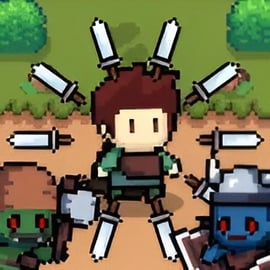
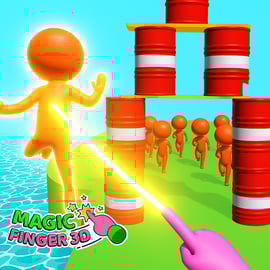
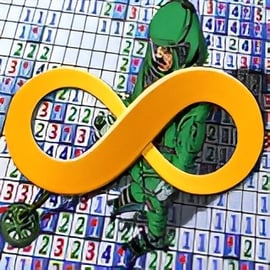
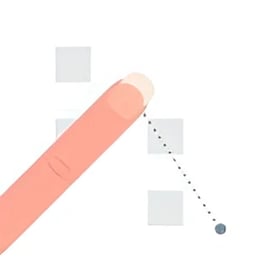
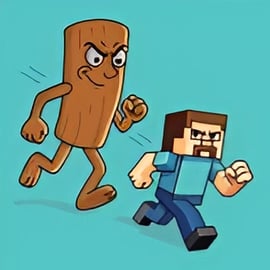
Ticktock Challenge is a fast-paced collection of viral mini games you can play right in your browser. Each level is a tiny, timed mini puzzle game where you tap at the perfect moment, react in split seconds, and beat a ticking clock before it runs out. If you enjoy viral challenge games online, social media trend challenges, and quick “just one more try” arcade fun, this title is made for you.
Inspired by popular short-form video trends, Ticktock Challenge turns those quick, addictive challenges into a streamlined reflex and timing browser game. Instead of watching others attempt them, you’ll be the one trying to line up objects, tap rapidly, or trigger actions at the exact right frame. Every success feels satisfying, every failure pushes you to retry, and every new level introduces a fresh twist so the formula never gets boring.
Because it runs in your browser with simple tap or click controls, you can jump in instantly on desktop, laptop, or mobile. There are no long tutorials, no complicated controls—just a clean interface, a countdown timer, and a simple instruction for each level. That simplicity makes Ticktock Challenge perfect for quick breaks, family play sessions, or casual gaming while you’re relaxing at home.
Ticktock Challenge is a pure tap to play arcade game. The entire experience is built around quick, intuitive input that works the same way on any device:
Different mini games reuse these simple controls in clever ways to deliver that viral challenge feel:
There are no complex button combinations to memorize. As a reflex and timing browser game, the difficulty comes from how quickly you recognize the pattern, watch the timer, and execute your taps—not from learning a deep control scheme. Each level also shows a short, clear on-screen hint, so you always know what the next challenge is asking you to do.
Ticktock Challenge packs a lot of variety into bite-sized play sessions. Here are some of the key elements that make it stand out among viral challenge games online:
The result is a snappy, snackable arcade experience that works equally well for solo players seeking a challenge and for families looking for a silly, competitive “who can beat this level first?” activity.
Because Ticktock Challenge is a browser-based game with light, minimalist graphics, it typically runs smoothly even on older devices. Still, as a fast-paced reflex and timing browser game, performance matters—any input delay can make tough levels feel unfair. If you run into lag, stutters, or unresponsive taps, try the steps below.
Once performance is stable, you’ll find it much easier to beat those advanced timed mini puzzle game stages that rely on perfect split-second reactions.
Ticktock Challenge is designed as a family-friendly browser challenge experience. There’s no graphic violence, no mature themes, and no user-generated content inside the game itself, which keeps it appropriate for a wide audience.
Here are a few safety and content notes for parents and younger players:
Even though it’s inspired by social media trend challenges, you’re not required to link or log into any social media accounts to enjoy the game. This makes Ticktock Challenge a safer, more controlled way to experience the trend-driven feel of viral challenge games online without actually being on those platforms.
Getting started with Ticktock Challenge is quick, but mastering the timer is another story. Here’s a simple walkthrough of how a typical session works.
Open Ticktock Challenge from your preferred browser on desktop, laptop, or mobile. Once the main menu appears, you’ll usually see a big play button or level selector. Tap or click to jump directly into the first mini game.
Every level in this timed mini puzzle game starts with a brief prompt such as:
Take a second to read it; understanding the goal is huge for beating the timer on your first try.
Most levels have a rhythm or pattern. The object might move back and forth at a predictable speed, or the bar might fill at a consistent rate. Spend the first moment just watching what happens—then start timing your taps.
As a reflex and timing browser game, success comes from hitting that “sweet spot”:
If you fail a level, don’t stress—it’s part of the design. Ticktock Challenge makes restarts instant, so you can quickly adapt, fix your timing, and try again. Pay attention to how you failed: were you too early, too late, or just too slow?
Mastering the timer across dozens of levels is what turns a casual player into a true Ticktock champion.
Ticktock Challenge mirrors the feeling of scrolling through social feeds and seeing rapid-fire challenges—except here, you’re participating interactively. As one of the most accessible viral challenge games online, it packs in a wide variety of mini tasks that all revolve around timing.
Each of these challenges only takes seconds, but the variety keeps you engaged. You’re never stuck doing the same thing for long, which makes the game feel like a playable highlight reel of popular social media trend challenges.
While Ticktock Challenge starts off easy, later stages ramp up the difficulty with faster movement, smaller target zones, and less forgiving timers. Use these strategies to stay ahead:
Over time, these approaches will naturally improve your reaction speed and accuracy, making every timed mini puzzle game level feel more manageable.
One of the coolest things about Ticktock Challenge is how it transforms the energy of social media trend challenges into something the whole family can enjoy together—without needing any social accounts.
Because it’s browser-based and built around clean, timing-based tasks, Ticktock Challenge fits nicely into family game nights, classroom reward time, or casual hangouts where you want quick, low-friction fun.
Most browser versions of Ticktock Challenge are free to access. Some gaming portals may support the game with ads, but you typically won’t need to pay to enjoy the full set of mini games.
No download is required to play this tap to play arcade game in your browser. Just open the game page and start playing. Separate mobile app versions may exist on app stores, but the browser edition runs fully online.
Yes. The game works well on modern smartphones and tablets. The controls are built around simple tapping, so it feels natural on touchscreens.
Ticktock Challenge uses a curated set of mini games and puzzles. The order and layout are consistent, but the timing and your own reactions make every attempt feel slightly different. It’s highly replayable, especially when challenging friends or trying to beat your previous performance.
It blends both. The game belongs to Arcade, Puzzle, and Skill categories. Each level asks you to solve a very small puzzle—what to do and when to tap—while the arcade-like timer and reflex demands keep the action snappy and intense.
Whether you’re chasing high scores, training your reaction time, or just looking for fun viral challenge games online, Ticktock Challenge delivers a fast, satisfying mix of twitchy arcade action and clever timed puzzles—right in your browser.
A: Ticktock Challenge is a fast-paced browser game filled with short viral-style mini games where you tap, time, and solve simple puzzles before the timer runs out.
A: Yes, Ticktock Challenge is free to play online in your browser. You do not need to pay or download anything to start playing.
A: No download is required. You can play Ticktock Challenge instantly in most modern web browsers on desktop, laptop, or mobile devices.
A: Ticktock Challenge uses simple tap controls and lighthearted puzzle themes, making it suitable for most kids and families. Still, parents should check the game first to be sure it fits their preferences.
A: Follow the on-screen instructions for each mini game, then tap or click at the right time, complete the required actions before the countdown ends, and use quick reflexes to clear each level.