Overview of Destruction
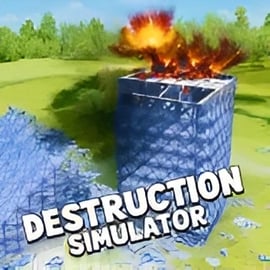
Destruction is a fast-paced browser game that lets you smash, crash, and obliterate everything in sight. Blending elements of destruction games online, sandbox experimentation, and physics-based chaos, it gives you a huge playground where you’re rewarded for creative mayhem. Whether you prefer blowing up buildings, crashing vehicles in a combat arena, or turning entire worlds into rubble, Destruction is built to scratch that itch to wreck things in the most satisfying way possible.
Unlike many action games that lock you into strict missions, this sandbox destruction game emphasizes freedom. You can test wild weapons, chain explosions together for massive combos, and experiment with physics to see just how much damage you can cause in a single run. It feels like a toy box full of explosives, monster trucks, and experimental gadgets, all wrapped in arcade-style gameplay that’s easy to pick up but tough to master.
If you enjoy a good physics destruction simulator, or you’ve ever wanted a full-blown vehicle combat arena in your browser with instant play and no downloads, Destruction is aimed squarely at you. From shattering glass and crumbling walls to collapsing towers and even a full-on planet smashing game mode, every hit, crash, and blast reacts with crunchy, over-the-top feedback that makes each session feel unique.
Because it runs right in your browser, Destruction is perfect for quick breaks as well as longer sessions where you’re chasing high scores, unlocking new tools of chaos, and fine-tuning your perfect demolition strategy. Jump in, unleash the wrecking ball, and see just how much damage you can do before the clock runs out.
Destruction Controls
Destruction is designed so you can start wrecking things within seconds. Controls are simple and responsive, making it great for both beginners and experienced players who love action-heavy destruction games online.
Keyboard & Mouse Controls (Desktop)
- Movement: Use WASD or the arrow keys to drive vehicles or move your character around the arena.
- Aim: Move the mouse to aim weapons, turrets, or thrown objects.
- Primary Attack / Fire: Left-click to fire your current weapon, swing your melee tool, or ram forward (depending on mode).
- Secondary Ability: Right-click to activate your special ability, alternate fire, or deployable (like mines or rockets).
- Nitro / Boost: Press Shift (or Space, depending on keybinds) to trigger a temporary speed boost in vehicle modes.
- Switch Weapons: Use the number keys (1–4) or scroll the mouse wheel to cycle through your unlocked weapons and tools.
- Interact / Enter Vehicle: Press E to enter or exit vehicles, trigger switches, or pick up power-ups.
- Pause / Menu: Press Esc to open the in-game menu, adjust options, or quit to the main screen.
Touch Controls (Mobile & Tablet)
- Virtual Joystick: A thumbstick on the left side of the screen lets you move or steer.
- Look / Aim: Drag your finger on the right side to adjust your aim or camera.
- Fire / Attack Button: Tap the on-screen fire button to shoot or swing.
- Ability / Boost Button: Tap the ability icon to use your special power, boost, or deployable.
- Weapon Slots: Tap the weapon icons to swap between available tools of destruction.
- Pause Button: Tap the pause icon in the corner to bring up settings, audio controls, and help.
Most control options are customizable, so if you prefer different keys or button placements, you can tweak them in the options menu for smoother play in the vehicle combat arena and the more precise physics destruction simulator modes.
Destruction Game Modes
Destruction packs several distinct ways to play, from focused challenge runs to open-ended chaos. These modes keep the gameplay fresh, whether you’re into methodical demolition or pure, explosive fun.
Classic Destruction Mode
This is the core sandbox destruction game experience. You spawn into a city block, factory yard, or industrial map packed with buildings, stacked crates, vehicles, and explosive barrels.
- Goal: Cause as much structural damage as possible before the timer ends.
- Scoring: Points are awarded for each destroyed object, with combo multipliers for chained collapses and synchronized explosions.
- Highlights: Perfect for testing the physics destruction simulator and learning how objects fall, break, and trigger each other.
Vehicle Combat Arena
In this mode, Destruction transforms into a full-on vehicle combat arena, where high-speed crashes and ramming attacks are the main attraction.
- Goal: Smash rival vehicles, rack up takedowns, and survive as long as possible.
- Scoring: You earn points for hits, flips, wrecks, and stylish stunts like mid-air collisions.
- Highlights: Perfect for players who want fast, arcade-style chaos instead of slow, methodical demolition.
Physics Challenges
These bite-sized missions turn Destruction into a puzzle-flavored physics destruction simulator.
- Goal: Complete specific tasks (like toppling a skyscraper with limited explosives, or knocking targets into a pit) using a restricted toolkit.
- Scoring: You’re graded based on efficiency, number of tools used, and bonus objectives.
- Highlights: Great if you enjoy figuring out the “perfect” way to bring down a structure.
Planet Smashing Game Mode
For players who like cosmic scale chaos, the planet smashing game mode sends you into orbit.
- Goal: Destroy entire planets using lasers, meteor storms, orbital cannons, and black holes.
- Scoring: Earn points for total planetary damage, chain reactions, and creative weapon combos.
- Highlights: A more relaxed, sandbox feel that’s visually spectacular and highly replayable.
Endless Sandbox
Endless Sandbox is where Destruction leans fully into its sandbox destruction game roots.
- Goal: There isn’t one—just pure experimentation.
- Scoring: Optional; you can track stats or just ignore them and play casually.
- Highlights: Ideal for younger players or anyone who wants a low-pressure environment to create, smash, reset, and repeat.
Where to Play Destruction
Destruction is built as a browser-first experience, so you can jump straight into the chaos without large downloads or complex setup. It’s designed to feel like a modern, responsive destruction game online that just works across devices.
Play in Your Browser (Desktop)
You can play Destruction directly in most modern desktop browsers:
- Supported browsers: Chrome, Edge, Firefox, Safari, and other Chromium-based browsers.
- No download required: The game runs using HTML5 and WebGL, so you simply load the page and hit play.
- Best for: Highest performance, full physics effects, and the most detailed environments in the physics destruction simulator modes.
Play on Laptops & Lower-End PCs
Destruction includes performance presets so it runs well even on older machines:
- Lower render resolution and simplified effects help keep frame rates smooth.
- You can toggle visual options off if you prefer speed and responsiveness over fancy graphics.
- Classic Destruction and Physics Challenges are especially well-optimized for modest hardware.
Play on Mobile & Tablets
Destruction is also tuned for phones and tablets:
- Touch-friendly UI: Large buttons, simplified HUD, and intuitive swipe controls.
- Adaptive detail levels: The game automatically scales back effects for smaller screens while keeping the core destruction satisfying.
- Perfect for: Quick sessions in the vehicle combat arena or a relaxing planet smashing game run on the go.
As long as you have a stable internet connection and a reasonably modern device, you can enjoy the full line-up of game modes and challenges with just a couple of clicks or taps.
Is Destruction Safe to Play Online?
Destruction is designed as a fun, arcade-style action game that’s appropriate for a broad audience. While the theme focuses on smashing objects, cars, and planets, it avoids graphic or realistic violence and sticks to exaggerated, cartoon-like destruction effects.
Family-Friendly Content
- No graphic violence: You’re destroying buildings, structures, vehicles, and planets—not people.
- Stylized visuals: Explosions and impacts are colorful and exaggerated rather than realistic.
- No mature themes: The game doesn’t include gore, horror, or adult content.
Online Safety & Privacy
- Browser-based play: Because it runs in the browser, you don’t need to install large executables from unknown sources.
- No personal chat requirement: Destruction doesn’t require voice or text chat to enjoy the single-player and sandbox modes.
- Account safety: If an account or profile system is present, use a strong, unique password and avoid sharing personal details.
Tips for Parents & Guardians
- Set time limits: Because the game’s score-chasing nature can be addictive, agree on reasonable session times.
- Play together: Explore the sandbox destruction game modes with your kids and talk about the difference between in-game destruction and real-world behavior.
- Use device-level controls: Enable parental controls and content filters on the device or browser if desired.
In short, Destruction is a safe, family-friendly way to enjoy over-the-top, physics-driven chaos without exposing players to inappropriate content.
Unleash Chaos: How to Master Total Destruction
Mastering Destruction isn’t just about spamming explosions. The most successful players treat it like a strategic physics destruction simulator, learning how each object reacts and how chain reactions work.
Study the Environment
- Spot weak points: Bridges, support pillars, fuel tanks, and stacked crates often trigger huge collapses if targeted first.
- Look for red & yellow markers: Many maps highlight explosive or structural hotspots that reward precise hits.
- Use height and angles: Hitting a tower at ground level might not do much, but taking out mid-level supports can make the whole thing buckle.
Plan Chain Reactions
- Cluster damage: Drop explosives where multiple structures or vehicles are bunched together.
- Stagger your shots: Fire a rocket to ignite fuel, then immediately ram through weakened walls to keep your combo meter alive.
- Use physics: Rolling debris and falling beams can knock down nearby objects, stretching your combo without using extra ammo.
Use Vehicles as Weapons
- Ramming lines: In the vehicle combat arena, plan routes that let you plow through enemies and scenery in one sweeping path.
- Side-swipes & spins: Don’t just drive straight—use handbrake turns to slam into targets sideways for bonus style points.
- Crash exits: Leap out of a damaged vehicle at the last second and let it explode into an enemy group for a satisfying finisher.
When you combine smart targeting, chain reactions, and aggressive vehicle play, you’ll quickly climb the leaderboards and feel like a true master of controlled chaos.
Game Modes and Challenges in Destruction
Destruction’s variety of modes is what elevates it above many other destruction games online. Each one focuses on a different flavor of chaos so you can always find something that fits your mood.
Timed Destruction Runs
These are short, intense sessions where every second counts.
- Short timers: You usually get 60–180 seconds to do as much damage as possible.
- Combo focus: Keeping a combo alive is more important than hitting every object.
- Leaderboard play: Perfect for competitive players who want to optimize routes.
Objective-Based Missions
Objective missions introduce goals like:
- “Bring down the bridge using only mines.”
- “Destroy all fuel tanks without damaging civilian structures.”
- “Disable every enemy vehicle within the time limit.”
These challenges teach you advanced techniques and force you to think more strategically about your tools.
Survival & Endurance
In survival-style modes, waves of enemy vehicles or hazards spawn over time.
- Defensive play: You’ll need to avoid enemy rams and projectiles while still keeping your destruction score rolling.
- Resource management: Carefully ration boosts, shields, and limited-use super weapons.
- Scaling difficulty: The longer you last, the more intense and rewarding the action becomes.
Creative Sandbox Challenges
For a more relaxed pace, you’ll find sandbox challenges like:
- “Design the biggest explosion chain you can.”
- “Create and then collapse your own custom tower.”
- “Test every weapon on an indestructible training zone.”
These modes are ideal if you just want to experiment with the physics engine and enjoy the spectacle.
Best Strategies for Maximum Damage and High Scores
To dominate in Destruction and other destruction games online, you’ll want a game plan that blends precision and reckless fun.
Think in Terms of Combos
- Never stop moving: Standing still kills your combo and wastes precious time.
- Alternate tools: Swap between rockets, rams, and explosives so cooldowns overlap and you’re always hitting something.
- Use the environment: Push cars into explosive barrels, nudge crates off ledges, and let gravity do part of the work.
Prioritize High-Value Targets
- Explosive objects: Fuel tanks, gas trucks, and marked barrels often multiply your score instantly.
- Structural supports: One well-placed shot at a support beam can destroy an entire building for massive points.
- Clustered enemies: In the vehicle combat arena, time your big abilities for moments when multiple rivals are close together.
Optimize Your Route
- Plan a loop: Learn each map and build a route that circles back through new areas as buildings collapse behind you.
- Minimize downtime: Avoid long stretches of driving or running without something to break.
- Use boosts smartly: Save nitro or dash abilities for transitions between major target zones.
By focusing on combos, target priority, and efficient movement, you’ll consistently turn each run into a highlight reel of chain reactions and spectacular crashes.
Weapons, Vehicles, and Power-Ups Breakdown
Destruction wouldn’t be a proper sandbox destruction game without a huge toolbox. Each weapon, vehicle, and power-up is tuned to feel unique and satisfying.
Core Weapons
- Rocket Launcher: Medium splash damage, perfect for hitting clustered objects or enemy cars.
- Demolition Charges: Sticky explosives that can be placed on supports and detonated for controlled collapses.
- Impact Cannon: High-velocity blasts that punch holes through walls and send debris flying.
- Laser Cutter (Planet Mode): A continuous beam that carves through planetary crust and atmosphere in the planet smashing game mode.
Vehicles
- Rammer Truck: Heavy, slow, but devastating on impact—ideal for plowing through cars and smaller buildings.
- Stunt Buggy: Light and agile for flips, jumps, and aerial takedowns in the vehicle combat arena.
- Armored Tank: Slow but nearly indestructible, with a powerful turret for long-range structural shots.
- Hover Craft (Space Maps): Great for navigating low-gravity environments and strafing planetary targets.
Power-Ups
- Damage Boost: Temporarily increases all outgoing damage, great for starting a massive combo.
- Slow-Mo: Slows time so you can line up precise hits and enjoy the destruction in detail.
- Shield: Protects your vehicle from collisions and explosive splash damage during risky maneuvers.
- Black Hole Device (Planet Mode): Creates a gravity well that pulls debris and chunks of the planet into one spectacular implosion.
Experiment with mixing heavy and light weapons, and switch vehicles often. You’ll discover combos and techniques that turn ordinary runs into pure cinematic mayhem.
Tips for Safe, Family-Friendly Fun While You Wreck Everything
Even though Destruction is all about chaos, you can still keep gameplay healthy, balanced, and age-appropriate for everyone in the family.
Set Play Sessions
- Use the timer: Many modes are naturally short, so it’s easy to agree on “three runs” or “one challenge set” per session.
- Breaks between sessions: Encourage short breaks to rest eyes and hands, especially for younger kids.
Encourage Creativity Over Competition
- Focus on sandbox modes: Endless Sandbox and planet smashing game sessions are great for relaxing, non-competitive play.
- Build and destroy together: Take turns designing “test structures” or picking targets, then swap the controls to see who can knock them down more creatively.
Talk About In-Game vs Real-World Behavior
- Make the distinction clear: Remind kids that Destruction is a cartoonish physics destruction simulator, not a guide for real life.
- Discuss consequences: Use the exaggerated in-game chaos as a light way to explain why we respect real people, property, and safety rules.
Handled mindfully, Destruction becomes a fun, family-friendly way to enjoy spectacular, over-the-top wreckage in a safe and controlled environment. With its mix of action, strategy, and physics-driven surprises, it stands out among destruction games online as a go-to choice for anyone who loves to smash things—virtually, of course.