Tag Run

Played 48 times.
5.0 (1 Reviews)
Developer: GameVoda
Published on: January 2026
Updated on: January 2026
Game technology: html5
Game rating: 5.0
Platforms: Desktop, Mobile, Tablet

Overview of Tag Run

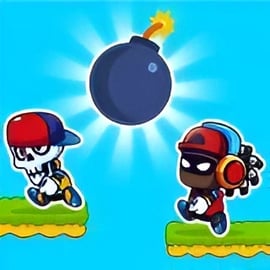
Tag Run is a fast-paced online tag game that turns the classic playground chase into a chaotic bomb tag challenge. Up to four people can share the same keyboard in local 2 player games or full 4-player matches, racing and wall-jumping through parkour arenas while trying not to be the one holding the bomb when it explodes. Each round drops you into compact maps filled with jump pads, teleporters, and moving platforms that reward quick reactions and smart positioning.

Designed as a browser running game, Tag Run launches instantly in your web browser with no downloads, making it perfect for quick matches with friends on the same device. It blends simple controls with high replay value: short rounds, varied maps, unlockable characters, and unpredictable power-ups. Whether you’re a fan of platformers, multiplayer parkour games, or frantic party games, Tag Run offers a fun, family-friendly way to test your reflexes and outplay your friends.

How to Play Tag Run

At its core, Tag Run is easy to understand: don’t be holding the bomb when the timer runs out. The game loads right in your browser and puts you into a match with up to six runners (local players plus AI opponents). One of them starts as “it” with the bomb.

Here’s how a typical round works from start to finish:

  • Spawn into the arena: All players drop into one of several themed maps like Pixel, Winter, or Lava.
  • Bomb carrier is chosen: A random player starts with the bomb and a visible timer above their head.
  • Run and tag: The bomb carrier must chase and tag another player to pass the bomb before the timer hits zero.
  • Use parkour routes: Jump pads, ramps, platforms, and teleporters help you escape or chase faster.
  • Explosion & elimination: Whoever holds the bomb when the timer expires is knocked out of the round.
  • Last player standing wins: Rounds continue with the remaining players until only one survives.

This simple loop keeps Tag Run accessible for newcomers while leaving room for high-level play. You can play quick solo practice against bots or treat it as a competitive local multiplayer parkour game for parties, family nights, or lunch breaks.

Tag Run Features

Tag Run packs a surprising number of features into a lightweight browser running game. Below are some of the key highlights that make it stand out from other online tag games.

  • Local multiplayer for 1–4 players: Share a keyboard and compete with friends or family on the same device.
  • Up to 6 total runners: Fill remaining slots with AI opponents to keep the arena chaotic and exciting.
  • Multiple themed maps: Maps like Pixel, Jungle, Candy, Winter, Lava, and Night City offer different layouts, routes, and hazards.
  • Simple but responsive controls: Run, jump, and change direction with tight, arcade-style handling.
  • Bomb tag twist: Unlike classic tag, the bomb creates constant pressure and clutch last-second tags.
  • Power-ups and gadgets: Speed boosts, high jumps, and other pickups shake up each round.
  • Unlockable characters and skins: Earn in-game currency just by playing and spend it on new looks.
  • No download required: Play instantly in modern browsers on desktop, laptop, and some mobile devices.

Together, these features turn Tag Run into a quick, replayable multiplayer parkour game that works great both as a party title and as a solo time-killer.

Performance & Troubleshooting

Because Tag Run is a browser-based running game, performance depends on your device and browser. Most modern PCs and laptops can handle the action smoothly, but if you experience lag or stuttering, try these tips:

  • Close extra tabs and apps: Freeing up RAM and CPU can significantly improve frame rate.
  • Use an up-to-date browser: Chrome, Firefox, Edge, or other modern browsers generally run HTML5 games best when updated.
  • Disable heavy extensions: Ad-blockers or script-heavy extensions can interfere with performance; try disabling them for the game tab.
  • Lower browser zoom: Setting zoom to 100% (or slightly below) can help some devices render the arena more efficiently.
  • Switch window mode: If full-screen feels choppy, try windowed mode, or vice versa.

If the game doesn’t load at all:

  • Check that JavaScript is enabled in your browser.
  • Refresh the page after a few seconds.
  • Try another browser to rule out compatibility glitches.
  • Ensure your internet connection is stable, even though actual gameplay is mostly local.

Most issues can be resolved with a quick refresh or browser change, so don’t be afraid to experiment until Tag Run feels smooth and responsive.

Is Tag Run Safe to Play?

Tag Run is built as a lighthearted, arcade-style bomb tag challenge suitable for a wide age range. There are no realistic weapons, gore, or offensive content; the “bomb” is presented in a cartoon style and serves as a timer-based tag mechanic rather than violent combat.

From a family-friendly and safety perspective, here’s what to know:

  • Cartoon visuals: Bright, colorful arenas and stylized characters keep the tone playful.
  • No text chat: Local 2 player games and 4-player modes are all on the same device, so there’s no exposure to unmoderated online chat.
  • No account required: You can usually play without signing up, lowering the amount of personal data involved.
  • Ad-supported on many portals: Some hosting sites may display ads around the game; parents may want to supervise younger children.

As always, it’s smart for parents or guardians to quickly preview the game and the hosting site, but among online tag games and browser running games, Tag Run is generally a safe and accessible choice for casual play.

How to Play Tag Run Online With Friends

Tag Run shines as a local multiplayer parkour game. While many online tag games require matchmaking and accounts, Tag Run focuses on easy same-device multiplayer. You and your friends gather around one screen, each using a different set of keys.

To play Tag Run with friends:

  1. Open the game in your browser: Load Tag Run on a laptop or desktop with a full keyboard.
  2. Choose the number of players: From the main menu, select whether you want 1, 2, 3, or 4 local players.
  3. Assign controls: Each player uses a specific control layout (explained in the next sections), so make sure everyone knows their keys.
  4. Add bots: Any unused slots up to 6 total runners can be filled with AI opponents to keep the match intense.
  5. Pick a map or let it randomize: Decide whether you want to learn one arena or rotate through all of them.
  6. Start the match: Hit play and get ready to chase, dodge, and pull off last-second bomb passes.

Since Tag Run is designed as a couch-style local multiplayer game, there’s no lobby or invite system to manage. Just open your browser, pick your player count, and you’re in the action in seconds.

Game Modes, Maps, and Local Multiplayer Options

Tag Run keeps its focus tight: frantic bomb tag in compact arenas. That said, it still offers several ways to customize your experience and plenty of variety through maps and player setups.

Game Modes & Player Setups

  • Solo vs Bots: Play alone against AI runners to practice routes, learn movement, and test new strategies.
  • Local 2 Player Games: Perfect for quick duels — two humans plus AI opponents for a total of up to six players.
  • 3–4 Player Local Versus: Gather three or four people on one keyboard and let the chaos begin. The more humans, the more mind games.

All modes use the same basic rules: avoid holding the bomb when the timer runs out and be the last player standing.

Maps & Arenas

Tag Run’s maps are compact but distinctive, each creating different routes and pressure points. Depending on the build of the game you’re playing, you’ll typically see arenas inspired by:

  • Pixel World: Retro blocky platforms, simple geometry, and clear sightlines; great for learning the basics.
  • Winter Zone: Slippery ground and tight jumps encourage careful movement and punish over-committing.
  • Lava World: Hazardous pits and risky shortcuts that reward bold runners who dare to take the fastest path.
  • Jungle Escape: Bridges, vines, and layered platforms create vertical chases and surprise escapes.
  • Candy Land: Bright, playful visuals with tricky platforms that test your momentum control.
  • Night City: Neon-soaked rooftops and city platforms ideal for high-speed, looping chases.

Even though each arena is small, the combination of jump pads, teleporters, and obstacles ensures that no two rounds feel exactly alike. You’ll quickly develop favorite maps and custom strategies for each.

Controls and Tips to Win in Tag Run

Tag Run’s controls are intentionally simple so anyone can join within seconds. Most versions of the game use the following keyboard layouts:

Default Control Schemes

  • Player 1: Move with W, A, S, D or the Arrow Keys (depending on your chosen layout).
  • Player 2: Typically uses the Arrow Keys (if Player 1 is on W, A, S, D).
  • Player 3: Often mapped to keys like T, F, H for directional movement.
  • Player 4: Often mapped to I, J, L or similar keys grouped on the right side.

Exact bindings can vary slightly by hosting site, so always check the in-game control screen or settings if available. The mechanics are usually just move left, move right, and jump — tagging is done automatically when you collide with another player while holding the bomb.

Winning Tips & Strategy

To consistently win bomb tag rounds, you’ll need more than fast fingers. Try these strategies:

  • Memorize escape routes: Learn where jump pads, teleporters, and high ground are so you can instantly retreat when you lose the bomb.
  • Use verticality: Jumping to higher platforms forces bomb carriers to take longer routes and creates time for the timer to tick down.
  • Bait and switch: Sometimes it’s smart to run toward crowded areas when others are close together. You can pass the bomb to someone, then let them collide with another player.
  • Don’t tunnel-vision: If you’re holding the bomb, don’t chase just one player; change targets quickly based on who’s closest.
  • Plan your jumps: Mistiming a jump into a hazard or off the main route gives your target space to escape.
  • Stay near power-ups: In modes with power-ups, controlling their spawn points can give you repeat advantages.

Mixing solid movement with smart positioning often beats pure reflexes. Watch how the bomb’s timer lines up with map features, and you’ll soon start predicting where to be ahead of time.

Power-Ups, Characters, and Unlockable Skins

To keep rounds fresh, Tag Run layers in cosmetic progression and occasional gameplay twists.

Power-Ups

Depending on the version you’re playing, you may encounter pickups that briefly change how the round plays out:

  • Speed Boost: Temporarily increases your running speed, ideal for escaping when you just lost the bomb.
  • High Jump: Lets you reach platforms and shortcuts that are normally out of reach, opening new escape routes.
  • Shield or Invincibility: In some variants, a short-lived protection that prevents you from receiving the bomb when tagged.

Use power-ups strategically — grabbing them at the wrong time can even backfire if they fling you into hazards or toward the bomb carrier.

Characters & Skins

Tag Run often includes a roster of quirky runners with different looks, animations, and personalities. While these characters usually don’t alter gameplay, they add a fun layer of personalization to your experience.

  • Earn currency: Play matches and survive longer to collect in-game coins or points.
  • Unlock new runners: Spend your earnings to unlock new characters, outfits, or color schemes.
  • Show off in local matches: Use rare or flashy skins to stand out in crowded arenas.

This light progression system gives you goals beyond simply winning rounds, making Tag Run more than a one-off browser running game. The more you play, the more you can customize your look and keep things visually fresh.

Browser and Device Compatibility for Tag Run

Tag Run is primarily built as a browser running game for desktop and laptop. It runs in most modern HTML5-compatible browsers without the need for plugins.

Recommended Platforms

  • Desktop & Laptop: Windows, macOS, Linux — anywhere you have a hardware keyboard for local 2 player games.
  • Supported Browsers: Chrome, Firefox, Edge, Safari, and other modern browsers generally work well.

Because it’s a local multiplayer parkour game, a physical keyboard is strongly recommended, especially if you want to play with three or four players at once.

Mobile & Tablet Considerations

On some gaming portals, you may be able to open Tag Run on mobile or tablet:

  • The game might load and run, but local multiplayer is limited without a keyboard.
  • On-screen touch controls, if available, may be less precise for competitive play.
  • External Bluetooth keyboards can help, but screen size can still be an issue for multiple players.

For the full intended experience — including smooth control and shared local matches — playing Tag Run on a desktop or laptop browser is the best choice.

Can I Play Tag Run Offline?

Tag Run is generally designed as an online browser game, which means you’ll need an internet connection to:

  • Load the game from the hosting website.
  • Access any updates, bug fixes, or new content.
  • Sync with leaderboards or progression systems (if the host supports them).

Once the game has fully loaded in your browser, some browsers may allow very limited play if your connection briefly drops, but you shouldn’t rely on this as a true offline mode.

In short, Tag Run is best treated as an online-only tag game. Keep a stable connection for the smoothest experience, fast loads, and consistent performance. If you want to enjoy it on the go, consider using a laptop or device with mobile hotspot access so you can still load the game wherever you are.


FAQ

What is Tag Run?

A: Tag Run is a fast-paced browser game where several players chase each other, pass a bomb by tagging, and try not to be the one holding it when the timer runs out.

Can I play Tag Run with friends?

A: Yes. Tag Run supports local multiplayer, so you and your friends can play together on the same device using different keys to control each character.

Is Tag Run free to play?

A: Tag Run is free to play in your browser. You can start a match instantly without paying or creating an account.

Do I need to download Tag Run?

A: No download is needed. Tag Run runs directly in modern web browsers, so you just open the game page and press play.

Is Tag Run suitable for kids?

A: Yes. Tag Run is family-friendly, with cartoon-style arenas and simple chase-and-escape gameplay that children and adults can enjoy together.


×

Report Game