Introduction to Get To The Chopper
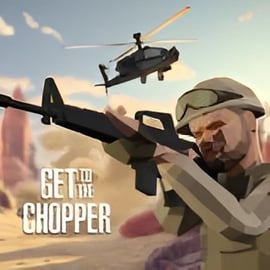
Get To The Chopper is a fast-paced survival shooting game where every second matters. Dropped into hostile territory with enemies all around you, your one objective is simple but brutal: fight through the chaos, reach the helicopter extraction point, and climb aboard before it lifts off without you. If you're looking for a first person shooter online that feels urgent, tense, and rewarding, this 3D action war game delivers exactly that.
You play as a lone soldier equipped with a primary gun, secondary weapon, grenades, and a melee option. Each run drops you into a randomly generated map filled with mercenaries, tight corners, and ambush spots. The chopper's location is always visible, but the path to get there is never the same twice. You'll need quick reflexes, smart positioning, and a good eye for loot if you want to survive long enough to escape.
As you clear enemies and complete runs, you earn cash and resources to unlock better guns, gear, and cosmetic upgrades. This makes Get To The Chopper a highly replayable single player gun game that lets you refine your strategy and loadout over time, turning desperate escapes into confident, calculated extractions.
Get To The Chopper Control Guide
Mastering the controls is the first step to surviving this helicopter extraction game. Most browsers and devices will use familiar first-person shooter inputs, so if you've played other FPS titles, you'll feel at home quickly.
Keyboard & Mouse Controls (Desktop)
- W / A / S / D – Move forward, left, backward, and right
- Mouse Move – Aim your weapon and look around in first person
- Left Mouse Button – Fire your primary or secondary weapon
- Right Mouse Button – Aim down sights (if supported) or use alternate fire mode
- R – Reload your current weapon
- 1 / 2 / 3 / 4 – Switch between primary gun, secondary weapon, grenades, and melee
- Spacebar – Jump or vault over low obstacles
- Shift (Hold) – Sprint to close distance or escape danger
- Ctrl / C – Crouch to reduce your profile and steady aim
- Esc / P – Pause the game or open the in-game menu
Touch Controls (Mobile & Tablet)
When you play this first person shooter online on mobile, the interface shifts to touch-friendly controls:
- Virtual joystick (left side) – Move your soldier around the map
- Swipe on screen (right side) – Aim your weapon and look around
- Fire button – Shoot your current weapon
- Aim / scope button – Aim down sights or zoom in
- Weapon icons – Tap to swap between your guns, grenades, and melee
- Reload / action button – Reload or interact with objects when available
Spend a few minutes in early levels getting comfortable with the layout. Responsive controls are key in a survival shooting game where dozens of enemies can close in from multiple angles.
Key Features
Get To The Chopper packs a surprising amount of depth into a streamlined 3D action war game. Here are the standout features that define the experience:
- High-stakes extraction gameplay – The helicopter is your lifeline. It won't wait forever, forcing you to balance fighting enemies and making a mad dash for the exit.
- Randomized environments – Each level drops you into a new layout with different spawn points, cover spots, and sightlines, keeping every run fresh and unpredictable.
- Wave-based enemy encounters – Enemies attack in escalating waves as you push toward the extraction point, turning every path choice into a risk-versus-reward decision.
- Progression and unlocks – Collect cash, ammo, and loot to unlock stronger weapons and gear, letting you shape the ideal loadout for your playstyle.
- Accessible single player gun game – All action, no waiting. You can jump into a mission instantly and play in short, intense sessions.
- Browser-based convenience – No large downloads or installs required when you play on supported game portals in your browser.
- First-person immersion – The FPS viewpoint drops you right into the chaos, enhancing tension as you clear rooms and push through ambushes.
Together, these elements turn Get To The Chopper into a satisfying mix of arcade-style shooting and tactical decision-making.
Performance & Troubleshooting
Because Get To The Chopper runs as a browser-based first person shooter online on many gaming sites, performance will vary slightly depending on your device, browser, and internet connection. If you experience lag, stuttering, or input delay, try the following tips.
Improving Performance on Desktop
- Close extra tabs and apps – Free up RAM and CPU resources by shutting down other browser tabs, streaming apps, or heavy background programs.
- Use a modern browser – Chrome, Edge, Firefox, and other up-to-date browsers usually run HTML5 shooters more smoothly.
- Lower in-game graphics – If the platform offers video or quality options, choose lower visual settings to prioritize frame rate.
- Check your connection – While the game itself is mainly client-side, a more stable internet connection can reduce input delay on some platforms.
- Update GPU drivers – On older PCs, updated graphics drivers can noticeably improve performance in WebGL-based games.
Improving Performance on Mobile
- Switch to Wi-Fi – A stable Wi-Fi connection generally beats mobile data for smooth, consistent play.
- Disable battery saver – Power-saving modes can throttle CPU/GPU performance and cause stutter.
- Restart your browser or app – Clearing cached sessions can fix odd slowdowns or input issues.
- Close background apps – Free up memory to help this survival shooting game run more consistently.
Common Issues & Quick Fixes
- Game won't load – Refresh the page, clear your browser cache, or try a different browser. Also ensure JavaScript is enabled.
- No sound – Check the game's audio settings, your system volume, and whether your browser tab is muted.
- Controls feel unresponsive – Reduce graphics quality, disable background apps, and ensure your connection isn't heavily congested.
For site-specific issues, it's best to check the help or FAQ section of the gaming portal where you're playing Get To The Chopper.
Offline Play Availability for Get To The Chopper
Get To The Chopper is primarily designed as a browser-based first person shooter online, which means it generally needs an internet connection to load and run. On most gaming platforms:
- You cannot play fully offline – The game files are delivered through your browser, so you'll need to be connected to start a session.
- Progress may be tied to your browser or account – Clearing cookies or switching devices can reset some local progress, depending on the site.
If a specific platform offers a downloadable or app-based version of this single player gun game, its offline capabilities will depend on that version. Always check the details in the store or description page of that particular release. For the typical HTML5 version found on casual gaming sites, plan on having an active connection whenever you want to jump into a mission and rush for the chopper.
How to Reach the Extraction Point Before the Chopper Leaves
The core tension in Get To The Chopper comes from racing against the helicopter's countdown. Reaching the extraction point fast—without dying—is what separates successful runs from frustrating failures.
Read the Map and HUD
At the start of each level, a large arrow or indicator points toward the chopper. Before you sprint blindly, take a second to:
- Check the minimap – Spot clusters of enemies and choose a route that lets you avoid getting surrounded.
- Note terrain features – Forests, deserts, and industrial zones all have different choke points and cover options.
Balance Speed and Safety
You can't crawl your way to the helicopter, but rushing straight down the middle of the map will get you shredded. Try this approach:
- Move in bursts – Sprint between cover, then pause to clear nearby threats.
- Prioritize forward progress – Only backtrack for ammo or health if you're in real danger of running dry.
- Clear what's in your path – Focus on enemies blocking your route instead of chasing distant targets.
Time Your Final Push
As you close in on the extraction zone in this helicopter extraction game, enemy density usually spikes. To survive the final approach:
- Throw grenades first – Softening up groups before you step into the open gives you a better chance of crossing the last few meters alive.
- Use your best gun – Swap to your highest-damage or most accurate weapon for the final sprint.
- Keep moving – Standing still near the chopper makes you an easy target. Strafe, duck, and use nearby cover until you're on the ramp.
With practice, you'll learn exactly how much time you can afford to spend looting or clearing extra enemies before the helicopter abandons you.
Tips to Survive Waves of Enemies and Escape Alive
Enemies in this survival shooting game don't show mercy, especially in later levels. Surviving wave after wave requires smart positioning and good resource management.
Control the Engagement
- Use cover religiously – Trees, crates, vehicles, and walls all cut down incoming fire. Only step out long enough to pick off threats.
- Fight from mid-range – Too close and you're overwhelmed; too far and enemies become harder to hit under pressure.
- Don't get flanked – Regularly glance at your minimap and audio cues to avoid being surprised from behind.
Manage Health and Ammo
- Grab first-aid kits immediately after fights – Don't leave healing items behind if you're below a safe threshold.
- Reload in downtime – Top off your magazine whenever you have a brief lull in combat.
- Conserve grenades – Save them for clustered enemies or when you're pinned and need an instant escape window.
Target Priority
- Eliminate close threats first – Enemies rushing your position are the most dangerous.
- Then focus on high-damage shooters – Sniper-style enemies or heavy gunners can chip you down quickly if ignored.
- Use melee when safe – Melee is risky but can save ammo when an enemy is isolated.
Every decision you make—when to reload, which enemy to shoot first, when to push forward—adds up. That's what makes Get To The Chopper such a satisfying survival shooting game once you start stringing together successful extractions.
Best Weapons and Gear to Unlock in This Survival Shooter
Progression is a big part of what keeps this single player gun game engaging. As you earn cash and complete missions, you'll unlock stronger weapons and helpful gear that dramatically change how you approach each run.
Primary Weapons
- Assault Rifles – Ideal all-rounders with solid damage, manageable recoil, and good magazine size. Perfect for beginners and veterans alike.
- SMGs – Fast firing and great at close range. They're perfect for aggressive players who like to rush through tight corridors.
- Sniper Rifles – High damage at long range. Best used by players who like to clear enemies from a distance before moving forward.
Secondary Weapons
- Pistols – Reliable backup with quick draws. Great when your primary runs dry at a bad moment.
- Shotguns – Devastating up close. Ideal for clearing narrow hallways or defending a choke point near the chopper.
Explosives and Utility Gear
- Fragmentation Grenades – Your best friend against grouped enemies or entrenched positions.
- Flash or stun grenades – If available, they're excellent for disrupting enemy fire and buying a few seconds to move.
- Armor or protective gear – Extra durability lets you survive more mistakes and more bullets, which is priceless in a survival shooter.
As you experiment with loadouts, ask yourself: do you prefer a slow, methodical advance, or a fast, reckless dash? Build your gear choices around your answer, and you'll get far more out of each mission.
Maps, Environments, and Enemy Types You’ll Face
One of the most appealing aspects of Get To The Chopper as a 3D action war game is the variety of environments you'll traverse on your way to extraction. Each terrain type demands different tactics.
Environments
- Forests – Trees and foliage offer lots of natural cover but also obscure sightlines. Expect closer engagements and ambushes.
- Deserts – Open spaces with sparse cover make you vulnerable at long range. Use dunes, rocks, and wreckage to break line of sight.
- Industrial zones – Tight corridors, warehouses, and machinery-filled yards create perfect ambush points for enemies around every corner.
- Urban-style warzones – If available, these maps mix long streets with dense interior spaces, forcing you to constantly adapt your engagement distance.
Enemy Types
- Standard rifle troops – The basic grunts of this survival shooting game. Dangerous in groups but manageable if you use cover.
- Close-range rushers – Enemies that push aggressively to force you out of cover or into bad positions.
- Long-range shooters – Marksmen who hang back and chip away at your health if you linger in the open.
- Heavier armored units – Occasionally tougher enemies soak more bullets and demand concentrated fire or explosives.
Learning how each environment and enemy type behaves will help you pre-plan your movement. For example, in forests you might move slower and hug trees, while in deserts you'll dash from rock to rock to avoid being caught in the open.
Beginner Strategy Guide: From First Drop to Final Evac
If you're just getting started with this intense helicopter extraction game, it can feel overwhelming. Use this simple step-by-step flow to structure your first few runs.
1. On Drop: Orient Yourself
- Immediately locate the chopper arrow or objective marker.
- Pick out nearby cover and loot—ammo, health, and cash are vital.
2. First Engagements: Play Safe
- Engage enemies from cover while you're still learning recoil and weapon feel.
- Practice aiming down sights for mid- to long-range shots.
- Prioritize surviving over speed in your first couple of missions.
3. Mid-Route: Build Momentum
- Once comfortable, start picking faster routes toward the extraction point.
- Balance detours for loot with the ticking clock of the chopper.
- Swap to better guns as soon as you can afford them, focusing on a reliable assault rifle or SMG.
4. Final Approach: Commit to the Push
- Before the last stretch, make sure you're reloaded and topped up on health if possible.
- Use grenades to crack heavy resistance around the extraction zone.
- Once you see the helicopter, keep moving and don't overstay in exposed positions.
5. After Extraction: Learn and Upgrade
- Review what went wrong—was it ammo, time, or getting flanked?
- Use earned cash to unlock weapons and gear that solve those specific problems.
- Jump back in and apply your new strategy immediately; repetition is key.
With this cycle—drop, survive, extract, upgrade—you'll steadily transform from a nervous rookie into a seasoned veteran who can dominate every map Get To The Chopper throws at you.