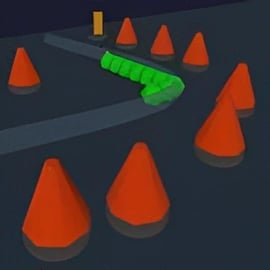
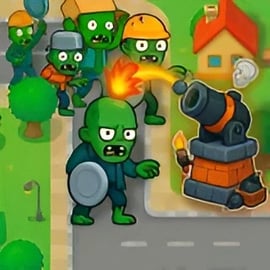
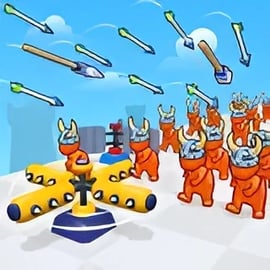
3D Tower Defense is a free browser tower defense game that lets you battle waves of invading enemies on fully 3D maps right in your web browser. If you love planning the perfect maze of turrets, slowing enemies with ice beams, and dropping massive splash-damage cannons, this 3D defense game is built for you. There’s nothing to download or install — just load the page and start defending.
This online tower defense experience brings classic strategy gameplay into a modern 3D view. You can rotate the camera, zoom in on the action, and study every enemy path from multiple angles. As the waves ramp up, you’ll unlock new towers, upgrade your favorites, and experiment with different builds to stop tougher enemies before they reach your base.
Whether you’re a seasoned strategy fan or brand new to free tower defense strategy games, 3D Tower Defense offers intuitive mechanics, quick sessions, and a surprising amount of depth. It runs directly in your browser on PC, laptop, tablet, or mobile, making it easy to jump in for a fast match during a break or grind out high-wave runs at home.
3D Tower Defense follows familiar rules if you’ve played any browser tower defense games before, but the 3D layouts introduce fresh twists. Here’s how the core systems work:
Each level features one or more 3D paths that enemies follow toward your base or core. Your job is to cover those paths with defensive towers. Every enemy that reaches your base reduces your health. If your health hits zero, the run is over.
You start each match with a small amount of currency to build your initial defenses. Destroying enemies earns more resources, which you can spend on additional towers or upgrades.
Most towers feature a tiered upgrade tree that improves damage, range, fire rate, or adds special effects.
The result is a flexible free tower defense strategy game where you can tailor your build to the map and enemy composition rather than relying on one fixed layout.
3D Tower Defense blends classic browser tower defense design with modern features to make each run feel dynamic and replayable.
Tower defense fans will appreciate how this game keeps the authentic feel of classic 3D defense games while still being accessible enough for casual players to enjoy a quick online tower defense match.
You can play 3D Tower Defense directly in your web browser as an online tower defense title. There’s no install process and no need to create an account to start your first run.
Because it’s a browser tower defense game, your experience depends partly on your connection and hardware. A stable internet connection is recommended the first time you launch so assets can load smoothly. Once in the match, gameplay is lightweight enough to run on most mainstream laptops, desktops, and newer mobile devices.
3D Tower Defense is designed as a family-friendly online tower defense experience with no graphic violence, realistic gore, or inappropriate content. Enemies are stylized units, and all action is presented in a light, arcade-style format.
As with any browser game, it’s a good idea to keep your browser up to date and use trusted networks, but 3D Tower Defense itself is structured to be a safe, casual strategy option for tower defense fans of most ages.
One of the defining challenges in 3D Tower Defense is managing multiple enemy paths at once. The 3D camera lets you see everything, but you still have to place your towers cleverly to cover every approach.
Before you place your first tower, rotate the camera and trace each path from the spawn points to your base. Look for tiles where multiple paths run parallel or overlap in range.
Don’t try to make every part of the map do everything. Instead, divide your defense into zones:
On some 3D maps, paths are vertically stacked or separated by obstacles. Range upgrades can allow a single tower to reach enemies both above and below:
By thinking in three dimensions, you can transform a handful of towers into a near-complete net of coverage, a core skill for mastering any advanced 3D defense game.
Late-game waves in 3D Tower Defense introduce tanky bosses, shielded enemies, and fast units that can slip through weak layouts. Surviving them requires smart tower synergy rather than just stacking damage.
For dense enemy packs, combine:
Place slow towers where enemies first enter a shared zone, then position splash cannons slightly behind so they can bomb tightly clustered groups. Upgrading slow duration and cannon blast radius dramatically boosts this combo.
Armored brutes and bosses are a hallmark of tougher waves in any 3D tower defense game. Counter them with:
Have armor-break towers tag elites as early as possible, then let snipers handle the heavy lifting from a safe vantage point.
Some maps reward concentrated, layered defenses. In those cases, build:
Cluster these around the highest-traffic choke point so every enemy is forced through your most powerful, buffed-up zone. This kind of synergy is what lets you push farther in late waves than basic layouts ever will.
If you’re new to 3D Tower Defense or tower defense games in general, the early waves are your chance to learn the basics without getting overwhelmed. Here’s how to survive that first alien invasion and beyond.
Instead of experimenting with niche towers right away, build a few dependable all-purpose turrets with good range and solid damage. Upgrade them evenly to create a stable foundation before adding specialized units like slows or armor-breakers.
Before each wave, rotate the 3D camera and check which spawn points are active. If the next wave is coming from only one side, spend your currency reinforcing that lane instead of spreading towers too thin across the entire map.
A common beginner mistake in online tower defense is spamming new towers instead of upgrading existing ones. Often, a level 2 or level 3 tower outperforms two or three level 1 towers in the same space.
Near the end of a wave, pause spending briefly. If an unexpected elite or fast enemy slips through, you’ll have enough currency to drop a last-minute tower near your base as a final defense line.
The upgrade and ability systems are where 3D Tower Defense really opens up as a strategy game. Two players on the same map can end up with very different, but equally effective, defenses.
Many towers can specialize in one of several upgrade directions. For example:
On maps with long, winding paths, utility and rapid-fire can be incredibly strong. Short paths or maps that spawn chunky elites often favor high-damage builds.
Some towers and global powers offer abilities with cooldowns, like:
Use these sparingly and aim to hit the most dangerous waves: flying swarms, boss arrivals, or the moment multiple lanes converge near your base. Learning when to unleash abilities is a core part of mastering this free tower defense strategy title.
Because waves escalate, the layout that crushed wave 10 might struggle at wave 25. Continuously reassess:
The best players treat every run as a puzzle, adjusting their strategy to each new wave instead of relying on a single rigid build.
Since 3D Tower Defense is a browser tower defense game, you can jump between PC and mobile effortlessly. Both platforms offer the same core gameplay, but with slightly different strengths.
PC is ideal for longer sessions, chasing high wave counts, and min-maxing your builds.
Because it’s an online tower defense game, you’ll want a stable connection on mobile, especially when first loading a level. Once the assets are cached, gameplay is generally smooth on mid-range and higher-end devices.
If you’re focused on precise strategy and pushing late-game waves, PC offers the best overview and control. If you mainly want a convenient, casual 3D tower defense game you can play anywhere, mobile and tablets are perfect. The good news is that you don’t have to choose forever — simply open the game in your browser on any device and start defending.
A: 3D Tower Defense is a free browser-based strategy game where you place and upgrade towers on a 3D map to stop incoming enemy waves from reaching your base.
A: No, you can play 3D Tower Defense directly in your web browser. There is no download or installation required.
A: Yes, 3D Tower Defense is completely free to play online. You can jump into the game and start defending without paying.
A: Yes, 3D Tower Defense is family-friendly. The action is focused on strategy and cartoon-style battles without realistic violence.
A: Yes, 3D Tower Defense includes multiple maps and difficulty options, so both beginners and experienced strategy players can find a suitable challenge.