Overview of Triangles
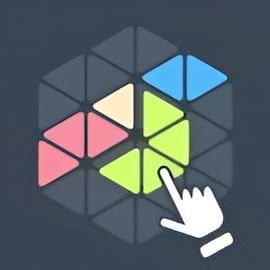
Triangles is an online triangle puzzle game played on a hexagon-style grid where every move creates new geometric possibilities. It blends the feel of a math based board puzzle with the pace of a strategic abstract game. Your goal is simple to understand but tricky to master: connect points on the hex grid to form triangle shapes and outscore your opponent.
Because it runs directly in your browser, Triangles is a free browser logic game that doesn’t need any downloads, logins, or plug-ins. The core loop is all about spotting potential triangle patterns, calculating the best scoring moves, and blocking your rival on the shared board. If you enjoy geometry, number puzzles, or tactical board games like Go or Hex, this hexagon grid strategy game will feel right at home.
Each turn you place or connect nodes on the board a fixed number of steps apart. When you complete a triangle, you score based on a math rule set that usually involves basic operations like addition or multiplication. That light math twist keeps the puzzle fresh and rewards players who can think a few turns ahead while still doing quick mental calculations.
How to Play Triangles
Even though the strategy can go deep, the basic rules of the online triangle puzzle game are easy to pick up. Here’s a step-by-step overview of the core rules and systems most browser versions follow:
- Shared hex grid: The board is made of interconnected hexagonal cells or nodes. These nodes are the connection points you’ll use to draw triangle edges.
- Turn-based play: You and your opponent take turns making a single move. In solo modes, the opponent is an AI; in versus modes, it’s another human player.
- Connecting nodes: On your turn, you usually connect two empty or allowed nodes that are a specific number of steps apart (often three). This creates a new edge belonging to you.
- Creating triangles: When your new edge completes a closed triangle of your color, you score points immediately.
- Math scoring rule: Each triangle is linked to a simple math operation (addition, subtraction, multiplication, or division). The value of its corners or edges is combined to give your score for that move.
- No overlaps or illegal moves: You can’t usually draw lines through forbidden spaces, off the board, or in ways that break the game’s “steps apart” rule.
Every implementation of Triangles can tweak the details, but the heart of the puzzle stays the same: form triangle shapes efficiently, score more than your opponent, and control key spaces on the hex grid.
Objectives & Win Conditions
The main objective in Triangles is to earn more points than your opponent by the time the board runs out of useful moves. Because it’s a math based board puzzle, the win condition isn’t just about forming any triangle; it’s about creating the most valuable triangles while preventing your rival from doing the same.
- Primary objective: Score the highest total points before the board is fully filled with lines or nodes.
- Secondary objective: Control key spaces and force your opponent into low-value or blocked configurations.
Common win conditions in browser versions of this hexagon grid strategy game include:
- Score limit: First player to reach a target score (for example, 100 points) wins.
- Move limit: After a set number of turns, the player with the higher score wins.
- Board exhaustion: When no legal connections remain, the game checks total scores and declares the winner.
Because triangle creation is tightly linked to math operations, you’re always balancing two goals: maximizing the numeric payoff of each triangle and maintaining positional advantage on the grid.
Performance & Troubleshooting
Triangles is designed as a free browser logic game, so it should run smoothly on modern browsers with minimal setup. Still, if you run into issues, these tips usually help:
- Lag or slow animations: Close extra tabs, disable heavy browser extensions, and make sure hardware acceleration is turned on in your browser’s settings.
- Game not loading: Clear your browser cache, refresh the page, and ensure you’re using an up-to-date version of Chrome, Edge, Firefox, or Safari.
- Input not registering: If mouse clicks or taps don’t seem to work, try switching to fullscreen mode or resizing the window so the canvas resizes correctly. Also double-check you’re not zoomed in too far.
- Visual glitches on the hex grid: Update your graphics driver (desktop) or your OS (mobile). Switching to another browser often fixes rendering issues with lines and triangle shapes.
If the game offers a settings or options menu, lowering animation effects, turning off unnecessary visual flourishes, and disabling background effects can help on older devices.
Is Triangles Safe to Play?
Triangles is a family-friendly, puzzle-first experience. The theme is purely geometric and numerical: triangle patterns, hex grids, and basic math. There’s no violence, explicit content, or real-money gambling mechanics in standard browser implementations.
- Content: Clean visuals, simple shapes, and logic-based gameplay suitable for kids, teens, and adults.
- Learning angle: Because this online triangle puzzle game uses arithmetic in its scoring, it can actually support light math practice and spatial reasoning.
- Online play: If you’re using multiplayer, chat or usernames (if they exist) might be user-generated. For younger players, adults should review any chat or friend features and apply parental controls on the browser or device if needed.
As always, use reputable gaming sites, keep your browser updated, and avoid downloading add-ons from unknown sources. Played in a regular browser, Triangles is safe and appropriate for most audiences.
How to Play Triangles Online: Rules and Basic Controls
Controls in Triangles are intentionally minimal so you can focus on planning triangle shapes and math combos rather than learning complex inputs.
Desktop controls
- Mouse click: Select a node or edge on the hex grid.
- Second click: Choose another valid node the required number of steps away to draw an edge.
- Undo or confirm: Some versions allow an undo within the current turn; others ask you to confirm your move.
Mobile & tablet controls
- Tap: Tap a node to highlight it.
- Second tap or drag: Tap another allowed node or drag a line between them to attempt a connection.
- Pinch to zoom (if supported): Zoom in to inspect tight triangle shapes near the center of the grid.
Once you place an edge, the game instantly checks if a triangle is completed. If it is, your score increases using the built-in math rule, and the newly formed triangle is often highlighted on the board with your color.
Winning Strategies for the Triangles Puzzle Board
Success in this hexagon grid strategy game comes from thinking a few moves ahead. You’re not just making one triangle; you’re shaping how the entire puzzle board will look several turns later.
- Prioritize multi-triangle setups: Instead of grabbing a quick, low-value triangle, build frameworks that will allow you to create two or three triangles in back-to-back turns from shared edges.
- Control central nodes: Central positions on the hex grid tend to connect to more potential triangles. Owning these hubs gives you more scoring options while limiting your opponent’s.
- Force bad trades: Sometimes you can bait your rival into forming a triangle that opens an even higher-value one for you on the next move. Think about what your move unlocks for them, not just for you.
- Break symmetry: If the board is perfectly balanced, both players see the same patterns. Try to break that symmetry early so you can guide the overall shape of the game.
Because the scoring is math based, always compare values. A single, high-value triangle can be worth more than several small ones, especially late in the game when the board is tight.
Triangle Patterns, Shapes, and Math Challenges Explained
At the heart of Triangles is the geometry of three-point shapes layered onto a hex grid. Understanding those patterns can turn the game from a guessing puzzle into a calculated logic challenge.
Common triangle shapes on a hex grid
- Small base triangles: These are the simplest shapes, made with the shortest legal connections. They’re easy to spot but often lower in value.
- Stretched triangles: Longer, skinny triangles that span multiple cells. These usually require more planning, since one edge might be easy to block.
- Nested triangles: Triangles that share edges or sit inside larger shapes, creating chain-scoring opportunities when completed in the right order.
Math-based scoring system
Triangles uses a math based board puzzle structure in its scoring. Each triangle might calculate points from:
- Corner values: Numbers at each vertex are added, multiplied, or otherwise combined.
- Edge values: Segments themselves may hold numbers that factor into addition or multiplication.
- Operation rules: Some implementations rotate through operations (addition one turn, multiplication the next), while others assign fixed operations to positions.
This turns each move into a micro math puzzle. Two triangles with the same shape can yield radically different scores based on the numbers at their corners. Players who can quickly estimate sums and products gain a serious edge.
Tips for Beating Opponents in Competitive Triangle Games
Competitive play adds pressure: you’re solving a logic problem while someone else is trying to undo your plan. These focused tips help in head-to-head matches:
- Track your opponent’s threats: Every time they place an edge, ask, “What triangle does that move set up?” Mark dangerous near-complete triangles in your mind so you can block them in time.
- Block with value: When you block an opponent’s triangle, try to do it with a move that also advances your own pattern or sets up a higher-scoring triangle. Pure blocks that give you nothing in return are your last resort.
- Plan endgame control: The final few moves often decide the match. Aim to leave the board in a state where you’ll get the last high-value triangle rather than your opponent.
- Vary your tactics: Don’t rely on one favorite pattern. Skilled opponents will quickly learn to shut it down. Mix small, fast triangles with slow, high-value setups.
- Use time wisely (if timed): In timed modes, scan for obvious triangles first, then consider more complex math-based combos if the clock allows.
Over time, you’ll start recognizing recurring layouts—like clusters that often lead to nested triangles or forced trades. That pattern recognition is what separates casual players from experts in this triangle shapes challenge.
Free Browser Triangles Game: No Download, No Flash Needed
One of the big advantages of Triangles is accessibility. Modern versions are built with HTML5, so this online triangle puzzle game works straight in your browser—no Flash, no installers, and no heavy client.
- Instant play: Open the game page, wait a moment for the hex grid to load, and you’re ready to start placing edges.
- Cross-platform: Play on Windows, macOS, or Linux using any mainstream browser.
- Low system requirements: The graphics are simple and efficient, so even older laptops and budget Chromebooks can handle this free browser logic game easily.
- No account required (on most sites): Many hosts let you jump directly into a puzzle board or versus match without sign-ups.
This makes Triangles an ideal pick-up-and-play option for quick breaks, classroom brain teasers, or longer strategy sessions where you really dig into triangle patterns and math-based scoring.
Play Triangles Offline
Triangles is primarily designed as an online experience, but limited offline play can be possible depending on how your chosen site or app is built.
- Pure browser versions: Most web-based implementations require an active internet connection to load the game assets and may need connectivity for saving stats or using multiplayer features.
- Progressive web app (PWA) style sites: Some gaming platforms offer “install” options via your browser menu. Once installed, certain assets may be cached, letting you play simple practice modes offline after the first load.
- Native apps: If you download a Triangles-style app from an official store, it may offer full or partial offline modes for solo play, while still requiring online access for competitive multiplayer or rankings.
To enjoy the complete feature set—like online opponents, updated puzzles, and syncable statistics—it’s best to play Triangles with a stable internet connection. But if you’re mainly interested in the core triangle shapes challenge against an AI, check whether your chosen version supports offline practice through local caching or an installed app.