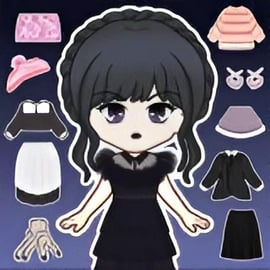
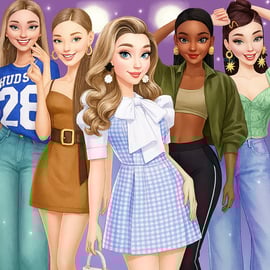
Magic Princess is a charming online anime dress up game where you design adorable chibi dolls and stylish princess avatars right in your browser. With hundreds of outfits, hairstyles, accessories, and backgrounds to mix and match, it works as a full princess avatar creator and chibi character maker for players who love fashion, makeup, and cute aesthetics.
Instead of stressful battles or timers, Magic Princess focuses on creativity. You can build your dream princess look, from pastel fairy-tale styles to cool gothic outfits or modern streetwear vibes. Every session feels like playing with a digital paper doll, only with far more options and smooth, animated clothing and hair.
Because it runs in the browser, Magic Princess is easy to jump into for a quick online fashion makeover session or a longer design marathon. There are no complicated systems to learn: just tap or click to swap clothes, change colors, and layer items until your avatar looks exactly how you imagined.
Whether you want to design your own original character, recreate a favorite anime heroine, or build a full cast for a story, Magic Princess gives you the tools to do it in a fun, relaxing, and family-friendly way.
Magic Princess keeps controls simple so you can focus completely on fashion and style. You don’t need a controller or keyboard shortcuts—just your mouse or touchscreen.
All options are displayed with clear icons, usually grouped into categories like hair, dresses, tops, bottoms, shoes, and accessories. Just click the category you want, then click the item you like to instantly see it on your princess avatar.
The interface is touch-friendly, so you can enjoy the full cute doll customization experience with just your fingers. This makes Magic Princess a perfect pick-up-and-play fashion game on phones and tablets.
Magic Princess offers a rich set of tools and options that make it stand out from many casual fashion games. Here are some of the main features you can expect when you load it up in your browser.
Together, these features make Magic Princess a flexible anime dress up game that works for casual play, character design practice, or just unwinding with cute fashion after a long day.
Magic Princess is designed as a browser-friendly fashion game, so you can jump into dress up fun in just a few seconds.
The main way to enjoy Magic Princess is directly online in your web browser. Look for it on trusted browser gaming platforms that feature Dress Up, Beauty, and Casual categories. Once you open the game page, it usually loads inside the browser window as an HTML5 or WebGL experience.
Because it runs online, you don’t need to install large files or create a complex account just to experiment with your next princess outfit. This makes it especially handy if you’re playing on a shared computer or at school, where installing apps isn’t possible.
For the smoothest experience, make sure your browser is updated and your internet connection is stable so the graphics and outfits load quickly.
Magic Princess is built as a lighthearted, family-friendly anime dress up game with a focus on creativity and fashion. There’s no violence, no horror, and no mature storylines—just dressing up a cute chibi princess avatar in different styles.
Because the main gameplay loop is simply choosing clothes, hair, and accessories, Magic Princess is generally appropriate for kids and teens, as well as adults who love character creation.
Even with safe games, it’s smart to follow basic online safety habits:
Used sensibly, Magic Princess can be a fun and safe space to explore fashion, self-expression, and character design.
At its heart, Magic Princess is about bringing your dream princess to life. The game’s chibi art style is perfect for players who like soft, rounded, adorable characters—big eyes, tiny noses, and expressive faces that work with almost any costume theme.
Because of the large wardrobe, you can treat Magic Princess as your personal princess avatar creator. Try building:
Every time you hit play, you can create a completely new character. Many players use Magic Princess as a lightweight chibi character maker for OCs (original characters), roleplay avatars, or social media profile pictures.
Unlike physical dress-up toys, you don’t have to worry about losing pieces or running out of outfits. You can swap from pastel soft girl styles to bold neon cyber looks in seconds. Mix and match, play with color contrast, and layer accessories to discover new combinations you wouldn’t have tried otherwise.
Depending on the platform you’re playing on, Magic Princess may offer everything unlocked from the start, or it may gradually open new content as you play. Either way, the game is built to reward you with more cute doll customization options over time.
Exact systems can vary by host platform, but you’ll typically unlock new outfits and accessories by:
Whatever the method, your wardrobe usually grows as you spend more time inside the game. This keeps your online fashion makeover sessions feeling fresh, with new items to try each week.
Magic Princess is simple to pick up, but a few styling tricks can take your avatars from “nice” to “wow.” If you’re using the game as a princess avatar creator for social posts or stories, try these tips.
Before you dive into the wardrobe, think about the kind of character you want:
Having a theme helps you choose consistent colors, accessories, and backgrounds so your anime avatar feels cohesive.
Because Magic Princess acts as a speedy chibi character maker, it’s easy to test different color palettes—switch items quickly until something clicks.
Hairstyles and accessories can completely change how your princess feels:
Don’t forget smaller accessories like earrings, necklaces, or glasses. These final touches can make your online fashion makeover feel polished and complete.
Once the outfit is done, choose a background that fits your princess:
Think of the background as a mini-scene for your character, especially if you plan to share the image online or use it in a story.
Because Magic Princess is a laid-back anime dress up game, its gameplay loop is quick to learn and surprisingly addictive. Here’s how a typical session works from start to finish.
Open the game’s page on your chosen browser gaming site. After the loading bar completes, you’ll usually see a start or play button—click or tap it to begin.
First, set up your princess’s core appearance:
This is where Magic Princess really works as a princess avatar creator, letting you define the “base” character before dressing her.
Next, head into the main wardrobe menus:
Try building multiple looks—formal, casual, magical—using the same avatar to see how different she can feel with just a few wardrobe swaps.
Once the outfit is ready, select a background that matches your theme. Some versions of Magic Princess also let you adjust the pose or small details for extra expression.
Use the in-game save or camera options to capture your princess. If your platform doesn’t have built-in saving, you can still take a screenshot with your device to keep your favorite looks.
One of the best parts of using Magic Princess as a chibi character maker is sharing your creations. You can build an entire gallery of princesses and watch your fashion sense evolve over time.
Many browser versions of the game include a simple photo or export button. When you tap it, the game captures your current design against the chosen background.
If your version doesn’t have a dedicated save feature, you can always use your device’s screenshot function to preserve your online fashion makeover results.
Once you’ve saved your princess avatars, you can:
Because the designs are bright and expressive, they work well as visual inspiration if you like to sketch or write stories based around your princess OCs.
If you play a lot, consider organizing your screenshots into folders by theme, like “Royal Ball Looks,” “Casual Outfits,” “Magical Girls,” or “Gothic Styles.” Over time, you’ll build a digital lookbook that shows just how far your styling skills have come—and it might inspire your next favorite design inside this cozy anime dress up game.
With easy controls, tons of customization options, and a playful chibi anime aesthetic, Magic Princess is a great pick whenever you feel like relaxing with fashion, experimenting with a new character idea, or just enjoying some wholesome, creative fun online.
A: Magic Princess is a casual dress-up and avatar creator game where you design cute anime-style princess characters with different outfits, hairstyles, and accessories.
A: Yes, Magic Princess is free to play in your browser. You can enjoy creating and styling princess avatars without any purchase required.
A: Yes, Magic Princess can be played on mobile browsers and touch devices, so you can dress up your princess on phones and tablets.
A: No download is needed. Magic Princess runs directly in your web browser, so you can start playing instantly as long as you have an internet connection.
A: Magic Princess is family-friendly and suitable for kids, focusing on creativity, fashion, and character customization with no violent or scary content.