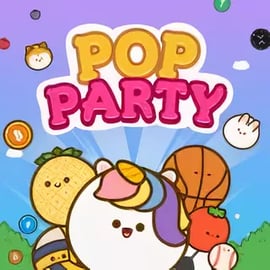
Pop Party is a browser-based music trivia game that turns your favorite songs into a fast-paced party challenge. In each round, you hear a short music clip and race to answer questions like “Who’s the artist?” or “What’s the song title?” before the timer runs out. It’s designed as a light, casual experience that works perfectly as a family party game online or a quick icebreaker with friends.
Because Pop Party is a multiplayer music game, you’re not just playing against the clock — you’re competing against real people in real time. You can jump into public rooms, host a private match for your group, or just warm up in solo play. The faster and more accurately you guess, the more points you earn, and the more likely you are to top the scoreboard.
If you love a good guess the song game but don’t want to install anything, Pop Party runs right in your browser. Just pick a playlist, join a lobby, and you’re ready to play. Easy rules, short rounds, and a wide mix of music genres make it suitable for all ages and most skill levels, from casual listeners to hardcore music nerds.
Pop Party keeps its rules simple, so anyone can jump into this party quiz game in seconds. Here’s how a typical match works from start to finish:
Rounds are quick, usually lasting just a few seconds per song. Because the game is built for short bursts of play, Pop Party is ideal for parties, breaks, or casual game nights where people might come and go. It’s competitive but never complicated, so even younger players can keep up after a round or two.
As a browser multiplayer music game, Pop Party focuses on accessibility and replay value. While it’s easy to understand, it offers enough depth to keep music fans coming back.
All of these features combine to make Pop Party feel like a digital version of a living room music quiz — one you can launch anytime without dealing with controllers, downloads, or long setup times.
You can play Pop Party directly in your web browser, making it one of the most convenient ways to enjoy a party quiz game with zero installation. The game is designed for modern browsers like Chrome, Edge, Firefox, and Safari, and it runs on most laptops and desktops with a stable internet connection.
Because the game doesn’t rely on heavy graphics or large downloads, it loads quickly on most connections. Just head to your preferred browser gaming platform that hosts Pop Party, open the game page, and start a lobby or join an existing one. If you’re planning a group session, it can be helpful to share the game link with everyone in advance so they can be ready when the party starts.
Pop Party is built around streaming and real-time competition, which means it’s primarily an online experience. To access the music clips, join live lobbies, and compare scores with others, you’ll need an active internet connection.
Because music is delivered dynamically and scores are tracked in real time, there isn’t a true offline mode where you can play without any connectivity. If you’re organizing a game night in a space with spotty Wi‑Fi, it’s best to test your connection ahead of time or consider setting up a mobile hotspot. As long as you can maintain a consistent connection, the game should run smoothly for everyone involved.
To get the most out of this fast-paced music trivia game, it helps to understand the flow of each match in a bit more detail. Here’s a step-by-step breakdown tailored for new players:
The rules stay consistent no matter which playlist you choose, so once you’ve played a single match, you’ve basically learned the whole system. From there, it’s just about picking your favorite categories and sharpening your ear.
Winning in Pop Party is all about fast recognition and smart playlist choices. If you want to dominate this multiplayer music game, these strategies can help:
Over time, you’ll start recognizing more intros, hooks, and chorus lines. That’s when Pop Party becomes less about guessing and more about reacting as fast as your fingers allow.
Pop Party is built to shine in group settings. Its simple rules and short rounds make it a natural fit as a family party game online or as a go-to title for game nights with friends.
If you’ve ever played a living-room guess the song game using a playlist and a speaker, Pop Party captures that same energy but adds score tracking, competitive tension, and easy reach for remote friends and relatives.
What keeps Pop Party engaging is the way it combines music curation with fun cosmetic touches and flexible modes. For a casual music trivia game, it packs in a surprising variety of options.
All of this adds up to a flexible party quiz game you can tailor to the mood of your group, whether you’re aiming for loud, high-energy chaos or a mellow background activity while everyone chats.
Choosing the right family party game online comes down to your group’s tastes and how you like to play together. Pop Party is a strong fit if:
Content-wise, Pop Party pulls from mainstream music selections. While playlists can include a range of themes, the game itself is designed to be broadly family-friendly, with no graphic content and simple, clean visuals. For parents or hosts, it can help to choose playlists that match the age range of your group — for example, favoring older pop and classic hits for mixed-age families, or current charts for teen-focused sessions.
If your ideal game night includes laughing, singing along, a little friendly competition, and recognizing songs faster than your friends, Pop Party is well worth adding to your browser gaming rotation. It delivers the core appeal of a living-room music quiz, wrapped in a convenient online format that anyone with a browser can join.
A: Pop Party is a fast-paced, music-based trivia party game where you guess songs, beat the timer, and compete for the highest score in quick rounds.
A: Yes, Pop Party is designed for multiplayer. You can play locally on the same screen or online to challenge friends and other players.
A: Pop Party is family-friendly, with playlists that include popular hits and classics for different ages, making it a good choice for game night.
A: No download is needed if you play the browser version. Just open the game page, start a session, and join the party directly online.
A: Yes, Pop Party includes playlists curated by genre, artist, and decade so you can enjoy everything from old-school classics to modern hits.