Overview of Inspector Cat
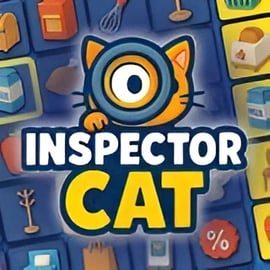
Inspector Cat is a fast-paced online cat detective game where you race other players to solve bite-sized mysteries in real time. Each round drops you into a quirky scene full of clues, red herrings, and mischievous felines. Using simple click-based controls, you’ll examine objects, spot differences, and apply logic to identify the culprit before the timer runs out.
Designed as a quick, replayable browser logic puzzle, Inspector Cat blends hidden-object style searching with deduction and competitive multiplayer scoring. Because it runs directly in your browser, you can jump into a case in seconds—no downloads, no installs, and no paywalls blocking the core experience. Just load the page, click Play, and start investigating.
Whether you’re looking for a casual clicker investigation game to fill a break or a tense multiplayer puzzle mystery where you chase high scores, Inspector Cat delivers a charming mix of strategy, speed, and cat-themed humor. Every round plays differently, so you can keep sharpening your detective instincts as you climb the rankings.
Basic Rules & Mechanics
Inspector Cat keeps its rules simple so you can focus on thinking, not memorizing controls. Here’s how the basic systems work in this online detective puzzle game:
- Round-based matches: Each match is split into short rounds. A round presents a new scene packed with objects, characters, and clues. You’ve got a limited time to inspect everything and answer the main question correctly.
- Click-to-inspect gameplay: It’s fundamentally a clicker investigation game. You click (or tap on mobile) on suspicious items, characters, or highlighted zones to reveal hints, descriptions, or hidden details.
- Clues and misdirection: Not every object matters. Some elements are pure decoration; others contain essential evidence. You’ll need to learn how to ignore visual noise and lock onto true clues.
- Question at the end of each round: When you think you’ve gathered enough information, you answer a puzzle prompt—such as picking the guilty cat, identifying a missing item, or choosing the correct logical conclusion.
- Scoring by speed and accuracy: You earn points for correct answers, with bonus points when you’re faster than other players. Wrong answers can cost points or time, so guessing wildly isn’t always worth it.
- Progress and achievements: As you play, you can unlock in-game achievements, track personal best scores, and climb the leaderboard against other feline detectives.
The attraction of Inspector Cat lies in the balance between quick decisions and careful observation. It’s accessible enough for kids, but the logic puzzles and time pressure keep adults engaged, too.
How to Play Inspector Cat: Controls, Rounds, and Tips
Even if it’s your first time trying a free feline adventure, you can grasp Inspector Cat in a minute or two. Here’s a streamlined guide to getting started and improving quickly.
Controls & Input
The game is a pure browser logic puzzle experience with ultra-simple controls:
- Mouse users (desktop/laptop):
- Left-click to interact with objects, characters, and UI buttons.
- Click "Play" on the main menu to join a match.
- Click on answer options when you’re ready to submit your solution.
- Touch users (phones/tablets):
- Tap to inspect items and confirm choices.
- Tap interface elements like Play, Next Round, or Replay.
There’s no need for keyboard shortcuts or complex gestures. The intuitive point-and-click layout makes the online cat detective game easy to enjoy on almost any device.
Understanding Rounds
Each case plays out as a compact round:
- Lobby / Start: Hit Play to drop into the next available match. In multiplayer, you’ll often see a brief countdown while players join.
- Scene reveal: A themed location appears—maybe a cozy cat café, a cluttered alleyway, or a high-tech lab. You’ll see cats, props, and background details.
- Clue-hunting phase: Click or tap on objects to reveal descriptions, compare details, and piece together the story. The timer ticks down at the top of the screen.
- Decision phase: You’re asked a question like "Which cat stole the fish?" or "What object is missing from the scene?" Select your answer before time expires.
- Results and scores: The correct answer is revealed, points are awarded, and you can see how you ranked against other players.
Beginner-Friendly Tips
- Scan the whole scene first: Before frantically clicking, take two or three seconds to look at everything. You’ll spot obvious focal points where clues are likely hidden.
- Prioritize interactive hotspots: Objects that stand out by color, placement, or animation are often important. Check them before you waste time on background details.
- Watch the cats’ expressions: In this online cat detective game, body language and facial expressions can hint at guilt or innocence.
- Don’t panic near the timer: Last-second guesses can help when you’re close but not fully sure. Try to narrow down to two likely options, then commit.
- Practice pattern recognition: Scenes re-use visual logic. The more you play, the faster you’ll recognize typical clue types and solve cases efficiently.
Multiplayer Clue-Hunting: Race Other Cats to Solve the Case
One of the big draws of Inspector Cat is its light, competitive multiplayer puzzle mystery format. You’re not investigating alone—other players are viewing the same scene and racing to beat you to the correct solution.
How Multiplayer Works
- Shared scenes: Everyone in the match sees the same layout, items, and characters.
- Real-time clock: A shared timer keeps the round moving. When it hits zero, the round ends for everyone.
- Relative scoring: Points often scale with how quickly you answer compared to other players. Being correct is good; being correct first is better.
- Ranked placements: At the end of each match, you’ll see your placement—first, second, third, or lower—based on total score from all rounds.
Multiplayer Strategy Tips
- Balance speed with certainty: If you’re usually right but slow, start answering a bit earlier. If you rush and often guess wrong, slow down just enough to confirm your logic.
- Learn common trick patterns: Many competitive players gain an edge by memorizing subtle patterns like recurring red herrings or clue types.
- Play consecutive rounds: Because matches are short, playing several in a row helps you get "in the zone," improving reaction time and accuracy.
- Use mistakes as data: After each round, check what you missed. Over time, this dramatically improves your performance in later cases.
If you enjoy social competitions and leaderboards, Inspector Cat’s structure turns every match into a mini-tournament of observation and logic.
Inspector Cat Features
Inspector Cat packs several features into a compact, browser-based format. Here are some standout elements that make this online cat detective game worth adding to your favorites.
- Charming cat-themed setting: Everything—from suspects to victims to background characters—is feline-flavored, with playful animations and expressive designs.
- Easy clicker-style interactions: As a clicker investigation game, every action is driven by simple taps or clicks, so all your mental energy stays on solving the mystery.
- Fast matches: Individual rounds typically last only a minute or two, making it ideal for quick breaks or casual daily play.
- Replayable puzzles: Cases and object layouts are designed for repeat play, encouraging you to return and improve your times and scores.
- Multiplayer race mechanics: Compete head-to-head with other players in ranked matches, aiming for top placements and bragging rights.
- Achievements and high scores: Track your progress with in-game badges and scoreboards, turning each play session into a mini progression loop.
- No download required: The game runs directly in modern browsers, so you can instantly hop into a free feline adventure on most devices.
These features together make Inspector Cat ideal for puzzle fans who want something light, accessible, and engaging that still rewards sharp thinking.
Unlock Achievements and High Scores in Inspector Cat Online
Progression in Inspector Cat isn’t about grinding levels; it’s about sharpening your detective instincts and proving it on the scoreboard.
Achievements
While specific names can vary by platform, typical achievements in this kind of multiplayer puzzle mystery might include:
- Placement-based milestones: Earn badges for finishing in the top 3, winning several games in a row, or achieving a flawless match with all correct answers.
- Speed records: Unlock achievements for solving a case in record time or submitting the first correct answer in a crowded room.
- Consistency rewards: Get credit for playing multiple days in a row or completing a set number of rounds.
High Score Chasing
If you’re competitive, Inspector Cat can quickly turn into your go-to browser logic puzzle for score-chasing:
- Global or local leaderboards: See how your best runs compare to other players on your device, your region, or globally.
- Personal best tracking: Even if you’re not aiming for world records, improving your own top score is a satisfying mini-goal.
- Optimization mindset: As you learn scenes and patterns, you can optimize your click path, reducing wasted movements and shaving seconds off your time.
Combine achievements with high-score hunting, and you’ll have a strong reason to revisit this online cat detective game whenever you’ve got a spare couple of minutes.
How to Play Inspector Cat
Quick recap: here’s a concise step-by-step on jumping into a session of Inspector Cat as a new player.
- Open the game in your browser: Use a modern browser like Chrome, Edge, Firefox, or Safari on your preferred device.
- Wait for the game to load: Give it a moment to pull in all assets; a stable connection helps avoid delays.
- Click or tap Play: This usually drops you straight into a lobby or starts a solo round, depending on platform implementation.
- Inspect the scene: Use your mouse or finger to click/tap on objects that look suspicious, out of place, or highlighted.
- Read clues: Short text hints or visual differences will guide you toward the right answer.
- Submit your answer: When you’re confident, choose the suspect, object, or logical outcome that fits the evidence.
- Review results: Check what you got right, note what you missed, and then press Replay or Next to jump into another round.
From start to finish, your first game usually takes less than a couple of minutes, making Inspector Cat a very low-commitment way to enjoy a free feline adventure online.
Unravel Feline Mysteries in This Detective Puzzle Game
Inspector Cat stands out from generic puzzle titles by leaning heavily into its playful, cat-detective theme. Cases revolve around stolen fish, missing yarn, mysterious pawprints, and suspicious late-night activities in alleyways and apartments.
Every round is essentially a mini-story: you’re not just clicking random objects, you’re piecing together what actually happened. This narrative layer adds an extra hook that typical clicker games lack. Instead of mindless tapping, you’re interpreting visual evidence and thinking like a detective.
Because the game is designed for quick, repeatable play, you get a constant stream of bite-size mysteries. This makes Inspector Cat a satisfying pick both for casual players and for puzzle fans who like rapid-fire logic challenges.
Browser Requirements and Devices You Can Use to Play
Inspector Cat is built as a browser-based title, so you don’t need a powerful gaming PC or console to enjoy it. That said, using a compatible setup ensures smoother rounds and more reliable multiplayer performance.
Supported Browsers
For the best experience, use a current version of one of these browsers:
- Google Chrome
- Microsoft Edge (Chromium-based)
- Mozilla Firefox
- Safari (on macOS and iOS)
Make sure JavaScript is enabled and that you’re not blocking essential game scripts with strict extensions or privacy tools.
Supported Devices
- Desktop & Laptop: Any relatively recent Windows, macOS, or Linux machine that runs a modern browser should handle this light browser logic puzzle with ease.
- Tablets: iPads and Android tablets work well, with tap controls mapping directly to mouse clicks.
- Smartphones: Most modern iOS and Android phones can run the game. A larger screen makes text and tiny clues easier to read, but gameplay remains functional even on smaller devices.
Because Inspector Cat is a free feline adventure that runs in-browser, you can switch between devices without losing access. Just open your preferred browser, load the game again, and you’re ready to investigate.
Performance & Troubleshooting
Inspector Cat is generally lightweight, but a few simple tweaks can help if you run into slowdowns, lag, or input issues.
Improving Performance
- Close extra tabs and apps: Too many tabs, video streams, or background downloads can make the game feel sluggish.
- Check your connection: A stable, low-latency internet connection reduces hiccups in multiplayer scoring or round transitions.
- Update your browser: Running the latest version improves compatibility and performance.
- Disable heavy extensions: Ad-blockers or script-blockers can sometimes interfere with in-browser games. Temporarily disable them or whitelist the gaming site if you see loading problems.
Common Issues & Simple Fixes
- Game doesn’t load: Refresh the page, clear your cache, or try another browser. Ensure JavaScript is enabled.
- Clicks not registering: Check that the game canvas is fully focused (click inside the game area once). On mobile, make sure you’re not accidentally zoomed in odd ways.
- Audio missing: Many browsers mute autoplay audio by default. Click the game area, look for an in-game sound toggle, or adjust your tab’s audio settings.
If performance is still poor after these checks, switching from mobile data to Wi‑Fi (or vice versa) can sometimes resolve connection-related stutters in multiplayer rounds.
Is Inspector Cat Safe to Play Online?
Inspector Cat is created as a family-friendly online cat detective game suitable for most ages. The focus is on light-hearted mystery solving, not violence or mature themes.
Content & Audience
- Kid-friendly visuals: Colorful, cartoon-style cats and simple environments with no graphic imagery.
- Non-violent gameplay: Puzzles revolve around missing items, mischievous antics, and logical deduction rather than combat.
- Text-based clues: Reading skills help, but the language is generally simple enough for younger players with some guidance.
Online Safety Considerations
Because it’s a browser-based multiplayer puzzle mystery, keep normal online gaming safety practices in mind:
- No downloads required: You play directly in the browser, which avoids many risks associated with installing unknown programs.
- Platform policies: If you’re playing through a larger gaming portal, its privacy and chat policies (if any exist) will apply. Parents may want to review those settings.
- Supervised play for kids: Younger children should play under adult supervision, as with any online activity.
For most players, Inspector Cat is a safe, low-risk way to enjoy a logic-focused, free feline adventure directly in the browser.
FAQ
What is Inspector Cat?
A: Inspector Cat is a free browser-based detective puzzle game where you play as a clever cat, click around scenes to find clues, and solve lighthearted mysteries.
How do you play Inspector Cat?
A: Use your mouse or finger to tap on objects, characters, and clues in each level. Combine what you find, use logic to solve the case, and finish before other players.
Is Inspector Cat free to play?
A: Yes, Inspector Cat is completely free to play in your browser. No download or registration is required on most gaming platforms hosting the game.
Can kids play Inspector Cat safely?
A: Inspector Cat is family-friendly, with cartoon animals, simple puzzles, and no graphic content, making it suitable for kids and casual players alike.
Do I need to install anything to play Inspector Cat?
A: No installation is needed. Just open the game page in a modern web browser on desktop or mobile, tap Play, and start investigating as Inspector Cat.