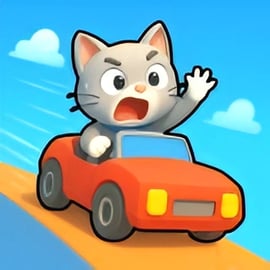
Cat Parking is a lighthearted online parking game that mixes careful car maneuvering with an adorable feline twist. Instead of guiding a standard driver, you’re helping a cheeky kitty navigate tight spots, avoid obstacles, and reach the highlighted parking area without a single scratch. It’s part cat driving game, part classic parking simulator, and it’s designed to be easy to start yet surprisingly challenging to master.
This free browser title fits perfectly into the world of free browser parking games, where precision and patience matter more than raw speed. Each level drops your cat into a slightly trickier layout of parked cars, cones, and walls. Your job is simple on paper: steer into the parking zone without crashing. In practice, every corner and turn tests your timing, spatial awareness, and ability to judge distance.
Because Cat Parking runs right in your browser, there’s no installation, no account needed, and you can jump straight into the action from almost any modern device. Whether you’re a fan of parking simulators, animal games, or just want a quick, relaxing challenge between tasks, this animal parking game hits a sweet spot between cute visuals and real driving focus.
Playing Cat Parking is all about making small, controlled movements and keeping your cat’s vehicle away from bumpers, barriers, and street clutter. Here’s how a typical round works from start to finish:
The basic flow seems simple, but each new map increases the difficulty with sharper corners, more traffic, and narrower spots. Like many popular car parking challenges, success depends on staying patient. Rushing a turn or oversteering by just a little can send your cat’s car straight into a cone or curb.
Every level in Cat Parking has one primary goal: get your cat safely to the designated parking space. Along the way, the game measures how clean your driving is and whether you can complete the route without mistakes.
Typical objectives and win conditions include:
Unlike hardcore simulators, you’re not juggling fuel usage, damage models, or realistic traffic rules. Instead, Cat Parking sticks to straightforward goals that are easy to understand and satisfying to complete. This makes it a great starting point for younger players or anyone new to free browser parking games, while still giving experienced fans a set of increasingly demanding layouts to perfect.
Because Cat Parking runs in the browser, performance depends mostly on your device’s hardware, your browser version, and how many tabs or apps you’ve got open. If the game feels slow, laggy, or unresponsive, try the following quick fixes:
If the game doesn’t load at all, check that:
Most basic laptops, Chromebooks, and desktops can run this animal parking game without any trouble, so if you’re still stuck, reloading the page or trying a different browser is usually enough to fix it.
Cat Parking is designed as a family-friendly cat driving game with simple mechanics and a cute, non-violent theme. There’s no graphic content, no chat system, and no multiplayer interaction, which makes it a safe pick for kids and casual players alike.
From a gameplay and content standpoint, here’s what to expect:
As with any online parking game, kids should still play under normal internet supervision. Stick to reputable gaming portals, avoid suspicious pop-ups, and don’t install extra, unrelated software claiming to “enhance” the game. Played in a trusted browser environment, Cat Parking is a safe, low-stress title that focuses purely on light puzzle-style driving and cute animal charm.
Moving your furry driver around safely is all about anticipating how the car will swing when you steer. Even though the game looks cute and casual, Cat Parking follows the same basic logic as other car parking challenges, so small mistakes can cost you a clear run.
Use this simple step-by-step approach on every level:
Because you’re guiding a playful kitty, it’s easy to get overconfident and rush ahead. Keep your focus on the corners of the vehicle rather than the center of the screen. When both front and rear ends clear nearby objects, your cat will slide into the space with ease.
The control scheme in Cat Parking is intentionally simple so that anyone can jump into this animal parking game in seconds. On most platforms, you’ll see controls like these:
On mobile-friendly sites, the game may instead offer on-screen buttons: a virtual steering wheel, left/right arrows, and pedals for gas and brake. The idea is the same—precise, small taps beat long presses.
To master especially tight spaces, keep these tips in mind:
Once you get comfortable, you’ll find that the cat responds predictably to every input, which is exactly what you want from a polished cat driving game. From there, you can focus less on the basic controls and more on shaving seconds off your best routes.
Cat Parking isn’t just a single open lot—it’s a sequence of compact puzzles, each one testing a different parking skill. The early levels teach fundamentals: straight-line approaches, gentle turns, and simple rectangular spots. As you climb higher, the game gradually piles on extra layers of challenge commonly seen in the best car parking challenges.
Here are the kinds of obstacles and layouts you can expect:
Because it’s a short, focused online parking game, Cat Parking doesn’t overload you with complex rules. Instead, it makes each new layout just a bit more demanding than the last. If you fail a level, you can restart immediately, learn from what went wrong, and try a slightly different angle or speed.
This structure makes the game an excellent training ground if you’re also into more advanced free browser parking games. The same skills you practice here—like using reverse smoothly and understanding how your car pivots—transfer directly into bigger, more realistic parking simulators.
If Cat Parking hooked you with its mix of cuddly visuals and methodical driving, there’s a whole category of online parking games and animal-themed titles you can explore next. These games feature similar mechanics and often ramp up the complexity while keeping the pick-up-and-play feel.
Here’s what to look for when choosing another cat driving game or related title:
Once you’ve completed Cat Parking’s level list, browsing through other free browser parking games in the Driving, Parking, or Animal categories is a natural next step. Many platforms group these titles together, so it’s easy to move from one challenge to the next while staying in the same cozy, puzzle-like driving niche.
Cat Parking is built to be lightweight, so it’s more flexible than many larger, 3D-heavy titles. Most modern devices that can handle basic web browsing should be able to run this online parking game smoothly.
For the best experience, aim for:
Devices that typically run Cat Parking well include:
If you notice small control buttons on mobile, switching to landscape mode often helps. On desktop, make sure your browser window isn’t too tiny so you can clearly see all obstacles and the edge of the parking zone.
Whether you’re parking from a classroom Chromebook or a home PC, Cat Parking offers a smooth way to enjoy focused, low-stress driving puzzles featuring an irresistibly cute kitty at the wheel.
A: Cat Parking is a free online driving and parking game where you guide a cute cat through tight paths and park it safely without hitting obstacles.
A: Use the arrow keys to move your cat and carefully follow the path to the marked parking spot. Avoid walls, cones, and other obstacles or you will have to restart the level.
A: Yes. Cat Parking is family-friendly and suitable for kids, as it has simple controls and focuses on coordination, timing, and careful driving instead of violence.
A: No download is required. You can play Cat Parking directly in your web browser as long as you have a stable internet connection.
A: Depending on the website hosting the game, Cat Parking may run in a mobile browser. For best performance, use an up-to-date browser on phone or tablet.