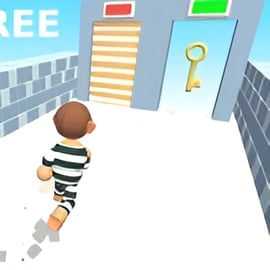
Mini Squid

Played 30 times.
5.0 (1 Reviews)
Developer: GameVoda
Published on: February 2026
Updated on: February 2026
Game technology: html5
Game rating: 5.0
Platforms: Desktop, Mobile, Tablet

Overview of Mini Squid

Mini Squid is a fast-paced online squid survival game that throws you into a series of tense mini games inspired by high-stakes survival trials. Each round is short, intense, and all about quick reactions and smart positioning. One mistake, and you’re eliminated. Survive long enough, and you’ll outlast every other player in the arena.

Designed as a browser-based survival challenge game, Mini Squid focuses on skill, timing, and a bit of mind games with other players. You’ll recognize classics like the Red Light Green Light game, along with platforming challenges, reaction tests, and dodging trials that keep every match unpredictable.

Because Mini Squid runs directly in your browser, you can jump into squid mini games within seconds, no downloads required. The game is family-friendly but still packed with tension: when the timer runs down and the crowd thins out, every move really matters.

Mini Squid Control Guide

Mini Squid keeps controls simple so you can focus on survival instead of keybinds. Whether you’re on keyboard, trackpad, or mouse, the basics stay the same across every survival trial.

Default Keyboard Controls

  • Move: W / A / S / D or Arrow Keys
  • Run / Sprint (if available in mode): Shift
  • Jump: Spacebar
  • Interact / Confirm: E or Left Mouse Button
  • Camera / Aim (in 3D modes): Move Mouse

Some specific survival trials slightly adjust what each key does, but the general layout never changes. That consistency makes it easier to swap quickly from a reaction game like Red Light Green Light to a precision platforming challenge.

Mouse & Touchpad Basics

  • Rotate camera: Move mouse or swipe on touchpad.
  • Look around quickly: Use faster mouse swipes to re-center on key hazards or the goal.
  • Menu navigation: Left-click on buttons and icons to join matches, change settings, or retry.

If you’re on a laptop touchpad, reduce pointer speed in your OS settings so camera movements feel smoother in tight survival segments.

Touch Controls (If Supported)

On mobile browsers and tablets that support the game, you’ll typically see on-screen buttons:

  • Virtual joystick: Move your character.
  • Jump button: Tap to hop across gaps and obstacles.
  • Action button: Tap to interact when a trial requires it.

Keep your thumbs close to the movement and jump areas so you don’t miss critical taps during fast elimination phases.

Mini Squid Game Modes

Mini Squid cycles through several multiplayer survival trials, each with its own rules and elimination conditions. Together they form a tense gauntlet where getting careless for even a second can cost you the whole run.

Red Light Green Light Game

The most iconic trial in this online squid survival game is the Red Light Green Light game. Your goal is simple: cross the finish line before time runs out without moving when the light is red.

  • Green light: Run forward as fast as you can.
  • Red light: Stop instantly and stay completely still.
  • Detection: Any motion while the light is red can cause instant elimination.

This mode stresses timing and control more than anything else. Greedy players who push too far during the last few seconds are usually the first ones out.

Platform & Obstacle Trials

Some modes act like compact obstacle courses, turning Mini Squid into a skill-based survival challenge browser game:

  • Moving platforms: Jumps must be tight; fall off and you’re eliminated.
  • Timed traps: Swinging hammers, falling floors, and sudden hazards force you to move in sync with their rhythm.
  • Safe vs. dangerous tiles: Only certain platforms can support you; the wrong step sends you out of the round.

These modes reward players who learn patterns and pay attention to what happens to others before they commit to a move.

Reaction & Precision Mini Games

Not every mode is about long runs across a map. Some squid mini games are short, sharp tests of reflexes:

  • Quick-dodge lanes: Slide left and right to avoid incoming hazards.
  • Memory or sequence tiles: Follow safe paths in the correct order, or fall through.
  • Timed pressure: Survive in a shrinking safe zone until the timer hits zero.

Because modes rotate, no two matches feel exactly the same. You might dominate in Red Light Green Light but struggle in tight platform sections, so mastering every type of trial is key.

Where to Play Mini Squid

Mini Squid is built as a browser-based multiplayer survival trials experience. You don’t need to install a launcher or download a huge client. To start playing:

  1. Open a modern web browser on your desktop, laptop, tablet, or compatible phone.
  2. Visit your preferred online gaming portal that hosts Mini Squid.
  3. Wait for the game to load, choose your nickname, and join a lobby.

Because everything runs through HTML5, updates and balancing tweaks are available automatically, with no patches for you to manage. Just refresh your page and you’re up to date.

Recommended Platforms

For the best experience in this survival challenge browser game, use:

  • Desktop browsers: Chrome, Edge, or Firefox (latest versions).
  • Laptops: Any device with a stable internet connection and hardware acceleration turned on.
  • Chromebooks: Great for school breaks or casual play, as long as your browser is current.

Most portals will list Mini Squid under categories like Action, Survival, or Skill, making it easy to find among other competitive games.

Is Mini Squid Safe to Play Online?

Mini Squid is designed as a family-friendly browser survival game with simple visuals and arcade-style challenges. There’s no graphic content, and rounds focus on falling, failing, or being eliminated in a playful, non-violent way.

That said, it’s still a competitive multiplayer survival trials experience, so it’s smart to keep a few safety tips in mind, especially for younger players.

  • No personal info: Use nicknames instead of real names.
  • Chat (if available): Mute or report players who behave inappropriately on platforms that offer moderation tools.
  • Playtime: Because rounds are short and addictive, consider setting time limits to keep sessions reasonable.

When played on reputable gaming portals that moderate ads and chats, Mini Squid is generally safe and suitable for most ages who enjoy light tension and competitive play.

How to Play Mini Squid and Survive Each Challenge

Every trial in Mini Squid has its own rules, but the overall flow is straightforward: join a lobby, survive round after round, and be the last player standing.

Step-by-Step Round Flow

  1. Join a match: Enter a lobby and wait for enough players to start.
  2. Read the rules: Before each trial, check the short description that explains the win condition.
  3. Survive the timer: Avoid elimination until the countdown hits zero or until you cross the finish line.
  4. Advance or exit: Survivors move to the next round, while eliminated players can spectate or requeue.

Core Survival Mindset

In Mini Squid, survival often matters more than style. You don’t get bonus points for risky plays, so learn to prioritize:

  • Positioning: Stay away from edges, crowds, and obvious hazard zones.
  • Patience: Wait for safe windows rather than rushing with the pack.
  • Awareness: Watch the environment, not just your character. Most traps broadcast their timing.

Treat each trial as a puzzle. Once you understand what eliminates players, you can plan your movements to avoid those triggers completely.

Mini Squid Game Modes and Survival Trials Explained

Mini Squid rotates through several distinct survival modes, each designed to test a different type of skill—reflex, timing, memory, or platforming. Learning what each mode expects is the fastest path to consistent wins.

Race-to-the-Goal Modes

These modes are all about reaching a finish line before the clock runs out:

  • Red Light Green Light game: Move only on green, freeze on red, and cross the line in time.
  • Obstacle sprint: Dash across platforms while dodging swinging or falling hazards.

In race modes, falling, getting hit by a key hazard, or running out of time usually means elimination.

Last-Player-Standing Modes

Some trials focus on pure survival pressure:

  • Shrinking safe zones: The area gets smaller, pushing players together until only a few remain.
  • Random tile drops: Parts of the floor vanish; staying on solid ground is everything.

Here, you don’t necessarily need to rush anywhere—just outlive everyone else.

Precision & Memory Modes

These modes sit between puzzles and reflex tests:

  • Safe tile patterns: Remember which tiles are safe and follow the sequence.
  • Rhythm traps: Hazards strike in patterns; synced movement keeps you safe.

Because patterns often repeat, players who pay attention early gain a huge advantage in later rounds.

Tips and Tricks to Win Every Round in Mini Squid

Consistently winning in this online squid survival game isn’t just about raw reflexes. Smart play, good positioning, and awareness will carry you through most squid mini games.

General Survival Tips

  • Let others go first: In path or tile-based trials, watch what happens to the front runners before committing.
  • Stay slightly behind the pack: Being in the middle gives you time to react to hazards that take out the leaders.
  • Use small movements: Tap movement keys instead of holding them down to avoid overshooting safe zones.
  • Practice camera control: Constantly adjust your view to keep both the goal and threats on screen.

Red Light Green Light Strategies

  • Don’t sprint at the start: Use short bursts of movement so you can freeze instantly when the signal flips.
  • Watch the light, not other players: Panicked movement around you can be distracting; focus on the signal and your own position.
  • Plan stopping points: Aim to stop behind small obstacles or just before dangerous open spaces so you’re not caught mid-sprint.

Platforming & Obstacle Course Tips

  • Learn jump distance: Spend your first few runs feeling out how far your character jumps with and without sprint.
  • Wait for cycles: Every moving hazard has a pattern. Stand back, count its rhythm, and only go when the timing is clear.
  • Don’t panic on edges: If you land close to an edge, make tiny corrections instead of full steps.

Mental Edge in Multiplayer Survival Trials

Mini Squid is a multiplayer survival trials game, so your biggest advantage often comes from staying calm while others rush:

  • Accept early losses: Use early eliminations as fast lessons instead of getting tilted.
  • Focus on patterns, not luck: Most trials are deterministic; learn the rules and they stop feeling random.
  • Keep sessions short: A few focused runs are better than long, distracted grinds.

Controls and Basic Mechanics in Mini Squid Online

Under the hood, Mini Squid uses straightforward physics and rules so that every elimination feels fair. Understanding these base mechanics helps you push them to their limits.

Movement & Physics

  • Acceleration: Your character speeds up slightly as you hold movement keys, making it easier to overshoot small platforms if you’re careless.
  • Stopping distance: You don’t halt instantly; there’s a short slide, especially when sprinting.
  • Jump arcs: Jumps follow a consistent arc, with maximum height in the middle of the leap.

To master the game, combine short movement taps with controlled jumps so you always land inside safe zones without sliding off edges.

Elimination Rules

While each mode has unique rules, elimination usually triggers when:

  • You move when the game demands stillness (for example, on red in Red Light Green Light).
  • You fall off the main playable area or platform.
  • You touch a marked hazard or trap.
  • You fail to complete the objective before the timer hits zero.

Because elimination is instant, any risky move should have a clear reward—like cutting several seconds off your time or reaching a much safer platform.

Best Browser and Device Settings for Mini Squid

Mini Squid is optimized for browsers, but a few adjustments can dramatically improve performance and responsiveness in this survival challenge browser game.

Recommended Browser Settings

  • Update to the latest version: Newer browser builds usually handle WebGL and HTML5 graphics more smoothly.
  • Enable hardware acceleration: Let your GPU handle rendering instead of relying only on your CPU.
  • Close extra tabs: Free up memory and CPU for smoother multiplayer survival trials.
  • Disable heavy extensions: Ad blockers or script tools can sometimes interfere with game scripts; whitelist your game site if needed.

Device & Display Settings

  • Set resolution to native or one step lower: This balances clarity and performance.
  • Use fullscreen mode: Reduces distractions and input lag in fast squid mini games.
  • Plug in laptops: Many devices throttle performance on battery-only power.

Input Optimization

  • Use a mouse over a touchpad: Better precision for camera and movement control.
  • Adjust mouse sensitivity: Set a level where a small hand motion equals a comfortable on-screen turn.
  • On mobile: Turn off accidental-touch gestures (like back-swipe) so you don’t exit matches mid-round.

Performance & Troubleshooting

Even though Mini Squid is lightweight, performance hiccups can still affect your ability to survive, especially during dense multiplayer survival trials. Here’s how to keep the game running smoothly.

Fixing Lag & Stutters

  • Check your connection: Use wired Ethernet when possible, or play closer to your Wi-Fi router.
  • Pause downloads/streams: Stop large downloads and streaming video while playing.
  • Lower in-game quality (if available): Reduce effects or shadow quality in the settings menu.
  • Refresh the page: After long sessions, a fresh reload can clean up memory usage.

Browser Crashes or Black Screen

  • Clear cache: Old or corrupted files can cause load issues.
  • Try another browser: Switching between Chrome, Edge, or Firefox often fixes compatibility quirks.
  • Disable conflicting extensions: Turn off script blockers for the gaming site and reload.

Input Delay or Unresponsive Controls

  • Close background apps: High CPU usage can delay input registration.
  • Reduce resolution: A lower resolution can cut input latency in busy scenes.
  • Check keyboard/mouse connection: For wireless devices, replace batteries or move closer to the receiver.

Once your performance is stable, you can focus on what matters most in Mini Squid: mastering each mode, reading patterns, and surviving longer than everyone else.


FAQ

What is Mini Squid?

A: Mini Squid is a browser survival game with fast mini challenges inspired by elimination-style competitions. You must clear each trial to stay in the game.

Is Mini Squid free to play?

A: Yes, Mini Squid is completely free to play in your web browser. You do not need to download anything or pay to start playing.

Do I need an account to play Mini Squid?

A: Most platforms let you start Mini Squid instantly without an account. Some sites may offer optional accounts to save progress or stats.

Can kids play Mini Squid?

A: Mini Squid is designed as a family-friendly browser game, but it features elimination and tense challenges. Parents should decide if it is suitable for their children.

What devices can run Mini Squid?

A: Mini Squid runs in modern desktop and laptop browsers, and may also work on some tablets and mobile devices with an up-to-date browser.


×

Report Game