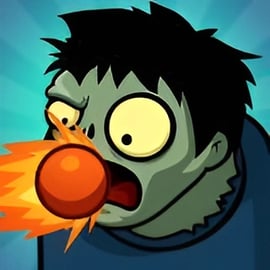
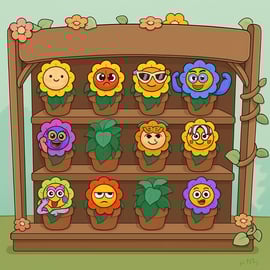
Sprunki Monster Music Beats is a playful horror rhythm game where spooky monsters help you build your own creepy songs right in your browser. Instead of battling enemies, you're crafting spooky soundscapes, layering drums, vocals, and eerie effects to turn each track into a full monster jam. It feels like a mix between a spooky beat maker and a toy music studio, wrapped in cute-but-creepy Halloween vibes.
Because it's a music creation browser game, there's no download or signup required on most gaming sites. You just launch the game, drag monsters onto the stage, and they start performing their unique sounds on loop. Combine enough of them and you've got your own scary song remix that shifts between playful and terrifying depending on the characters you pick.
This monster music game online is designed for quick sessions or longer experiments. Rhythm pros can chase perfect timing and synchronized loops, while casual players can simply drop monsters in and enjoy the chaos. With different modes, unlockable surprises, and layered tracks, there's a lot of replay value every time you come back to build another haunted hit.
The controls in Sprunki Monster Music Beats are intentionally simple so players of all ages can jump in fast. Here's how the basic input system usually works in browser versions:
If you're playing on a touchscreen device:
Because the core loop is about rhythm and layering, controls stay minimal and intuitive. The challenge comes from what you place and when you add it, not from complicated input combinations.
Most versions of Sprunki Monster Music Beats offer at least two styles of play that completely change the mood of your music: a regular mode and a darker, horror-flavored mode. These work like difficulty and vibe options combined.
In Normal Mode, you're focused on creativity and rhythm without too many jump scares. Expect:
Horror Mode dials up the tension and turns the experience into more of a horror rhythm game:
Swapping between modes is one of the easiest ways to turn a simple tune into a true scary song remix. Build your melody in Normal Mode, then flip into Horror Mode to see how it transforms into something much more ominous.
Even though Sprunki Monster Music Beats is casual and family-friendly, you can still approach it like a mini producer if you want your tracks to really pop. Here are simple steps to build better monster music:
Begin your track with drums or percussive monsters:
Once the groove loops cleanly, you've got a stable skeleton to build on.
Now it's time to make it spooky:
Think in layers: background atmosphere, mid-level chords, and high-pitched accents.
To turn your composition into a dramatic spooky beat maker moment:
This structure makes your track feel intentional instead of random.
After your track sounds good in Normal Mode, switch to Horror Mode and tweak:
Saving the horror switch for last keeps your song balanced while still giving it that haunted finish.
Players often treat the two main modes as separate “challenges,” even though both are centered on music creation.
In Normal Mode, challenge yourself to:
This focuses more on musical taste than difficulty.
In Horror Mode, your challenge shifts toward managing intensity:
Both modes reward creativity, but Horror Mode especially tests your ability to keep a strong beat under heavy sonic chaos.
Part of the fun in this music creation browser game comes from discovering new content: monsters, stages, and sometimes secret horror twists. Availability can vary by site or port, but these general tips help you see more of what the game offers:
Before jumping away from a level or scene, try:
Some unlocks are tied to using specific characters or reaching certain mix “states.”
Because it's a horror rhythm game, there can be subtle triggers:
Keep experimenting; horror games love secrets.
If a site lists “mods,” “retakes,” or spin-offs, these often act like new versions of the same core game:
Stick to reputable browser gaming portals so you're always playing safe, legit versions.
To keep progression feeling fresh, give yourself objectives, such as:
Even when there's no formal level system, self-imposed goals make the game feel like it has endless content.
If you're brand-new to Sprunki Monster Music Beats, this quick walkthrough will have you making spooky beats in under a minute.
Open the game on your favorite monster music game online portal. Wait for the loading bar to finish, then you'll see a stage with empty slots and a lineup of monster characters.
Repeat with a few different monsters to hear how their patterns combine.
When available, switch between Normal and Horror modes:
There's no wrong way to play; the goal is simply to create something that sounds cool (and maybe a little terrifying).
Sprunki Monster Music Beats uses horror aesthetics, but it's generally built as a family-friendly horror experience rather than a graphic one.
For younger kids, you can start them in Normal Mode, supervise their first sessions, and mute or lower volume if certain sounds feel too intense. On a trusted browser gaming site, Sprunki Monster Music Beats is usually an appropriate way for kids to explore music and rhythm with a harmless spooky twist.
Sprunki Monster Music Beats is most commonly available as a browser-based game you can launch instantly on PC, laptop, or mobile browser. You don't have to install anything on most websites—just click and play.
To find it safely:
Some platforms may offer mobile apps or downloadable versions, but the original experience works perfectly as an in-browser monster music game online.
The game itself is built around music, creativity, and mild spooky themes. That makes it generally safe content-wise for teens and most older kids. Online safety, however, also depends on where you play.
To keep Sprunki Monster Music Beats as safe as possible:
Played on a reputable site, Sprunki Monster Music Beats is a safe, creative spooky beat maker that lets players enjoy scary music themes without stepping into truly disturbing territory.
Most versions of Sprunki Monster Music Beats are built as an online browser game, which means they run directly in your web browser and require an active internet connection to load.
In typical browser-based setups:
If a separate mobile app version exists on official app stores, that version may offer partial offline functionality after installation, but you should always check the store description for that specific release.
In general, treat Sprunki Monster Music Beats as an online-first music creation browser game: open your browser, connect to the internet, and you can jump right into building spooky monster beats whenever you like.
A: Sprunki Monster Music Beats is a spooky music and rhythm game where you mix monster sounds, follow the beat, and create your own creepy tracks across different stages and modes.
A: Click to start a level, listen to the rhythm pattern, then tap or click in time with the beat. Drag or activate monster characters and sound icons to build your own track and aim for high scores.
A: Yes. The browser version is free to play, with no download required. Some platforms may include optional ads or in-app features, but core gameplay is completely free.
A: The game has spooky and horror-inspired visuals but no graphic violence. It is generally family-friendly for older kids and teens, though sensitive players may find the horror mode a bit intense.
A: Yes. From the mode or level select screen you can choose between normal mode for a lighter experience or horror mode for darker visuals, creepier sounds, and tougher rhythm challenges.