Block Puzzle Ocean

Played 48 times.
5.0 (1 Reviews)
Developer: GameVoda
Published on: April 2026
Updated on: April 2026
Game technology: html5
Game rating: 5.0
Platforms: Desktop, Mobile, Tablet

Introduction to Block Puzzle Ocean

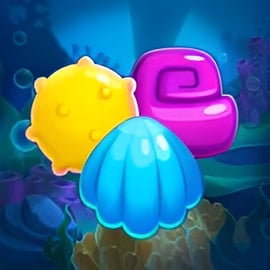
Block Puzzle Ocean is a relaxing yet challenging online block puzzle game set in a calm underwater world filled with colorful fish, bubbles, and soothing ocean sounds. If you enjoy classic block-dropping challenges like Tetris but want a slower, more thoughtful twist, this ocean themed block puzzle is a perfect fit. You play directly in your browser, no download required, making it an ideal free block puzzle browser game for short breaks or longer brain training sessions.

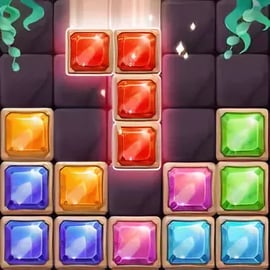
In Block Puzzle Ocean, you drag different block shapes onto a board and place them in just the right spots to complete rows and columns. Clearing these lines earns you points and keeps the board from filling up. The simple rules hide a surprisingly deep layer of strategy, so it doubles as a casual pastime and a light brain training block puzzle that sharpens planning and spatial awareness.

Beyond the basic grid, this underwater puzzle game often includes fish, coral, and aquarium-style visuals that gradually come to life as you keep playing. Because it runs straight in modern browsers, it’s easy to launch a game on your laptop, desktop, or even a tablet and start building your best score in seconds.

How to Play Block Puzzle Ocean

Even if you’re new to block puzzles, you’ll pick up Block Puzzle Ocean quickly. Here’s a straightforward breakdown of the core rules and systems so you can start stacking blocks like a pro.

Basic Rules & Mechanics

  • The board: You’re given a grid (commonly 10x10 or similar) that starts empty.
  • Block pieces: At the bottom of the screen, you’ll see a small set of blocks in different shapes, usually made of 3–5 squares.
  • Drag and drop: Click or tap a block, then drag it to the board and release to place it.
  • Clear lines: Whenever you complete a full horizontal row or vertical column, it disappears and you score points.
  • No rotation (usually): Many versions of this online block puzzle game don’t allow rotating pieces, so you have to work with each block’s original orientation.
  • Game over: If you run out of space and can’t place any of the available pieces, the game ends and your final score is tallied.

The goal is simple: keep the board from filling up while racking up the highest possible score. Each placement matters because one badly positioned block can block multiple future moves.

Key Features

As a modern ocean themed block puzzle, Block Puzzle Ocean combines familiar block mechanics with a relaxing aquatic style. Typical features you’ll encounter include:

  • Endless mode: Classic play where you keep placing blocks until no more moves are available.
  • Score chasing: Each line or combo you clear adds to your total; try to beat your own high score or compete with friends.
  • Combos & streaks: Clearing multiple lines at once, or in back-to-back turns, often yields bonus points.
  • Calming ocean visuals: Blue-toned backgrounds, bubbles, and fish animations create a peaceful setting that feels like a digital aquarium.
  • Gentle sound design: Soft effects and ambient tracks that match the underwater theme and help you focus.
  • Casual-friendly pacing: No timers in most modes, so you can think through each move at your own pace.

Together, these elements turn a simple grid-based concept into a pleasantly immersive brain training block puzzle that’s easy to come back to day after day.

How to Play Block Puzzle Ocean in Your Browser

Starting a session of Block Puzzle Ocean on the web is quick and convenient. Here’s a step-by-step guide to play this free block puzzle browser game without hassle.

Step-by-Step Setup

  1. Open your browser: Use a modern browser like Chrome, Edge, Firefox, or Safari for the smoothest experience.
  2. Load the game page: Navigate to your preferred gaming site that hosts Block Puzzle Ocean.
  3. Wait for the game to initialize: The game will usually load within a few seconds. A short loading bar or splash screen may appear.
  4. Press “Play” or “Start”: Once the main menu appears, choose the primary mode (often just “Play” or “Classic”).
  5. Begin placing blocks: Drag blocks from the panel into the grid, form complete lines, and watch them clear.

Browser-Based Advantages

  • No download: Everything runs within your browser, so you don’t install anything on your device.
  • Cross-device access: You can play from home, work, or school (when allowed) as long as you have a browser and internet connection.
  • Instant restarts: When a round ends, hit replay and jump straight into another match.

If you’re looking for a quick, low-friction online block puzzle game, the browser version of Block Puzzle Ocean is one of the easiest ways to get started.

Tips and Tricks to Master the Underwater Block Puzzle

Block Puzzle Ocean looks simple, but high scores demand planning and smart board management. These strategy tips will help you get more out of every run.

1. Protect Your Corners and Edges

Try not to block off corners too early, especially with awkward shapes. Leave room along edges and corners so you can place larger or more complex blocks later in the game.

2. Aim for Multiple Line Clears

Whenever possible, set up the board so one placed block clears two or more lines at once. Not only does this boost your score, but it also frees more space and extends your run.

3. Think Ahead for All Three Pieces

Many versions of this brain training block puzzle give you three blocks at a time. Before placing anything, scan the board and figure out where each of the current three pieces could fit. Don’t place a piece in a perfect spot for another block unless you’re sure you won’t need it.

4. Keep a Flexible Center

Leaving open space in the middle of the grid gives you more options for odd-shaped blocks. Try not to build tall, fixed structures that slice the board into awkward sections.

5. Avoid Single-Square “Holes”

Whenever you create tiny gaps, they’re often impossible to fill later. Plan your placements to keep the board as smooth and continuous as possible.

6. Play in Short Focused Sessions

Because Block Puzzle Ocean is a calm underwater puzzle game, it’s easy to zone out. But your best scores usually come from short, focused sessions where you carefully consider each move instead of rapid-firing placements.

Block Puzzle Ocean Features: Aquariums, Fish and More

One of the big appeals of an ocean themed block puzzle is the sense of progression and collection that goes beyond basic scoring. Depending on the version you’re playing, you can often enjoy:

  • Animated fish companions: Colorful fish swim through the background, react to your progress, or appear as you reach score milestones.
  • Aquarium-style environments: As you play more, you may unlock new backgrounds inspired by coral reefs, deep-sea trenches, or sunny lagoons.
  • Decorative unlocks: Some implementations tie consistent play to unlocking new decorations like plants, shells, and treasure chests.
  • Subtle progression: Even without complex RPG-style systems, just filling your visual aquarium can make the game feel rewarding over time.

These light collection mechanics keep the online block puzzle game experience fresh without overwhelming you with menus or micro-management. You can still treat it as a pure free block puzzle browser game when you want a straightforward session, or lean into the aquarium elements if you enjoy seeing your underwater world slowly grow.

Why Block Puzzle Ocean Is a Relaxing Brain Training Game

Block Puzzle Ocean strikes an appealing balance: it’s gentle and calming on the surface, yet it quietly challenges your brain every turn. Here’s why it works so well as a brain training block puzzle that doesn’t feel like homework.

Cognitive Benefits

  • Spatial reasoning: You constantly visualize how each shape will fit on the board, boosting your spatial awareness.
  • Planning & foresight: Deciding where to place each piece so you don’t block future moves trains long-term thinking.
  • Pattern recognition: Over time, you start spotting line-completing patterns and efficient placements at a glance.
  • Decision-making under constraints: Limited space and non-rotatable blocks force you to choose the best of several imperfect options.

Relaxation and Stress Relief

  • No countdown timers: Most modes let you play at your own pace, which removes pressure and encourages careful thinking.
  • Soothing visuals & audio: The underwater theme, gentle animations, and soft sounds create a meditative atmosphere.
  • Short, self-contained rounds: You can get a satisfying session in just a few minutes, perfect for mental breaks during a busy day.

Because it’s an easily accessible free block puzzle browser game, you can use Block Puzzle Ocean as a quick mental reset—something that keeps your brain engaged but lets your stress levels drift away like bubbles in the sea.

Block Puzzle Ocean Controls and Browser Compatibility

Controls in Block Puzzle Ocean are deliberately simple so you can focus entirely on strategy. Whether you’re on a mouse, touchpad, or touchscreen, the game plays almost identically.

Controls & Input

  • On PC or laptop (mouse/trackpad):
    • Hover over a piece in the block tray.
    • Press and hold the left mouse button to grab it.
    • Drag the piece onto the desired squares in the grid.
    • Release the button to place it.
  • On phones & tablets (touchscreen):
    • Tap and hold a piece to pick it up.
    • Slide your finger to move it over the board.
    • Lift your finger to drop it into place.

Most web versions don’t require keyboard input at all. Menus are navigated by clicking or tapping buttons, and pausing or restarting is usually handled by simple on-screen icons.

Browser Compatibility

To enjoy the smoothest experience with this online block puzzle game, use an up-to-date browser. In general:

  • Recommended: Latest versions of Chrome, Edge, Firefox, or Safari.
  • Enable JavaScript: The game needs JavaScript to run interactive elements and animations.
  • Stable internet connection: While the gameplay itself is lightweight, a stable connection helps the game load quickly and prevents disconnects on some platforms.

If the game feels slow or unresponsive, closing extra tabs or disabling heavy browser extensions can often improve performance.

Performance & Troubleshooting

Block Puzzle Ocean is a relatively light free block puzzle browser game, but older devices or crowded browsers can still cause hiccups. If you run into issues, try these quick fixes.

Common Issues & Fixes

  • Game not loading:
    • Refresh the page once or twice.
    • Check your internet connection.
    • Ensure your browser is updated to a recent version.
  • Slow or laggy gameplay:
    • Close other tabs or browser windows that may be using memory.
    • Disable ad-blockers or script-heavy extensions on the game page.
    • Lower system load by closing background apps (music players, downloads, etc.).
  • Controls not responding:
    • Click or tap outside the game frame, then back inside to refocus the window.
    • On touch devices, clean the screen and make sure multi-touch gestures aren’t confusing the input.
  • Visual glitches:
    • Try a different browser to see if the issue persists.
    • Update your graphics drivers on desktop if they’re very outdated.

Because Block Puzzle Ocean is simpler than most 3D games, it usually runs smoothly even on modest hardware once basic browser issues are resolved.

Offline Play Availability for Block Puzzle Ocean

In most cases, Block Puzzle Ocean is designed as an online block puzzle game that you play directly in your browser. That means:

  • Browser version: Typically requires an active internet connection to load and start a session.
  • During play: Some web platforms may allow you to keep playing a round even if your connection briefly drops, but new sessions usually require you to be online.

If you’re specifically looking for full offline support, mobile app versions of similar ocean themed block puzzle experiences may offer downloadable play. However, for the standard free block puzzle browser game experience, plan on having at least a basic connection whenever you want to dive into the underwater grid.

For quick brain exercise on a laptop or shared computer, though, the always-available online format is part of what makes Block Puzzle Ocean so convenient.


FAQ

What is Block Puzzle Ocean?

A: Block Puzzle Ocean is a free browser puzzle game where you drag and drop block shapes onto a board, clear full lines, and enjoy a calm underwater theme.

How do you play Block Puzzle Ocean?

A: Use your mouse or touch controls to place block pieces on the grid. Complete horizontal or vertical lines to clear them and keep the board from filling up.

Is Block Puzzle Ocean free to play?

A: Yes, Block Puzzle Ocean is completely free to play in your browser with no download required.

Can kids play Block Puzzle Ocean?

A: Yes. The game has simple rules, no violence, and a friendly ocean theme, making it suitable for kids and families.

Do I need an account to play Block Puzzle Ocean?

A: No account is required. You can open the game in your browser and start playing instantly.

×

Report Game