Introduction to Burger Tycoon
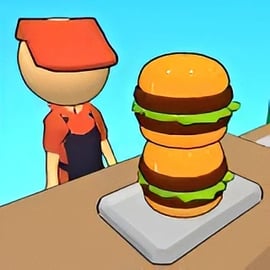
Burger Tycoon is a browser-based burger restaurant simulator where you grow a tiny burger stand into a booming fast food empire. It mixes the fun of an idle cooking management game with deeper restaurant business strategy, so you’re not just tapping to serve burgers—you’re planning upgrades, managing staff, and optimizing every second of service.
As you play this fast food tycoon game, you’ll juggle cooking, customer satisfaction, and profits. Every shift is a balancing act: keep the grill running, avoid long lines, reinvest earnings into better equipment, and gradually automate your online burger shop game so it can earn money even while you play more casually.
Whether you’re into detailed management sims or quick snack-sized sessions, Burger Tycoon is designed to run smoothly in your browser with no downloads or installs. It fits right into the Management, Simulation, and Strategy categories, giving you a mix of hands-on cooking and high-level decision-making.
Basic Rules & Mechanics
Burger Tycoon is easy to pick up but has enough depth to keep you tweaking your burger chain for hours. Here’s how the core rules and systems work.
Customer Flow & Orders
- Customers arrive in a queue and place burger orders one by one.
- Each customer has a patience bar; serve them before it empties to earn full payment and tips.
- If a customer waits too long, they’ll leave, costing you revenue and lowering your reputation.
Cooking & Serving
- Tap or click on a grill station to start cooking patties.
- Time is critical—undercooked or burnt burgers reduce income or can be rejected.
- Assemble burgers with buns, patties, and add-ons like cheese or veggies, depending on the order.
- Drag or tap to deliver the final burger to the correct customer.
Money, Upgrades, and Progression
- Each completed order rewards you with cash; combo orders and fast service yield bonuses.
- Use earnings to upgrade grills, counters, and prep stations to serve more customers at once.
- Unlock new recipes and menu items to increase average order value.
- Hire staff and add automation to reduce manual clicks and improve throughput.
Reputation & Growth
- Consistent, fast service boosts your restaurant’s reputation.
- Higher reputation increases customer volume and unlocks new locations.
- Bad service, long queues, or frequent mistakes slowly erode your rating.
These simple mechanics create a satisfying loop: earn, upgrade, serve faster, and then strategize how to turn your single burger stand into a chain of efficient, profitable restaurants.
Burger Tycoon Features
Burger Tycoon combines the approachable feel of a casual cooking game with the depth of a restaurant business strategy sim. Here are some of the key features you’ll encounter as you play.
Key Features
- Hands-on burger cooking – Actively grill patties, assemble burgers, and serve customers in the right order.
- Deep upgrade paths – Improve grills, counters, storage, and prep areas to handle larger rushes.
- Staff management – Hire cooks, cashiers, and cleaners to keep your burger restaurant running smoothly.
- Idle cooking management – Unlock automation systems that keep money flowing with fewer clicks.
- Multiple branches – Expand from a single stand to a chain of burger restaurants with different layouts and challenges.
- Progressive difficulty – Orders become more complex, and customers become less patient as you level up.
- Browser-based play – No downloads; just launch the online burger shop game directly in your browser.
Together, these features make Burger Tycoon a flexible fast food tycoon game—you can either micro-manage every patty or build a semi-automated empire that runs like clockwork.
How to Build a Profitable Fast Food Empire in Burger Tycoon
To really shine in this burger restaurant simulator, you’ll need more than fast clicks—you’ll need a plan. Here’s a step-by-step strategy for turning your tiny diner into a serious fast food empire.
1. Nail the Basics Before Expanding
In early shifts, focus on consistency and speed instead of rushing into new locations.
- Keep queues short and avoid idle grills; an empty grill is lost potential income.
- Prioritize a second grill or faster cooking times over fancy décor.
- Upgrade storage or prep space only when you routinely hit capacity.
2. Increase Revenue per Customer
As your restaurant stabilizes, shift attention to boosting average order value:
- Add higher-priced burger variants as soon as they’re available.
- Use combo meals or sides (if present) to increase overall ticket size.
- Keep premium items quick to prepare with targeted equipment upgrades.
3. Reinforce Your Peak Hours
Busy waves expose weak points in your setup. Watch what breaks first:
- If burgers pile up unserved, you need more counter space or faster serving staff.
- If the grill is constant bottleneck, upgrade grills or add more slots.
- If customers abandon the line, invest in queue speed boosts or extra staff on the front line.
4. Smart Automation Investments
Once you unlock idle cooking management features, invest wisely:
- Automate repetitive tasks like patty grilling or bun placement first.
- Choose upgrades that reduce manual clicks per order so you can stay focused on strategy.
- Balance automation cost with return—avoid overspending on features you won’t fully leverage yet.
5. Scale Into a Multi-Restaurant Operation
When a single location consistently turns a profit, consider expanding:
- Clone your most successful layout as a starting point for new branches.
- Adapt each new location to its specific traffic patterns and customer patience.
- Use profits from established restaurants to fund experimental layouts or premium upgrades.
Think of each restaurant as a self-contained machine. The better you understand its flow, the easier it becomes to run a whole chain of efficient, money-making burger shops.
Beginner Tips: Running Your First Virtual Burger Restaurant
If you’re new to this kind of fast food tycoon game, here are practical beginner tips so your first burger restaurant doesn’t burn out.
Start Simple With Your Menu
- Stick to basic burgers until you’re comfortable with timings.
- Limit how many complex items you offer at once; every extra ingredient adds potential delay.
- Only expand the menu when you can maintain fast service times.
Watch the Timers, Not Just the Queue
- Keep an eye on cooking timers to avoid burnt patties.
- Serve food that’s about to burn or customers about to leave first.
- Use short gaps between orders to start new batches of patties.
Upgrade in This Order
- Grill speed or capacity – More patties = more burgers sold during rushes.
- Serving speed / counter space – Reduces bottlenecks at delivery.
- Staff boosts or partial automation – Frees you up from micromanaging every action.
Keep Customers Happy
- Avoid letting multiple customers leave in a row; it can snowball into lower traffic.
- Prioritize customers with almost empty patience bars.
- Use tips and bonuses to fund early upgrades quickly.
With these basics, your first virtual burger restaurant should quickly transition from chaotic to controlled—and profitable.
Upgrades, Staff, and Automation: Maximizing Your Burger Profits
The heart of any restaurant business strategy is how you spend your money. In Burger Tycoon, smart investments into upgrades, staff, and automation separate casual players from true tycoons.
Best Upgrades for Early Game
- Faster grills – Directly increases how many burgers you can sell per minute.
- Additional grill slots – Reduces downtime and handles sudden surges.
- Expanded counter space – Lets you stage more completed orders or serve more customers at once.
Mid-Game Upgrades to Dominate Rush Hours
- Ingredient prep speed – Faster slicing or assembling reduces overall order time.
- Queue management – Upgrades that calm customers or speed up lines keep revenue steady.
- Menu boosts – Premium burgers or combos that pay significantly more for just a bit more work.
Hiring and Training Staff
In this burger restaurant simulator, staff are crucial to scaling up:
- Cooks – Keep grills running and ingredients prepped. Ideal when you’re overwhelmed by cooking tasks.
- Servers / cashiers – Speed up delivery and checkout so cooked food becomes cash faster.
- Support staff – Depending on the version, these might clean, restock, or boost overall efficiency.
Whenever possible, upgrade staff efficiency or multitasking ability. A highly trained cook can outperform multiple low-level workers, giving you a better return on investment.
Automation and Idle Cooking Management
Automation is what turns Burger Tycoon from a pure clicker into a real idle cooking management experience:
- Automate grilling so patties are almost always in progress.
- Automate simple orders while you personally handle complex, high-value ones.
- Use automation to keep revenue flowing during slower real-life play sessions.
The key is balance—automation should support your playstyle, not replace decisions. Let it handle the repetitive tasks while you optimize layout, timing, and strategic upgrades.
Time Management Strategies for Busy Burger Tycoon Players
Not everyone can sit and manage a burger chain for hours. Fortunately, Burger Tycoon’s mix of active and idle systems makes it ideal for short, focused sessions.
Short Session Strategy (5–10 Minutes)
- Log in, clear a high-traffic rush, and collect income from previous automation.
- Check where bottlenecks happened—grill, counter, or queue.
- Make one or two meaningful upgrades focused on that bottleneck.
- Set basic automation to keep income trickling in until your next check-in.
Medium Session Strategy (20–30 Minutes)
- Run several consecutive shifts to gather enough cash for a big upgrade.
- Experiment with small layout changes and recipe emphasis.
- Hire or train staff to reduce your manual workload for future sessions.
- Re-balance menu items to favor fast, profitable burgers during peak times.
Efficient Multitasking Inside a Shift
- Always be doing something: grilling, assembling, or planning the next order.
- Batch actions: start multiple patties, then assemble multiple burgers in one go.
- Prioritize tasks by impact—serving a nearly-impatient high-value customer is usually top priority.
With these habits, you can enjoy Burger Tycoon as a relaxed online burger shop game that fits around your schedule rather than demanding constant attention.
Playing Burger Tycoon Online in Your Browser: Setup and Controls
One of the biggest perks of Burger Tycoon is how easy it is to start playing. There’s no client to install; the game runs directly as an HTML5 fast food tycoon game in your browser.
Browser Setup
- Use a modern browser such as Chrome, Firefox, Edge, or Safari.
- Ensure JavaScript is enabled and ad blockers aren’t interfering with game scripts.
- For best performance, close unnecessary tabs or background-heavy sites while you play.
Basic Controls on Desktop
- Left-click to select grills, ingredients, and customers.
- Click and drag to move assembled burgers to the correct customer or serving area.
- UI buttons for upgrades, staff, and settings are typically along the top or sides of the screen.
Basic Controls on Mobile or Tablet
- Tap to start cooking, pick up ingredients, and interact with menus.
- Tap and slide to serve a burger to a customer.
- Use on-screen icons to navigate between upgrade menus and restaurant locations.
Controls are deliberately simple so you can focus on running an efficient restaurant and executing smart restaurant business strategy, rather than wrestling with complex input.
Where to Play Burger Tycoon
Burger Tycoon is designed primarily as an online burger shop game that runs in-browser. You’ll typically find it on free gaming portals under categories like Management, Simulation, and Strategy.
Playing in Your Browser
- Access the game from a trusted browser gaming site.
- Click the play or launch button to load the game canvas.
- Wait a moment for assets to load, then start a new career or continue your saved progress (if cloud saves or cookies are supported).
School or Work Environments
Many versions of Burger Tycoon are available as “unblocked” web games, depending on your network restrictions. Always follow your school or workplace rules, but if gaming sites are allowed, Burger Tycoon is a lightweight option that opens quickly, runs in a tab, and can be paused between tasks.
Offline Play Availability for Burger Tycoon
Burger Tycoon is primarily built as an online, browser-based experience. In most cases, you’ll need an active internet connection when you:
- First load the game assets in your browser.
- Sync cloud saves or achievements (if supported by the portal).
- Load ads or external resources on some hosting sites.
Some browsers may temporarily cache assets, allowing limited play if your connection briefly drops after loading, but you shouldn’t rely on this as a true offline mode.
If you need consistent offline play, check whether the platform hosting Burger Tycoon offers a dedicated offline app or downloadable version. Otherwise, plan on having at least a basic internet connection whenever you want to flip burgers and expand your fast food empire.