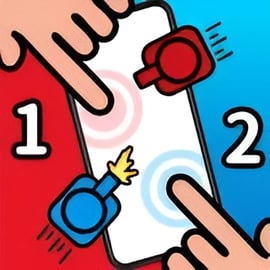
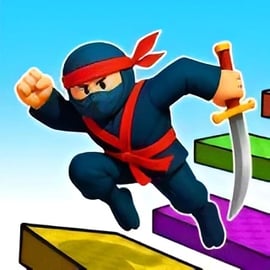
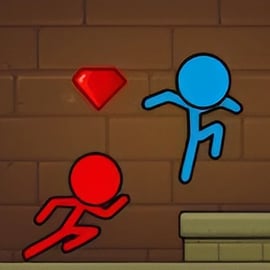
2 Player Battle is a fast-paced two player fighting game you can play instantly in your browser. Designed for local 1v1 games on a single keyboard, it lets you and a friend jump straight into intense versus fighting online without downloads, logins, or complicated setups. Pick a fighter, ready up, and clash in short, exciting duels where timing, movement, and smart attacks decide the winner.
This browser multiplayer battle focuses on simple controls and quick rounds, making it perfect for couch duels, school breaks, or casual tournaments at home. As you play, you earn gold, unlock new characters from different chests, and gradually build a roster of powerful fighters. Every round feels a little bit different, especially when players start discovering movement tricks and combos that turn basic attacks into clutch victories.
Because it runs directly in the browser, 2 Player Battle fits right in with other keyboard dueling games and party-style local multiplayer titles. There are no long tutorials or huge move lists to memorize, so beginners can have fun almost immediately, while more competitive players can grind for legendary fighters and try to master every matchup.
At its core, 2 Player Battle is all about short, sharp duels between two characters controlled on the same keyboard. The flow of a typical match is straightforward, but there are a few systems you’ll want to understand to get the most out of this two player fighting game.
Load the game page in a modern browser like Chrome, Firefox, or Edge. The action runs directly in the window, so you’re only a click away from your first duel.
Each player needs at least one unlocked character. If you’re just starting, you’ll have some basic fighters available. As you earn gold, you can open different chest types to add new heroes to your collection.
Player 1 and Player 2 each browse their available roster. Fighters vary in stats like speed, reach, or power, so pick a character that fits your preferred style.
Once you’ve chosen a fighter, press your attack key to signal that you’re ready. When both players are readied, the duel begins.
Use movement, jumps, and attacks to outplay your opponent. Depending on the version, matches can be decided by health depletion, ring-outs, or time limits, but the key goal is the same: deal more damage and avoid getting hit.
After each match, you’ll earn gold or other rewards. Use these to open chests and unlock new fighters, making future local 1v1 games even more varied and competitive.
This structure makes 2 Player Battle ideal for quick rematches. You can swap fighters, adapt to your rival’s style, and settle friendly rivalries in a series of best-of-three or best-of-five battles.
Even though it’s a simple browser-based title, 2 Player Battle packs in several features that make it stand out among local 1v1 games and keyboard dueling games.
Both fighters share a single keyboard, making the game perfect for same-screen versus fighting online without extra controllers.
Earn gold in matches and spend it on different chests: smaller ones for steady upgrades and rarer, high-tier chests that can drop powerful or legendary warriors.
Characters feel different from one another, offering a range of speeds, attack patterns, and battlefield roles. Discover which fighter gives you the edge in your favorite matchups.
Matches are short and intense, so there’s very little downtime between fights. This encourages friendly rivalries, quick rematches, and “just one more game” sessions.
Simplified movement and a single attack key keep things easy for newcomers. Yet, timing, spacing, and positioning provide surprising depth for more serious players.
You can launch 2 Player Battle in a desktop browser for free, with no installation or account required, making it one of the most accessible browser multiplayer battles around.
These features combine to create a simple but addictive two player fighting game that works just as well for quick lunchtime duels as it does for longer weekend sessions with friends.
While 2 Player Battle is primarily designed for local 1v1 games on the same device, it also fits nicely into casual online hangouts. Here’s how to get a match going with a friend:
Sit side-by-side in front of the same screen. One player uses the left side of the keyboard and the other uses the right side (arrow keys).
Decide how many rounds you’ll play, whether you’re doing a best-of series, and if any fighters are “off limits” for balance or fun.
For larger groups, you can set up a mini tournament bracket. Winner stays on, or the loser passes the keyboard to the next challenger.
Although the game itself is local, you can still enjoy a pseudo-online experience by combining it with voice and screen sharing tools:
This setup isn’t the same as native netplay, but it’s a fun way to share the chaos of 2 Player Battle with long-distance friends while chatting and reacting live.
Once you’ve learned the basics, the real fun begins: improving your skills and consistently winning local 1v1 games. Because the control scheme is simple, small improvements in timing and decision-making can lead to big gains in win rate.
Don’t just rush forward. Pay attention to the range of your attacks versus your opponent’s. Stay at a distance where you can hit them, but they can’t easily hit you.
Jumping can close distance or dodge ground attacks, but it also makes your movement predictable if you spam it. Mix grounded movement with jumps to stay unpredictable.
Every fighter’s attack has a small delay before it hits. Practice the timing so you know how early you must press the attack key to land a blow as your opponent moves in.
Constantly spamming attack makes you easy to punish. Instead, wait for your rival to whiff (miss) and then strike during their recovery.
Does your friend always jump in, always block, or always retreat to one side? Once you recognize a habit, you can counter it by pre-empting their move.
If you’re losing repeatedly, try a fighter with different stats or reach. Sometimes a new character is the key to turning a matchup around.
By paying attention to these fundamentals, you’ll steadily improve in 2 Player Battle and other keyboard dueling games with similar mechanics.
Progression in 2 Player Battle revolves around gold and chests. As you keep fighting, you’ll expand your roster and gain access to stronger or rarer characters, which keeps the game fresh over time.
Most of your gold comes from completing fights. Win or lose, you’ll earn something, but victories often grant larger payouts.
Some versions or events may reward you more for using varied characters instead of spamming the same favorite in every round.
Gold can be spent on several chest types, each with its own risk-reward structure:
Cheaper, more common, and great for slowly building up a broader roster of fighters, even if they’re not all top-tier.
More expensive but with better odds for rare or powerful characters, making them ideal for players who already have a solid base lineup.
High-cost chests that can drop some of the strongest fighters in the game, perfect for players who want a standout main character for competitive local 1v1 games.
Instead of spending every small amount immediately, you might want to save for a chest type that matches your goals, whether that’s broad collection or top-tier power.
Even “common” fighters can be surprisingly strong when used well. Before writing a character off, take them into several matches to see how they feel.
Unlocking new fighters not only gives you more options but also makes 2 Player Battle feel like a growing collection game, rather than just a single static two player fighting game.
To consistently dominate in 2 Player Battle and other versus fighting online experiences, you’ll need a mix of quick reactions and smart decisions. These tips focus on the small edges that often decide close duels.
Panic button-mashing usually loses to a calm player who’s watching for openings. Take a breath, step back, and look for a safe chance to strike.
If the stage allows ring-outs or corner pressure, owning central space keeps your options open and limits your opponent’s escape routes.
Between rounds, quickly analyze what went wrong. Were you jumping too much? Getting hit the same way every time? Adjust in the next match.
Move in as if you’re going to attack, then step back. Many players will swing and whiff, leaving themselves open to a counterhit.
If you always attack after jumping, your rival will start expecting it. Sometimes jump then retreat instead, forcing them to second-guess their responses.
On stages with platforms or edges, think about how your character’s movement tools can force the opponent into bad spots.
If your fighter is slow but powerful, avoid scrambles and focus on strong, pre-emptive hits. If you’re fast but fragile, rely on whiff punishes and safe pokes.
Applying these tips will help you climb to the top of your local 2 Player Battle rivalry ladder and sharpen your skills for other keyboard dueling games and browser multiplayer battles as well.
Clear controls are critical in any two player fighting game, especially when both players share a single keyboard. Here’s how 2 Player Battle typically assigns keys for each player.
These keys keep Player 1’s hands on the classic WASD cluster, which is familiar to many PC players.
Player 2 uses the arrow keys, mirroring Player 1’s layout on the opposite side of the keyboard. This setup makes the game accessible and comfortable for most players.
Some keyboards struggle when multiple adjacent keys are pressed at once. If inputs feel inconsistent, slightly adjust your hand positions or try a different keyboard.
Spend a few warmup rounds just learning your character’s movement speed, jump height, and attack range before you start a serious best-of series.
You can play 2 Player Battle directly in your desktop browser, making it one of the easiest local 1v1 games to share with friends.
Because 2 Player Battle is optimized around keyboard dueling games, using a proper physical keyboard is strongly recommended. Touchscreen devices aren’t ideal for two-player simultaneous input on the same screen.
2 Player Battle is designed primarily as an online browser experience. In most cases, you’ll need an active internet connection to access the game page, load assets, and sync any progression linked to your session.
While some browsers can temporarily cache game files, you shouldn’t rely on 2 Player Battle as a fully offline experience. For best results, treat it as an online browser game and play when you have a stable connection.
On the plus side, once the page is loaded and running, your actual matches take place locally on your device, offering smooth, low-latency local 1v1 games even on slower connections.
A: 2 Player Battle is a fast-paced local fighting game where two players share one keyboard to battle 1v1 with different playable fighters.
A: Yes. You can practice the controls and characters on your own, but the game is designed mainly for two players on the same device.
A: No download is needed. You can play 2 Player Battle directly in your browser as an HTML5 game, as long as you have an internet connection.
A: Yes. The game features cartoon-style combat without realistic violence, making it suitable for families and younger players under supervision.
A: The game is built around keyboard controls for two players. Some browsers may let you map controllers, but default support is for keyboard play.