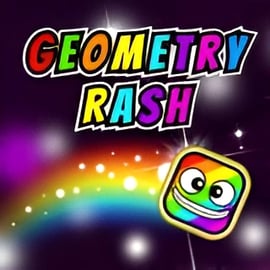
Geometry Rash is a fast reflex arcade game that throws you straight into a neon world of spikes, platforms, and pulsing beats. Your tiny cube dashes forward automatically, and you control everything with a single input. That one button jumping game design keeps things simple while the timing and rhythm keep the challenge sky high.
If you enjoy rhythm platformer online games where every jump matters, Geometry Rash fits perfectly. The goal is simple: survive as long as you can, collect stars, and avoid the sharp triangle spikes scattered across the path. Each attempt is quick, intense, and endlessly replayable, making it an ideal endless cube runner to play in short bursts right in your browser.
Because it runs in HTML5, there’s no need to download or install anything. Just load the page and start tapping. Whether you’re on a desktop, laptop, tablet, or phone, Geometry Rash works as a smooth, spike obstacle runner that tests timing, patience, and pattern recognition.
Playing Geometry Rash online means you get instant access to a tight, reflex-based runner that never really ends. The game auto-scrolls from left to right, and your cube moves at a steady speed that gradually ramps up the longer you survive.
The rhythm is a big part of the experience. Obstacles appear in sync with the background music, so paying attention to the beat can help you anticipate when to jump. Think of it as a rhythm platformer online where your input stays simple but your reaction time and prediction skills are always being pushed.
Each run plays out like this:
Because there’s no level select, Geometry Rash feels like an endless cube runner—you’re always trying to push a little farther than your last best attempt. It’s a pure arcade experience built around learning patterns and improving your reflexes one run at a time.
Geometry Rash is designed as a one button jumping game, so you’ll master the controls quickly. The real challenge lies in applying those simple controls at exactly the right moment.
Depending on your device and the browser host, you can usually use any of the following:
On many hosts, there’s also an option to toggle fullscreen using a page-level key such as F or a fullscreen icon in the game frame. Fullscreen can make it easier to focus on the geometry and avoid distractions.
Since the cube moves automatically, when you jump is all that matters. Geometry Rash behaves like a precision spike obstacle runner: your timing has to be tight on both short and long jumps.
Every mistake is obvious. Jump too early and you may land on a spike; jump too late and you’ll slam into the side of a block. That instant feedback loop is what makes it such a compelling fast reflex arcade game.
Along the way, you’ll see glowing stars placed on or above the terrain. These are optional collectibles that add a risk-versus-reward layer to the run:
If you focus only on survival, you’ll last longer per run. If you chase every star, you’ll crash more but earn unlocks faster. Finding your balance between safety and ambition is part of mastering Geometry Rash.
Under the hood, Geometry Rash follows a straightforward set of rules that make it easy to understand yet tough to master.
These simple mechanics let Geometry Rash shine as a pure rhythm platformer online. It’s all about reading the screen, feeling the beat, and executing your jump at the precise frame you need.
To push farther in this endless cube runner, you’ll need more than just quick reaction time. These tips can help you improve your consistency and beat your previous high scores.
New players often stare at the cube itself. Instead, look slightly ahead—toward the right edge of the screen—so you can prepare for upcoming spikes and gaps. This gives your brain a few extra fractions of a second to react.
Geometry Rash leans into rhythm-based design. Obstacles frequently sync with the soundtrack, so try timing your jumps on certain beats. Treat it like a music game: once you feel the pattern, your inputs become more consistent.
If you keep dying at the same spot, pause for a moment and analyze that section:
This deliberate practice is what turns a frustrating spike obstacle runner into a satisfying rhythm challenge.
Stars are tempting, especially when you’re close to unlocking a new skin. But if a star sits in a tricky spot, skipping it is often the smarter choice. Prioritize survival first; once you’re comfortable with a level’s patterns, you can start going for the harder pickups.
Because the game is fast and unforgiving, it’s easy to tense up and overreact. Try to relax your hands and keep your inputs calm and deliberate. If you notice yourself mashing the jump key or tapping frantically, take a quick break and reset your focus.
Even though Geometry Rash is a compact browser title, it includes several features that keep players coming back for “just one more run.”
These features combine to create a compact but addictive fast reflex arcade game that’s easy to start and hard to stop.
One of the fun extras in Geometry Rash is its skin system. Instead of controlling a dull, plain cube forever, you can unlock a variety of visual styles that give your runs more personality.
While specific unlock requirements can vary by host version, most Geometry Rash builds follow a simple structure:
Because stars are tied directly to cosmetics rather than power-ups, Geometry Rash stays fair: your progress never depends on spending money or gaining gameplay advantages.
The available skins differ by platform, but you’ll typically find:
None of these change how the game plays. Geometry Rash remains a pure skill-based endless cube runner. Skins simply give you something fun to chase beyond high scores and distance marks.
Because Geometry Rash is built with HTML5, you can enjoy this spike obstacle runner on a wide range of devices, including phones and tablets.
On touch devices, the game converts its single-button design into a simple tap-based system:
For the best handheld experience:
Since Geometry Rash is a fast reflex arcade game, maintaining smooth frame rates is important. Even small delays can throw off your jump timing, especially in sections where spikes and platforms appear in quick succession.
Most players can enjoy Geometry Rash smoothly in any modern browser, but if you encounter issues, there are a few easy fixes to try.
For a rhythm platformer online, audio sync matters. If the beat feels off:
Geometry Rash is generally considered family-friendly and safe for most ages. The visuals are abstract shapes and colorful backgrounds, with no graphic content or inappropriate themes.
However, as with any web-based game, safety depends partly on the hosting site you’re using:
If you’re a parent or teacher, Geometry Rash can be a fun, quick activity that subtly trains hand-eye coordination, rhythm, and reaction time while remaining suitable for a general audience.
A: Geometry Rash is a fast-paced browser platformer where you guide a small square over spikes and gaps with one-button jumps, aiming to survive as long as possible and collect stars.
A: Press space, click the mouse, or tap the screen to make the square jump over obstacles. Time each jump carefully to clear spikes, gaps, and platforms without crashing.
A: Yes. Geometry Rash runs in modern mobile browsers. Just open the game on your phone or tablet, rotate to landscape if needed, and tap the screen to jump.
A: Yes. By collecting stars while you run, you can unlock various cosmetic skins for your square, letting you customize its look as you improve your high score.
A: Yes. Geometry Rash is completely free to play in your web browser with no downloads required. Just load the page and press play to start running.