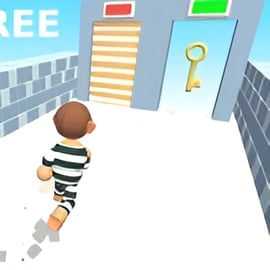
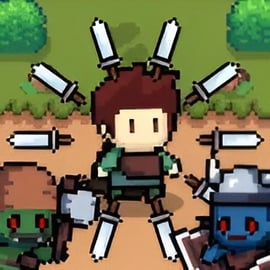
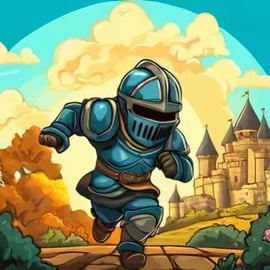
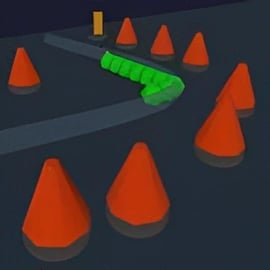
Spooky Island is a fast-paced monster adventure game that mixes hack-and-slash action with light base building survival elements. You’ll land on a haunted island crawling with zombies, ghouls, and other creepy creatures, then fight, farm, and upgrade your way into becoming the ultimate apocalypse hero. It’s a perfect pick if you want a Halloween browser game that’s easy to start, but addictively hard to put down.
The core loop is simple and satisfying: explore the island, slay monsters, collect their bones, sell them for gold, then reinvest that gold into stronger swords, faster movement, and bigger defenses. As your power grows, you’ll expand your base, unlock turrets, and eventually sail to new islands filled with even scarier undead enemies.
Because Spooky Island runs directly in your browser via HTML5/Unity WebGL, you can jump into this casual zombie game online in seconds—no long downloads or complicated setup. Whether you’re into quick monster grinding sessions or longer survival marathons, it hits that sweet spot between casual and strategic play.
The controls for Spooky Island are purposefully streamlined so you can focus on slicing through monsters and building your base. While specific key bindings can vary slightly by platform, here’s how most browser versions typically work:
The control scheme keeps everything accessible, especially for beginners and younger players. You don’t need complex combos to enjoy this monster adventure game—just good positioning, smart timing, and consistent upgrading.
Spooky Island blends elements from several genres—action, adventure, and base building survival—into a smooth, browser-friendly package. Here are the key features that define the experience:
All of this makes Spooky Island ideal if you’re searching for a Halloween browser game that feels more substantial than a simple mini-game, but still relaxed enough to play in short bursts.
Spooky Island is available on multiple online gaming portals as a browser-based HTML5 (Unity WebGL) title. That means you can load it directly in a supported desktop browser such as Chrome, Edge, or Firefox.
If you see a blank screen or it doesn’t load right away, give it a few seconds for WebGL content to initialize, and make sure you’re not blocking scripts required by the game host.
Some releases of Spooky Island (or closely related builds from the same developer) are also available on mobile app stores for iOS and Android. These versions are tailored for touch controls, but the core loop—slaying monsters, collecting bones, and upgrading your base—remains very similar.
For the smoothest experience and highest frame rate, though, a desktop browser version is often the best way to enjoy this casual zombie game online.
Spooky Island is designed as a family-friendly, cartoon-style monster adventure game. There’s no realistic gore or graphic violence; enemies simply disappear or fall over when defeated. It sits comfortably among light-hearted Halloween browser games rather than horror titles.
Parents and guardians will likely find the game suitable for older kids and teens, especially those who enjoy Halloween-themed action without realistic horror.
As with any online game, it’s wise to play on reputable gaming portals, keep your browser updated, and avoid downloading anything that isn’t clearly part of the game itself.
The early phase of Spooky Island sets the tone for the whole adventure. Surviving your first “night” or initial wave of monster pressure is all about smart movement and efficient upgrading, not reckless rushing.
When you spawn on the island, don’t sprint straight into the darkest corners. Stay within a safe radius of your starting base where you can quickly retreat and regroup. Enemies are usually weaker here, letting you practice the core combat rhythm.
Your main resource income early is bones. Rather than chasing every monster on the map, look for slower or weaker ones you can dispatch quickly and safely.
Once you’ve sold your first batch of bones, invest in upgrades that help you stay alive longer and kill slightly faster:
By the time “night” feels truly dangerous, you’ll already be a step ahead and ready to treat each new wave like a farming opportunity instead of a death sentence.
Once you’ve got your footing, your goal is to turn into a bone-farming machine. Spooky Island offers multiple sword upgrades and stat boosts that dramatically speed up your monster-clearing potential.
For maximum efficiency in this base building survival game, you want to reduce the time per kill as much as possible.
The best swords not only look cooler, they often combine heavy damage with a satisfying attack animation that lets you wipe out small packs in a single combo.
Don’t sleep on movement-related upgrades. In any monster adventure game, the ability to reposition quickly is just as valuable as raw power:
As you progress, you’ll unlock turrets and sometimes powerful temporary weapons. Your upgrades should complement these:
The right mix of swords, stats, and base defenses turns you into a walking storm of steel, shredding through monsters and farming bones at top speed.
Base building survival elements give Spooky Island its strategic layer. Your base isn’t just cosmetic; it directly affects how safely and efficiently you can gather resources.
Rather than expanding everywhere at once, pick high-impact upgrades first:
Turrets are your best friends in this casual zombie game online. Proper placement can transform your base into an auto-farming zone.
As you unlock more structures, make sure you can still move cleanly around your base:
A well-planned base lets you AFK-farm small groups near turrets while you actively hunt bigger monsters further out, maximizing your progress.
Mastering resource farming is the secret to outpacing the difficulty curve. The more efficiently you collect bones and gold, the quicker you’ll unlock top-tier swords and new islands.
Think of the island as a loop-based grind zone:
It’s tempting to push into high-level areas immediately, but dying or getting overwhelmed wastes time.
Instead of running back to the base every minute, farm a meaningful pile of bones first:
This rhythm keeps the game flowing and prevents you from spending more time in menus than in actual monster combat.
Eventually, your current island will feel conquered. Turrets hum along, your sword cuts down most enemies with ease, and your base is thriving. That’s your cue to move on.
Most players choose to sail to a new island when:
Traveling to a new island keeps the game loop fresh, turning Spooky Island into a longer-term apocalypse hero upgrade journey rather than a single-map grind.
Each new island ramps up the challenge:
Before you travel, make sure you:
Every new island is another step up the ladder as you battle your way through stronger undead enemies. The cycle of exploring, slaying, upgrading, and sailing onward is what makes Spooky Island such a replayable monster adventure game. As long as you keep refining your farming routes, base setups, and upgrade priorities, you’ll stay ahead of the apocalypse and enjoy a consistently rewarding browser survival experience.
A: Spooky Island is a casual adventure game where you battle monsters, collect their bones for gold, upgrade your weapons, and expand your base while clearing haunted islands.
A: Yes, Spooky Island is free to play in your browser. You can jump in, fight monsters, and upgrade your hero without paying to start.
A: Spooky Island features cartoon-style monsters and light fantasy combat, making it generally suitable for older kids and teens. Parents should review the game to decide if it fits their family.
A: You earn gold by defeating monsters and collecting their bones. Selling bones and upgrading your damage helps you farm gold faster and unlock new areas and gear.
A: Yes. You can buy stronger swords, unlock special weapons and turrets, and expand your island base to handle tougher waves of monsters on each new island.