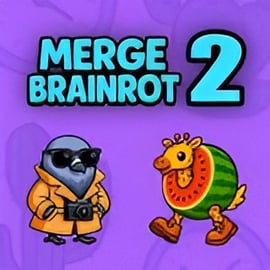
Merge Brainrot 2 is a chaotic, funny, and strangely relaxing meme merge puzzle set in the world of viral Italian brainrot culture. Instead of merging gems or numbers, you’re dropping ridiculous Italian meme characters onto a grid and combining matching icons to unlock new, even more cursed evolutions. It’s an easy-to-learn browser meme game that runs directly in your web browser with no download, making it perfect for quick sessions or long, hypnotic grind runs.
This sequel builds on the original Merge Brainrot formula with smoother animations, more levels of meme evolutions, and a tighter board design. Your job is simple: keep the board from filling up while pushing your highest-tier meme as far as possible. Whether you’re a fan of Italian brainrot videos, 2048-style puzzles, or just want something weird to play between tasks, Merge Brainrot 2 turns scrolling brainrot into an online brainrot puzzle you can actually “win”.
The vibe is casual and family-friendly. There’s no timer, no violence, and no complicated story. You just drop, merge, react to the absurd characters, and chase a new high score. Because it’s a merge style meme game, it works both as a chill background activity and as a strategic puzzle if you want to push yourself and master the mechanics.
At its core, Merge Brainrot 2 follows a very simple loop. The challenge comes from how you manage space and plan ahead. Here’s how a typical round works:
This simple structure makes it one of the most accessible Italian brainrot game experiences online. You don’t need prior puzzle experience or even to know the memes; the game introduces them visually as you progress, so you discover the “brainrot ladder” one merge at a time.
To improve, the key is learning which characters appear early, which are mid-tier, and which are rare late-game evolutions. Once you recognize the order, you can build smarter structures, set up future merges, and avoid clogging the board with random placements.
Merge Brainrot 2 is more than just stacking images. It’s packed with small touches that make it feel smooth and addictive compared to generic merge games.
Because it’s a browser meme game, Merge Brainrot 2 focuses on instant fun without complex menus. You launch, you merge memes, you laugh at the evolutions, and you instantly understand why Italian brainrot meme games have become such a trend.
You can play Merge Brainrot 2 directly in your browser on major gaming portals that host casual puzzle and merge style meme game titles. Look for it in categories like Puzzle, Casual, or Browser.
To make sure you’re actually playing the right game and not a random clone, double-check that:
Some sites wrap the game in their own interface, but the core experience is always the same: drop, merge, unlock, repeat. Because it’s a browser-based online brainrot puzzle, you can swap devices and still get nearly identical gameplay, as long as your connection and hardware are stable.
Merge Brainrot 2 is generally a safe, family-friendly puzzle game that focuses on humor and strategy, not violence or explicit content. The Italian brainrot memes are surreal, exaggerated, and sometimes absurd, but they’re not designed to be graphic or inappropriate.
Still, there are a few safety and content points worth noting before you dive into any Italian brainrot game online:
As with any online game, it’s smart to play on reputable gaming sites, keep your browser updated, and avoid sharing personal information. Within those normal precautions, Merge Brainrot 2 is a safe, lighthearted way to enjoy meme culture in puzzle form.
Getting started with Merge Brainrot 2 only takes a few seconds. Here’s a quick step-by-step guide to playing it as a pure online brainrot puzzle experience.
Because Merge Brainrot 2 is built as a merge style meme game for browsers, you don’t need a powerful PC or console. Any reasonably modern device with a stable connection should handle it without trouble. Just keep your browser tab open, and your progress for that session remains active until you close or refresh.
Collecting every evolution is one of the best parts of any Italian brainrot game. Merge Brainrot 2 hides its funniest characters behind careful play. If you want to see the full brainrot evolution chain, try these tips:
As you unlock each new meme, the game becomes more visually chaotic—and more rewarding. That constant sense of “What’s the next evolution going to look like?” is a big part of why Italian brainrot meme games are so binge-worthy.
Because Merge Brainrot 2 is a browser meme game, controls stay intentionally simple so all the focus goes toward strategy. Exact inputs vary slightly by platform, but most versions use the same core scheme.
Combos are the secret sauce of this meme merge puzzle:
Mastering these mechanics turns Merge Brainrot 2 from a casual online brainrot puzzle into a surprisingly deep strategy challenge.
If you’re chasing leaderboard-level scores, you need more than random dropping. These strategies apply to Merge Brainrot 2 and many similar meme merge puzzle games.
Keep the middle columns as empty as possible early on. This “buffer zone” gives you room to chain merges and correct mistakes later. Stack your lowest memes on the far sides first.
Always look at the current meme and the next one in the queue. Ask yourself: “If I place this here, where will the next one go?” Playing reactively leads to early board lock; planning ahead keeps you alive longer.
Vertical stacks are easier to extend than wide horizontal lines. Focus on building tall columns of the same meme so you can drop one more on top to complete a merge.
Sometimes you need to place a meme in a less-than-perfect spot to avoid blocking a critical future merge. It’s better to “waste” one piece than to block an entire side of the board.
The edges are a great place to store awkward pieces until you can find a match. Just don’t let stacks touch the top; keep at least one or two rows of headroom.
Play a few rounds with these tips in mind and you’ll see why this merge style meme game can be surprisingly strategic once you go beyond instinctive dropping.
There’s a reason titles like Merge Brainrot 2 and related Italian brainrot game spin-offs have exploded in popularity. They tap into several addictive loops at once:
All of this combines into a highly replayable online brainrot puzzle experience. You’re not just solving a board—you’re participating in a living meme trend, one merge at a time.
Whether you drop in for a few minutes between tasks or grind for hours chasing the rarest evolutions, Merge Brainrot 2 delivers exactly what a modern browser meme game should: fast access, funny visuals, and a surprisingly deep puzzle underneath the chaos.
A: Merge Brainrot 2 is a casual browser puzzle game where you drop and merge matching Italian brainrot meme tiles to create higher-tier characters and earn a bigger score.
A: Use your mouse or finger to drag and drop a meme tile onto the board. When two identical memes touch, they merge into a new one. Keep merging to clear space and unlock stronger memes.
A: Yes, Merge Brainrot 2 is free to play in your browser. You do not need to download anything or create an account on most gaming sites that host the game.
A: Yes, Merge Brainrot 2 is a family-friendly puzzle game. It focuses on simple merge mechanics and humorous meme characters without graphic violence or mature themes.
A: No installation is needed. Merge Brainrot 2 runs directly in modern web browsers on desktop, laptop, or some mobile devices, as long as you have a stable internet connection.