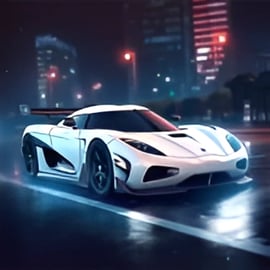
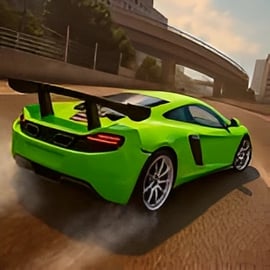
Night Racing is a fast-paced street racing game set in a glowing neon metropolis, built for players who love sleek cars, drifting, and high-speed competition. You race through a futuristic neon city racing environment packed with sharp corners, long straights, and city lights reflecting off the road for a stylish 3D arcade feel. Because it runs directly in your browser, Night Racing is perfect for quick sessions, racing at school (where allowed), or long grind sessions at home.
The game blends accessible arcade driving with just enough depth to keep you improving over time. You’ll master night drift racing, tweak the handling of your favorite cars, and push for the perfect line through every corner. Whether you’re new to browser racing games or a seasoned fan of 3D car racing online, Night Racing delivers an exciting experience without downloads, installers, or long setup times.
Night Racing keeps the controls simple so you can focus on timing, drifting, and racing strategy. Here’s a breakdown of the most common input setup you’ll find in the game. Always check the in-game help or options menu in case specific keys differ slightly on your platform.
The controls are tuned for arcade responsiveness rather than strict simulation. That means quick steering, generous drift angles, and forgiving braking, which helps new players jump right into the action. If you’re using a gamepad, Night Racing often auto-detects it; analog sticks are typically mapped to steering and triggers to throttle and brake, giving you finer control during high-speed drifts.
Night Racing includes a set of core features that make it stand out from many other browser racing games. Below are the key highlights that shape the overall experience:
Together, these features create a fast, simple-to-launch racing experience that still has enough systems to keep you experimenting with car setups, track strategies, and racing lines over time.
You can play Night Racing directly in your web browser on supported gaming portals that offer browser racing games. Look for trusted, family-friendly sites that clearly label Night Racing as an HTML5 or WebGL title. The game is typically accessible on:
To start playing, open your preferred portal, search for “Night Racing,” and launch the game page. Once the loading bar finishes, you’ll be able to select your car, choose a mode, and start racing with just a few clicks. Always ensure you’re using an up-to-date browser for the best performance and compatibility.
Night Racing is designed as a family-friendly street racing game focused purely on cars, speed, and skill-based competition. There’s no graphic violence, adult content, or inappropriate themes. Instead, the action centers on racing lines, drift angles, and timing nitro boosts in a vibrant neon city.
On reputable gaming websites, Night Racing is typically offered as a free, ad-supported title. To keep your experience safe:
For parents and guardians, Night Racing fits comfortably within the same safety range as most other arcade driving titles. There’s competitive racing, engine sounds, and fast cars, but no explicit language, blood, or mature content. As with any online activity, supervising younger children and teaching them basic internet safety is recommended.
When you first load up Night Racing, you’re dropped into a slick menu backed by glowing skyscrapers and neon reflections. From here, you can quickly jump into a race, explore free drive modes (if available), or customize your car. The overall structure is intuitive and keeps you close to the action.
At its core, Night Racing is all about perfecting high-speed laps around city circuits. Each track features a mix of long straights, sweeping curves, and tight chicanes. Some routes may include jumps or elevation changes, creating dramatic moments where your car catches air under the neon skyline.
Key gameplay elements include:
This combination of quick access, responsive handling, and clear progression makes Night Racing a great entry point for anyone interested in 3D car racing online, especially if they enjoy futuristic city aesthetics.
Winning consistently in a street racing game like Night Racing isn’t just about mashing the accelerator. Small improvements in your driving technique, car setup, and route choices can make a massive difference. Use these tips to improve your win rate:
Spend a few races in single-player or time trial modes to memorize where to brake, turn, and accelerate. The fastest way around a track is usually a smooth racing line that:
Cutting too sharply or turning too early leads to sliding and speed loss. Stay calm, and focus on consistency.
Night drift racing looks cool, but over-drifting can slow you down. Tap the brake or handbrake gently to start a slide, then counter-steer to keep the car stable. You want a controlled, low-angle drift that maintains speed, not a wild spin.
If your car has nitro or a boost system, save it for:
Using nitro just before a tight bend wastes most of its potential, since you’ll need to brake immediately afterward.
As you earn credits, don’t rush to spread them across every possible upgrade. Instead:
Matching your upgrades to track style is often more important than simply owning the most expensive car.
In crowded street races, a clean launch off the line can decide the outcome. Avoid wheelspin by not instantly flooring the accelerator the moment the countdown ends. Instead, roll on the throttle smoothly and keep your car straight to avoid bumping rivals or scraping the walls.
One of the most rewarding parts of Night Racing is building a garage that reflects your driving style and personal taste. The game offers several performance cars with unique stats along with a range of upgrades and visual options tailored to the neon city racing theme.
You’ll typically start with an entry-level sports car—balanced but not spectacular. As you complete races, you can unlock:
Each car can usually be enhanced in several areas:
Upgrades stack to give your favorite vehicle a clear identity, whether it’s built for night drift racing or high-speed highway runs.
The customization system leans heavily into Night Racing’s futuristic style. Expect options such as:
These visual tweaks don’t usually affect performance, but they make your car stand out, especially in multiplayer rooms where style and identity matter as much as speed.
Beyond the basic steering and acceleration keys, Night Racing includes several options that help you tailor the driving view and feel.
Pressing the camera-change key (often C) cycles through different perspectives:
Experiment with each camera until you find one that feels most comfortable, especially when driving at high speeds or executing drifts.
In the options menu, many versions of Night Racing allow you to adjust:
Tuning these settings is especially important for competitive 3D car racing online because smoother inputs translate into more consistent lap times.
Night Racing offers a variety of ways to enjoy its neon streets, from relaxed practice sessions to intense online races.
Switching between solo and multiplayer keeps the game fresh. Practice alone to polish your lap times, then test your skills against real players in competitive races.
Since Night Racing is a 3D title, performance can vary depending on your hardware and browser configuration. If you experience lag, low frame rates, or long loading times, try the following fixes:
If the game doesn’t load at all, check that:
These simple troubleshooting steps usually resolve the most common issues players encounter when trying to enjoy 3D car racing online experiences like Night Racing.
A: Night Racing is a free 3D street racing game where you drive powerful cars through neon-lit city streets at night, trying to beat rival racers and set new lap records.
A: Yes. Night Racing is completely free to play in your browser, with no download required. Just open the game page, wait for it to load, and start racing.
A: You typically use the arrow keys or WASD to steer, accelerate, and brake, with extra keys to change the camera view and adjust lights. Check the in-game controls menu for the exact layout.
A: Yes. Night Racing usually offers multiple cars with different stats, along with upgrades such as engine, handling, and visual customizations like colors and lights.
A: Night Racing is a family-friendly car racing game with no graphic violence. Kids can enjoy driving, time trials, and racing challenges, but parents may want to supervise online play time.