Overview of Stickman Sniper
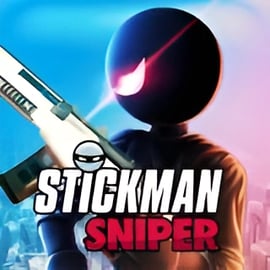
Stickman Sniper is a tense, precision-based stickman shooting game you can play instantly in your browser. You step into the role of a silent stickman assassin, armed with a powerful sniper rifle and a list of high-profile targets. Every level is a compact sniper mission online: identify the right target, wait for the perfect moment, and take them out with a single, accurate shot.
This free browser shooting game focuses on patience, observation, and sniper rifle accuracy rather than run-and-gun chaos. Missions are short but challenging, making Stickman Sniper ideal for quick breaks, warm-up sessions, or extended play where you try to earn 3 stars on every level. There’s no download, no signup, and no complicated setup — just load the page and start playing.
If you enjoy minimalistic art, clear silhouettes, and clean shooting mechanics, Stickman Sniper delivers a focused experience that feels like a puzzle and a shooting challenge at the same time. Every shot matters, and every mistake forces you to rethink your approach.
Stickman Sniper Control Guide
Controls in Stickman Sniper are intentionally simple so you can focus on reading the level and lining up perfect shots. Whether you’re playing on desktop or mobile, you’ll quickly get used to the responsive aiming and firing system.
Desktop Controls (Keyboard & Mouse)
- Mouse Move – Aim your sniper rifle around the level.
- Left Mouse Button – Fire a shot from your rifle.
- Right Mouse Button / Mouse Wheel (if supported) – Zoom or adjust scope level for better precision.
- R (or auto) – Reload your weapon between shots (many versions reload automatically).
- Esc – Pause or open the in-game menu in some browser builds.
Mobile & Tablet Controls (Touch)
- Drag Finger – Aim by swiping across the screen.
- Tap – Shoot when your scope is lined up with the target.
- Pinch / On-screen Buttons – Zoom in or out if your version supports scoped zoom.
The learning curve for the controls is almost zero, but mastering them takes time. As missions get harder, tiny mouse movements or touch adjustments can determine whether your shot hits the right stickman or alerts the entire scene.
Stickman Sniper Features
Stickman Sniper isn’t just about pulling the trigger. It layers simple mechanics with clever level design to create a surprisingly deep stickman assassin game. Here are the key features that make it so replayable and satisfying:
- Focused Sniper Gameplay – No clutter, no distractions. You’re a sniper with a rifle, a scope, and a clear objective in each mission.
- Short, Mission-Based Levels – Each level offers a distinct scenario with unique targets, layouts, and potential collateral damage.
- One-Shot Challenges – Many missions are designed around taking out a target in a single bullet, encouraging careful aim and timing.
- Star Rating System – Earn up to 3 stars based on factors like accuracy, time, and avoiding mistakes. This system rewards skill and encourages replays.
- Progressive Difficulty – Early missions teach the basics; later ones demand sharp focus, reading patterns, and using the environment.
- Minimalistic Stickman Art Style – Clean stickman characters and silhouettes make targets easy to read at a glance while keeping the game lightweight for browsers.
- Instant Play in Browser – No downloads, accounts, or paywalls. Just launch the game and jump into the next sniper contract.
- Family-Friendly Visuals – While you play as an assassin, the stickman style keeps things abstract and non-gory, making it more accessible to a wide audience.
Together, these features create a compact sniper sandbox where you can keep refining your sniper rifle accuracy across dozens of quick missions.
Performance & Troubleshooting
Stickman Sniper is built to run smoothly on most modern browsers, but a few tweaks can help if you experience lag, stuttering, or input delay. Follow these tips to keep your sniper mission online experience sharp and responsive.
Recommended Browser Setup
- Use an up-to-date browser such as Chrome, Firefox, Edge, or Safari.
- Close unnecessary tabs, especially those with heavy video or streaming content.
- Disable performance-hungry extensions (ad blockers, script tools) temporarily if the game feels slow.
Fixing Lag or Low FPS
- Lower your system load by closing background apps like downloads, streaming services, or large software.
- Check your connection: while Stickman Sniper doesn’t require a super-fast connection once loaded, a stable network helps with initial loading and tracking.
- Refresh the page if assets fail to load or the game freezes during level transitions.
Input or Control Problems
- If your mouse feels unresponsive, switch your browser to full-screen mode so the cursor doesn’t leave the game area.
- On touch devices, clean your screen and ensure no screen overlay apps (like blue light filters) are interfering with touches.
- If zoom or reload doesn’t work as expected, check any on-screen hints — some versions simplify controls to a single tap for shooting and auto-reload.
If issues continue, try another browser or device. Because this is a free browser shooting game, you can easily switch platforms without losing progress if your version doesn’t use local saves.
Is Stickman Sniper Safe to Play Online?
Stickman Sniper is generally safe for players who enjoy action and shooting games, but it still involves sniper themes and stickman characters being eliminated. Here’s what you should know about safety and content:
- No realistic gore – The game uses simple stickman graphics without graphic violence or detailed injury effects.
- No real-world brands or politics – Targets are generic stick figures, keeping the focus on gameplay and puzzles.
- No downloads required – Playing in the browser means you don’t install extra software that might pose security risks.
- Ad-supported platforms – Some sites hosting Stickman Sniper may show ads; parents might want to supervise younger players or use a trusted platform.
For most teens and adults, the game’s content should feel stylized and abstract. Parents of younger children can quickly preview a level or two to decide whether the sniper and assassin theme fits their own comfort level.
How to Play Stickman Sniper Online in Your Browser
Getting into Stickman Sniper is fast and easy since it runs directly in your browser. You don’t need an account, payment, or download to enjoy a full stickman shooting game experience.
Step-by-Step: Starting Your First Mission
- Open a modern browser on your PC, laptop, tablet, or phone.
- Visit a trusted gaming site that hosts Stickman Sniper.
- Wait for the game to load; this usually takes just a few seconds with a stable connection.
- Press Play on the main menu to jump into the first tutorial-style mission.
- Read the mission briefing to see who your target is and what you must avoid (like civilians or guards).
- Aim with your mouse or finger, zoom in if available, and line up your first shot.
- Fire once you’re sure you have the correct target. Some levels only give you a limited number of bullets.
Each completed mission unlocks the next one, gradually increasing complexity. You’ll go from basic “find and eliminate” tasks to more complex setups where enemies move, hide, or blend in with crowds.
Reading Mission Briefings
The briefing text and visual hints are crucial. They might tell you to eliminate a target based on clothing, behavior, or position. Misreading a clue can cause you to shoot the wrong stickman and fail the mission.
Treat each level like a micro puzzle: review the description, scan the area, and confirm who needs to be taken out before pressing the trigger. This puzzle element is what separates Stickman Sniper from more generic shooter games.
Tips to Complete Stickman Sniper Missions with One Shot
Stickman Sniper rewards patience and precision. If you want to consistently clear missions using a single bullet, use these strategies to sharpen your sniper rifle accuracy.
Study the Scene Before Shooting
- Don’t rush the first shot. Take a few seconds to scan the entire level from left to right.
- Identify civilians vs. targets by checking clothing color, movement patterns, or props detailed in the mission briefing.
- Watch patrol routes. Some targets follow loops; wait until they’re isolated before you shoot.
Use the Environment
- Look for opportunities where one bullet can solve multiple problems, such as hitting a support that causes an object to fall on the target.
- Avoid shooting through obstacles unless the game clearly allows bullet penetration; missed shots often mean instant failure.
- If platforms or barriers move, time your shot to exploit gaps or openings.
Perfect Your Aim Technique
- On desktop, lower your mouse sensitivity if you tend to overcorrect. Finer control helps with head-level shots.
- On mobile, use a stable grip and anchor your hands to the device to prevent shaky swipes.
- Try to line up vertical and horizontal aim separately: first get the height right, then slide left or right to track the target smoothly.
Learn from Failures
Every missed shot teaches you something about how missions are designed. Did you misidentify the target? Fire too soon? Forget about a moving object? The fastest way to master this stickman assassin game is to replay levels and adjust your thinking each time.
Stickman Sniper Game Features and Level Progression
While Stickman Sniper keeps things streamlined, there’s still a sense of progression that makes pushing forward addictive.
Mission Variety
- Single-target eliminations where you must identify one specific stickman from a crowd.
- Timed shots where your target appears only briefly before hiding behind cover.
- Multi-step missions where you need to trigger a chain reaction or wait for two characters to line up.
Star Ratings & Difficulty Curve
- Most missions award 1 to 3 stars based on accuracy, time, and bullet usage.
- Early levels are forgiving, often giving you multiple bullets and generous timing windows.
- Later missions reduce ammo, tighten time limits, or add distractions so you must stay cool under pressure.
Replay Value
If you’re a perfectionist, you’ll likely revisit earlier levels to secure 3 stars on every mission. This is where the game turns into a personal skill test:
- Can you finish without missing a single shot across multiple missions?
- How fast can you clear familiar levels while still hitting perfect targets?
- Can you complete your favorite sniper mission online using your own self-imposed restrictions, like no wasted time or only head-height shots?
This combination of simple mechanics and layered challenges keeps Stickman Sniper engaging well beyond your first playthrough.
Best Browser Devices and Controls for Stickman Sniper
Since Stickman Sniper is a free browser shooting game, it runs on a wide range of devices. Still, some setups make it easier to land ultra-precise shots.
Best Devices for Desktop Play
- PC or Laptop with Mouse – The most accurate way to play, ideal if you’re chasing 3-star ratings and perfect runs.
- Trackpad – Playable, but less precise. If you must use a trackpad, reduce sensitivity for smoother control.
- External Mouse on Laptop – A great compromise for mobility and precision aiming.
Playing on Mobile & Tablet
- Tablets offer a bigger screen, making it easier to spot details in the environment.
- Phones are convenient, but small targets can be harder to distinguish, especially in later missions.
- Use landscape mode to maximize your field of view and avoid accidental taps outside the game area.
Control Settings & Comfort
- Adjust system pointer speed on desktop if fine movements feel too twitchy.
- Play in a well-lit environment so you can clearly see stickman silhouettes and background details.
- Take short breaks after several intense missions; concentration directly affects your ability to line up tiny, moving targets.
Choose the setup that feels most natural. If you want the most competitive experience, a mouse and keyboard on a desktop browser usually offer the best balance of visibility and control.
More Free Stickman Shooting Games to Play Next
Once you’ve sharpened your aim in Stickman Sniper, there are plenty of other stickman shooting game experiences worth checking out. Many share the same minimalist style but twist the formula with different weapons, movement systems, or physics.
Precision & Sniper-Style Stickman Games
- Stickman Assassin – Focuses on creative eliminations, bouncing bullets, and strategic shooting puzzles.
- Stickman Sniper Sequels or Variants – Some platforms offer follow-ups or themed versions with new missions and environments.
- Stickman Archery Titles – Swap your rifle for a bow and master drop arcs and timing instead of straight-line shots.
Action-Packed Stickman Shooters
- Stickman War and Battle Games – Large-scale battles where you control squads or a single soldier instead of a lone sniper.
- Stickman Platform Shooters – Mix jumping, dodging, and shooting for a more arcade-like challenge.
All of these stickman titles build on the same core appeal: simple art, fast loading, and surprisingly deep mechanics. If you’ve enjoyed climbing through the contracts in Stickman Sniper, you’ll find no shortage of next missions to test your reflexes, aim, and tactical thinking across the broader stickman shooter genre.